Hi Guys
Is it possible to fill a PDF and save it to the Server in ASP.NET 4.7.2 WebForms?
Also could it be possible to go back to such stored PDF and add or modify it later after it has been saved to the server.
The reason for this question, currenlty I have a webform asp.net using framework 4.7.2 that fills the PDF from the data captured on database
For Instance I have a client table that stores most of the pieces of data that the PDF needs such as demographics I transfer them to the PDF, the rest of the pieces of data the user manually enter them to the PDF saved to the user computer, what I would like to do is that instead of saving the PDF to the remote user computer, I would like to keep it in the server so the user continue filling the blank or necessary textboxes in the PDF.
Can the above mentioned possible?
This is obvious, but I mention it anyway. The platform used for the ASP.NET webform is Windows server 2016 IIS10 and SQL server 2016
iTextSharp to populate most of the data stored to the fillable PDF.
Thank you in advance.
J.
Thanks
Daniel WrightPosted Feb 15, 2025, 6:16 PM
Hi J,
Thank you for providing a detailed description of your requirements for working with PDFs on a server in ASP.NET 4.7.2 WebForms. Yes, it is indeed possible to fill a PDF and save it to the server in ASP.NET.
To achieve this, you can use a library like iTextSharp, which you mentioned, to populate the PDF with data captured from the database. When a user interacts with the PDF form on the web application, the data can be dynamically filled and saved to the server instead of the user's local machine.
Regarding your question about going back to a stored PDF on the server to add or modify it later, this is also feasible. By storing the filled PDF on the server, users can access it again to make any necessary changes or additions. You can design your application to retrieve the PDF from the server, allow users to edit it, and save the updated version back to the server.
Given your environment with Windows Server 2016, IIS 10, and SQL Server 2016, you have a robust infrastructure to support these operations.
By integrating iTextSharp with your ASP.NET WebForms application, you can create a seamless experience for users to fill, save, and update PDFs directly on the server. The library provides rich functionality for working with PDF files programmatically.
If you need assistance with specific implementation details or code snippets, feel free to ask. Your approach aligns well with industry standards for handling PDF forms in a web environment.
Let me know if you have any more questions or need further clarification. Good luck with your project!
Warm regards,
Jose SaizPosted Feb 20, 2025, 2:03 AM
Thank you Tuhin and Daniel for your input.
Tuhin, I tried your suggestions but I can't get to override or update the continue fillable .PDF when creating the new one from the template and fill in the blank then save it ti does not carry the data over.
This my code that does the update, it just creates a copy of the existing one without the extra data entered while continuing fillining the blank
You can download the whole test project here -->https://netstair.com/src-sample/Test-iTextSharp.zip
Thank you for all your help.
Tuhin PaulPosted Feb 15, 2025, 8:39 PM
Yes, it is possible to fill a PDF, save it to the server, and later modify or add data to it in an ASP.NET 4.7.2 WebForms application using iTextSharp .
templatePath: Path to the original PDF template with form fields.outputPath: Path where the filled PDF will be saved on the server.formData: A dictionary containing field names and their corresponding values.Instead of sending the PDF to the client, save it directly to the server's file system. You can use a folder like
~/PDFs/for storing the files.Retrieve and Modify the PDF
To allow users to modify the PDF later:
Here’s how you can modify an existing PDF:
Serve the PDF to the User
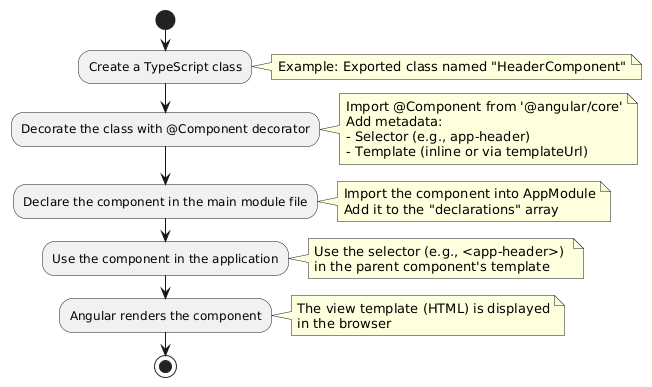
When the user wants to view or edit the PDF, serve it to them via a download link or embed it in the browser.
Example:
Here is the flow :