
hi,
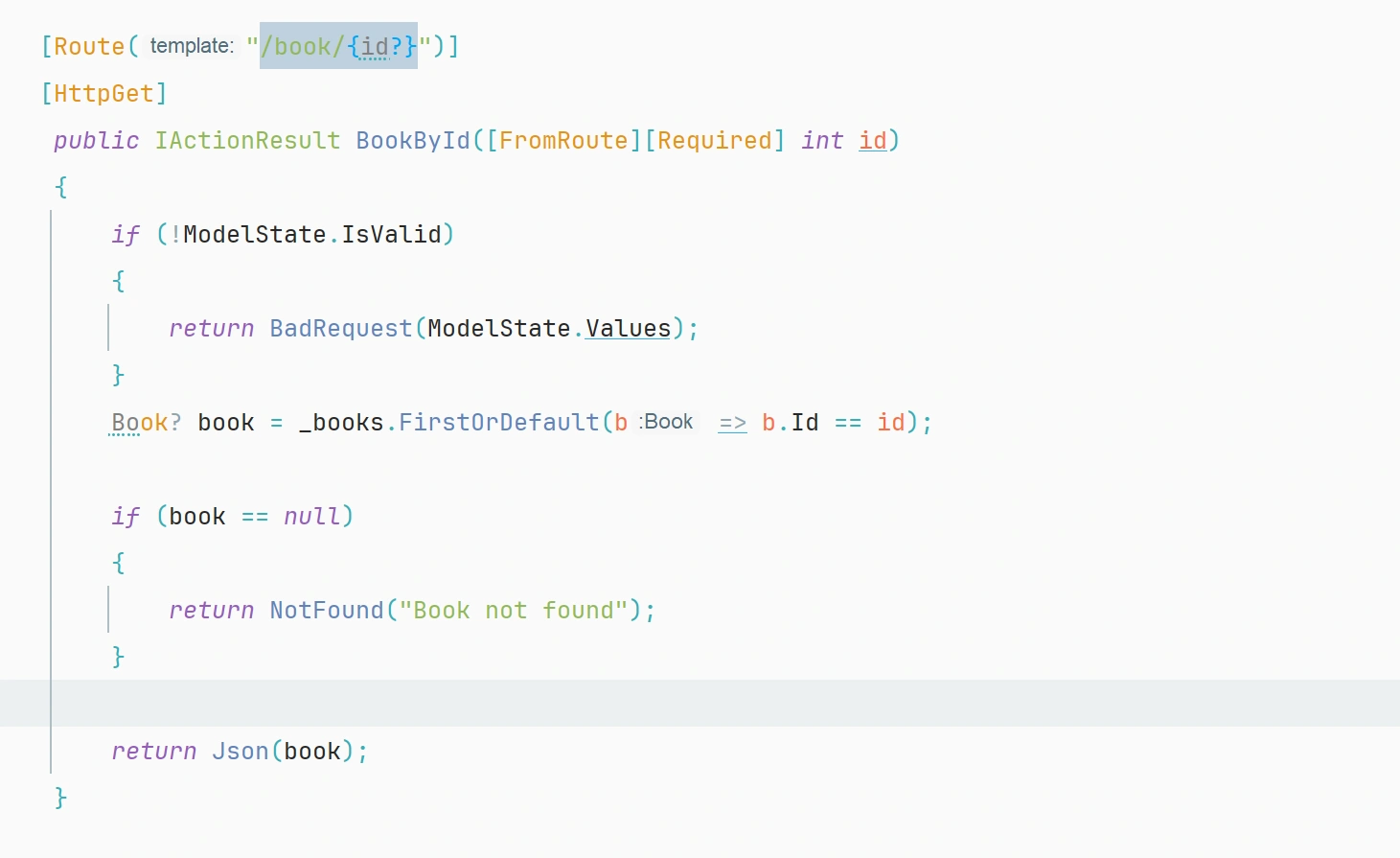
dose using the data annotation validation attribute in acton method paramter good practice
hi,
dose using the data annotation validation attribute in acton method paramter good practice
Know the answer? Post it — somebody with the same question will find it here.
Sign in to answer this question
It is the same account you read, post and publish with — and you will come straight back to this page.
mina shakerPosted Mar 8, 2025, 3:19 AM
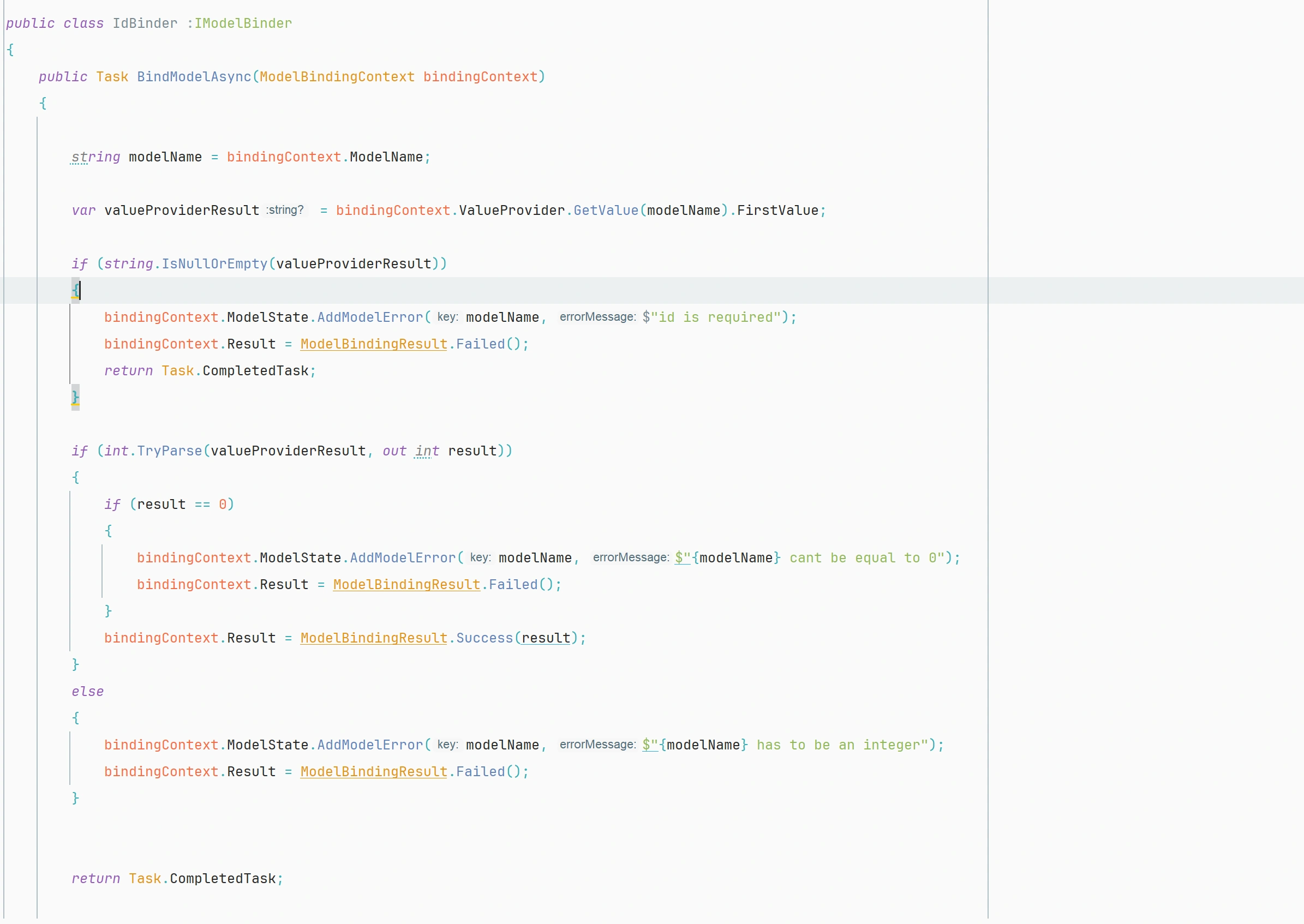
@Tuhin Paul ok can i make this validation from the begining as mking a custom binder to validate before binding to get a valid error message throught the model state object , and this to make the controller small adn lean without more logic in it a to sperate the concern
Tuhin PaulPosted Mar 7, 2025, 8:06 PM
Workflow diagram:

Tuhin PaulPosted Mar 7, 2025, 8:05 PM
What is the Right Approach?
For Required Route Parameters
Use routing constraints instead of
[Required]:For Optional Query Parameters
Make them nullable and validate manually:
For Validating Complex Objects
Use data annotations only for models in the request body (POST/PUT):
Tuhin PaulPosted Mar 7, 2025, 8:03 PM
[Required]Does Not Work Reliably for Query/Route Parameters[Required]works well for complex models in the request body, not simple parameters in the route or query.Use proper routing constraints like:
Tuhin PaulPosted Mar 7, 2025, 8:02 PM
Since you are using data annotation validation attributes (like
[Required]) in a GET request for data retrieval, it's not the best practice for a few reasons.Why
[Required]in GET Requests is Not a Good Practice?GET Requests Should Be Idempotent
[Required]does not add significant value, as missing route parameters in a GET request will already result in a 404 (Not Found) or a bad request.Route Parameters Are Already Mandatory
{id}), it is already required. If the client doesn’t provide it, the request won't even reach the action method.Here, if
idis missing or not an integer, ASP.NET Core won't call this method.Query Parameters Are Optional by Default - If filtering users via query parameters (e.g.,
?name=John), those should be optional, and validation should happen inside the method.mina shakerPosted Mar 7, 2025, 7:39 PM
i am using it in get request data retreval
Emily FosterPosted Mar 7, 2025, 7:38 PM
Hi there!
Using data annotation validation attributes in action method parameters is indeed a good practice in ASP.NET MVC. By adding these attributes to your action method parameters, you can enforce validation rules directly on the input parameters of your controller actions.
For instance, you can use attributes like `[Required]`, `[StringLength]`, `[Range]`, etc., to ensure that the incoming data meets certain criteria before it is processed further. This helps to maintain data integrity, improve security, and provide a better user experience by preventing incorrect or malicious data from being processed.
Here's a quick example to illustrate this:
In this example, the `[Required]` attribute ensures that the `userId` parameter is provided, and the `[StringLength]` attribute specifies that the `userName` should not exceed 50 characters.
By leveraging data annotation validation attributes, you can easily perform validation without writing custom validation logic in your action methods, making your code cleaner and more maintainable.
I hope this explanation helps clarify the importance and benefits of using data annotation attributes in action method parameters. If you have any more questions or need further clarification, feel free to ask!