I want to extract all the records in the database in this first picture directly to the word as in the second picture. Which method would you recommend?
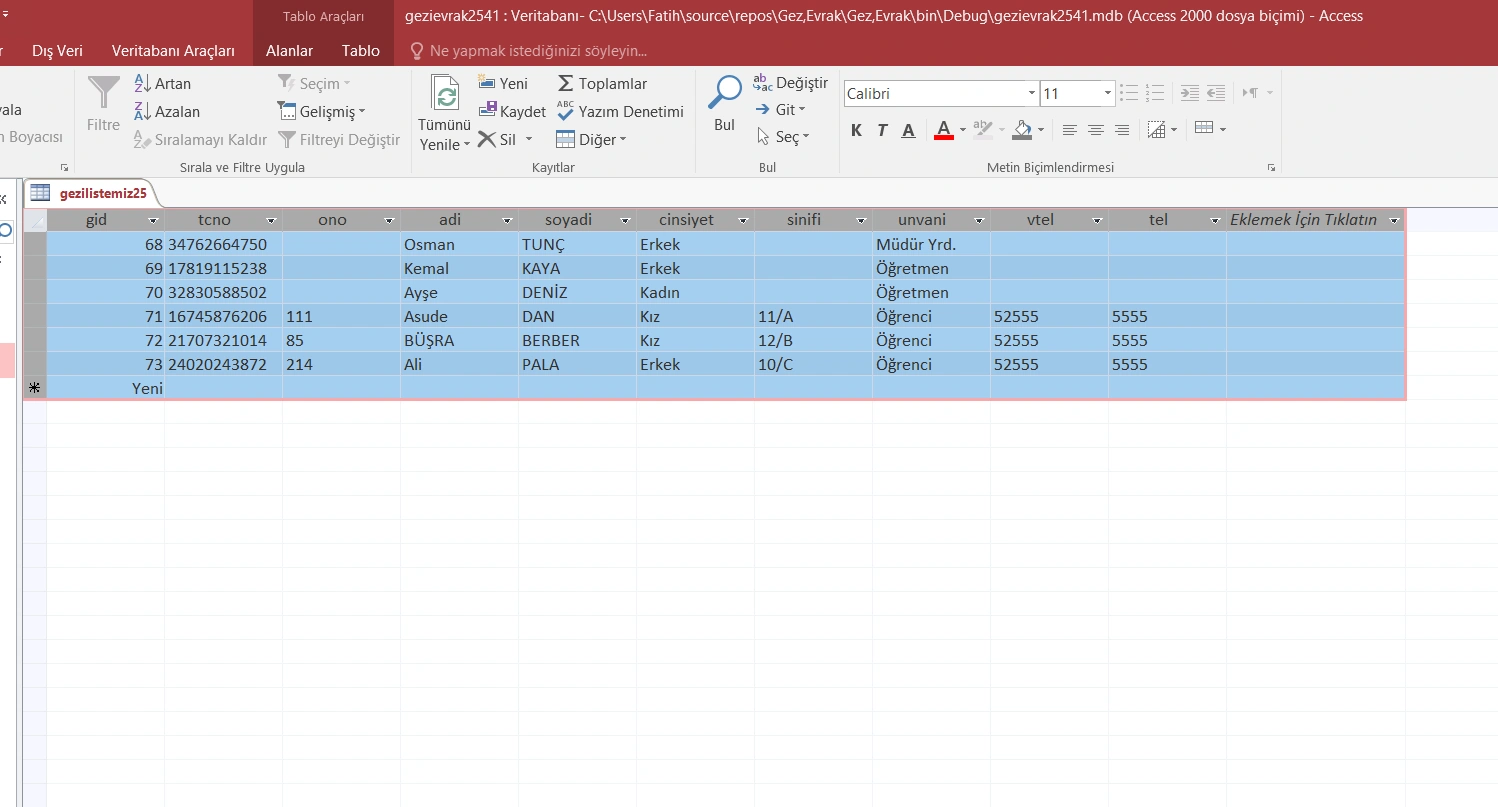
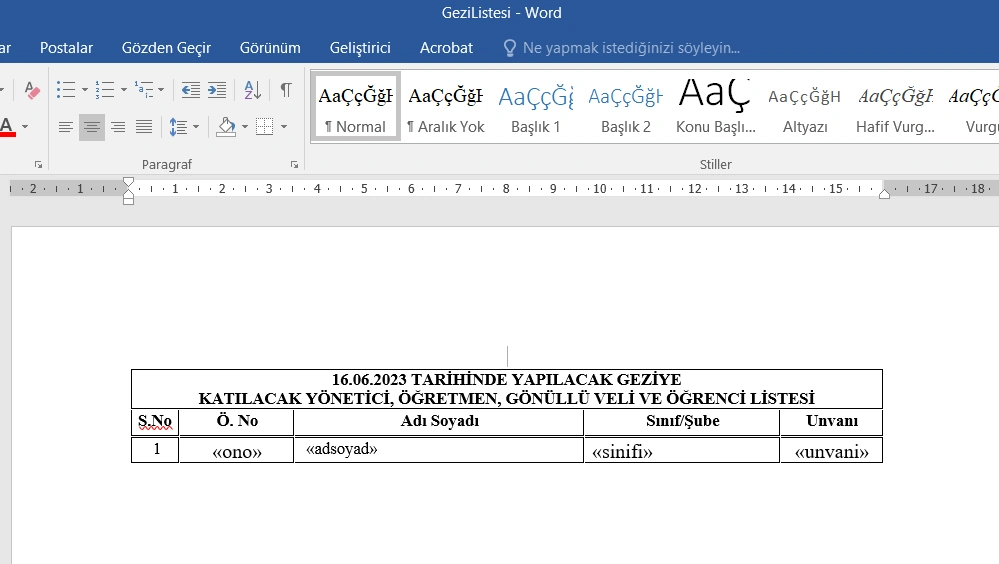
I want to extract all the records in the database in this first picture directly to the word as in the second picture. Which method would you recommend?
Know the answer? Post it — somebody with the same question will find it here.
Sign in to answer this question
It is the same account you read, post and publish with — and you will come straight back to this page.
Deepak RawatPosted Jun 20, 2023, 5:18 AM
o pull data from a database and populate it into a Word document in a .NET application, you can use the Microsoft Office Interop libraries. Here's a step-by-step guide on how to achieve this:
Install the "Microsoft.Office.Interop.Word" NuGet package in your project.
Import the necessary namespaces in your code file:
Replace
"YourConnectionString"with the actual connection string for your database, and"YourTable"with the table name or query to retrieve the desired data.The
GenerateWordDocumentmethod takes the DataTable retrieved from the database and a file path where the Word document should be saved. It uses the Word interop objects to create a new document, add a table to it, populate the table with the data from the DataTable, and save the document to the specified file path.Make sure to adjust the file path and other formatting options as needed.
Replace
"C:\\Path\\To\\Your\\Document.docx"with the desired file path for the Word document.By following these steps, you should be able to pull data from a database and populate it into a Word document in your .NET application.
Mehmet FatihPosted Jun 21, 2023, 7:23 AM
Thanks Depaak Rewat a lot. It works fine. How can we get it in the format in the picture?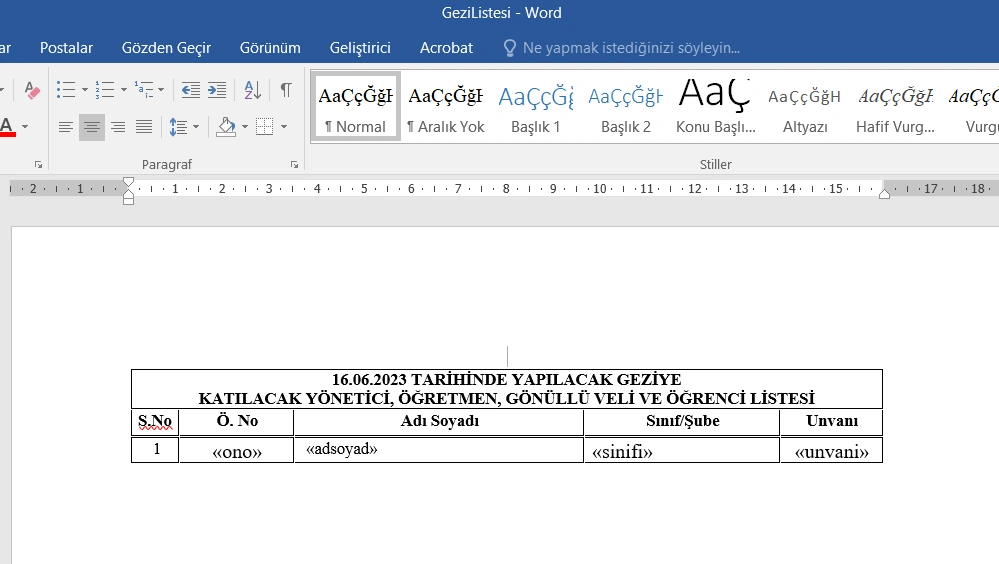
Mudzakkir TohaPosted Jun 20, 2023, 3:06 AM
You can use NPOI
The sample, is here
https://stackoverflow.com/questions/69621671/c-sharp-npoi-lib-how-to-generate-word-doc-with-2-tables-in-the-same-row
Leon DPosted Jun 20, 2023, 2:49 AM
You can use Spire.Doc library to achieve your requirement:
https://www.e-iceblue.com/Tutorials/Spire.Doc/Spire.Doc-Program-Guide/How-to-Use-Mail-Merge-to-Create-Report.html