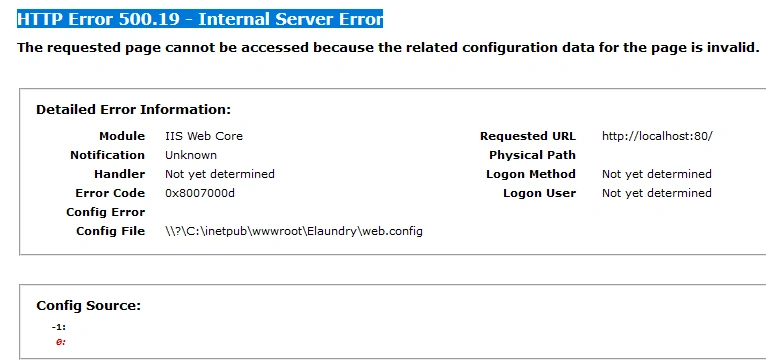
Please help me for Resolve, HTTP Error 500.19 - Internal Server Error
Know the answer? Post it — somebody with the same question will find it here.
Sign in to answer this question
It is the same account you read, post and publish with — and you will come straight back to this page.
Jayraj ChhayaPosted Oct 8, 2024, 10:48 AM
Hi
Please check and revert after the Event Viewer Logs
Event Viewer Logs: Check the Windows Event Viewer logs for more specific error messages related to the application. This can provide insights into what is causing the 500.19 error.
Henry Al MamunPosted Oct 8, 2024, 9:28 AM
Thank you for your response.
Already apply this methods but It's not working.
Jayraj ChhayaPosted Oct 8, 2024, 9:15 AM
To resolve the HTTP Error 500.19 in a .NET Core application, follow these steps:
Check the web.config File: Ensure that your web.config file is correctly formatted and does not contain any invalid entries. Look for typos or incorrect settings that could lead to this error.
Permissions: Ensure that the application pool identity has the necessary permissions to access the application files and folders. You can do this by right-clicking the folder, selecting Properties, and adjusting the Security settings.
Application Pool: Verify that the application pool is set to use the correct version of .NET Core. If you are using .NET Core 3.1, ensure that the application pool is configured accordingly.
Event Viewer Logs: Check the Windows Event Viewer logs for more specific error messages related to the application. This can provide insights into what is causing the 500.19 error.
Kestrel Server Issues:
Cause: If you are using the Kestrel server, there could be issues with the startup configuration.
Program.csandStartup.csfiles are correctly configured. Check for middleware or routing issues.