I have an ASP.Net web page - a sign in page.
It has a drop down on ' user name' that appears when clicked on. These values were pre-saved by the browser and it populates it with them.
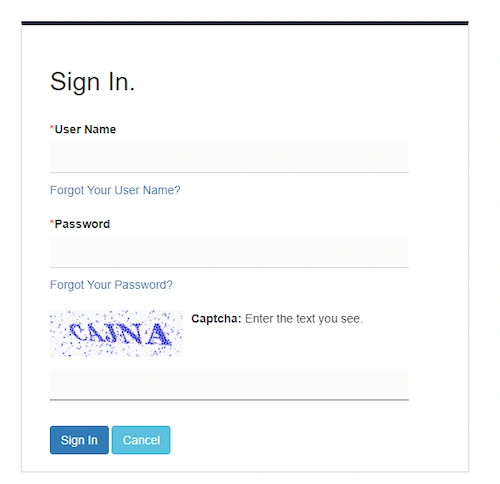
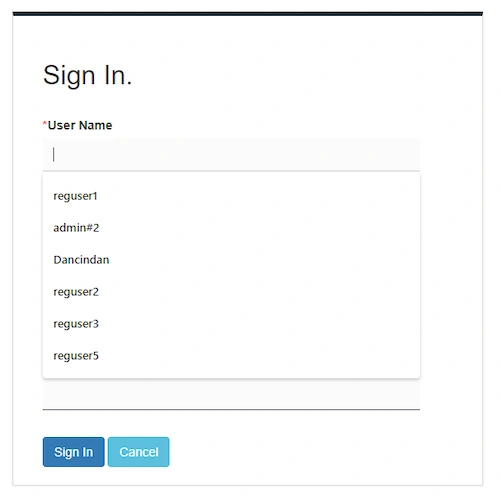
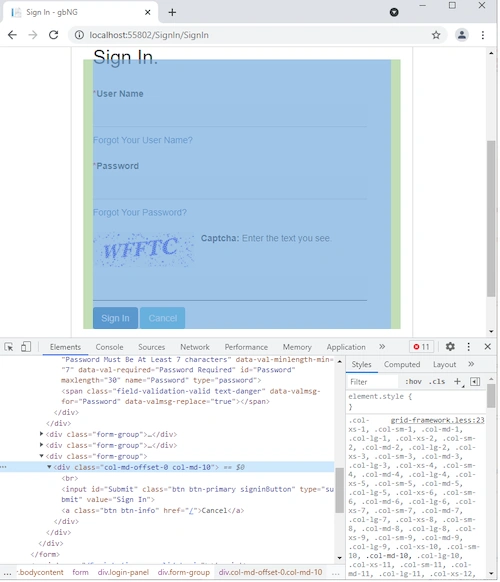
While testing for being responsive, when I make the page smaller in my browser (Chrome) to simulate the size of a smart phone, it no longer allows me to click on the 'user name' box and a blue line appears on the right side.
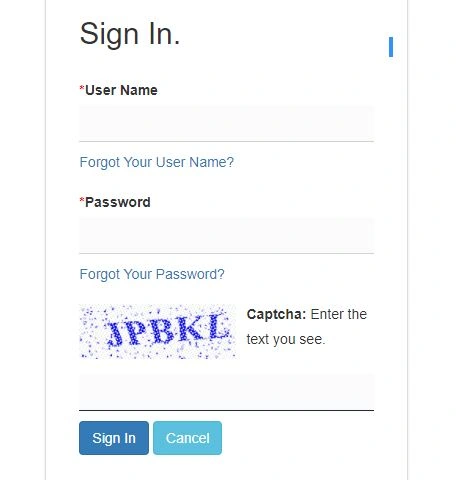
I right click on the input for the user name and select 'inspect' and it it puts me on the Sign In button.
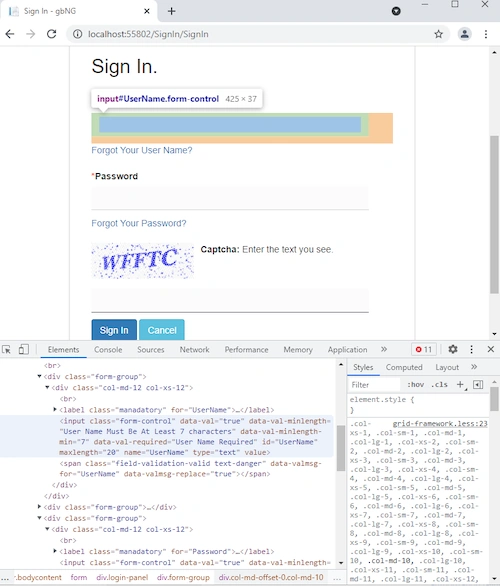
If increase the size of the browser and right click on the input for the user name, it now places me on the correct element.
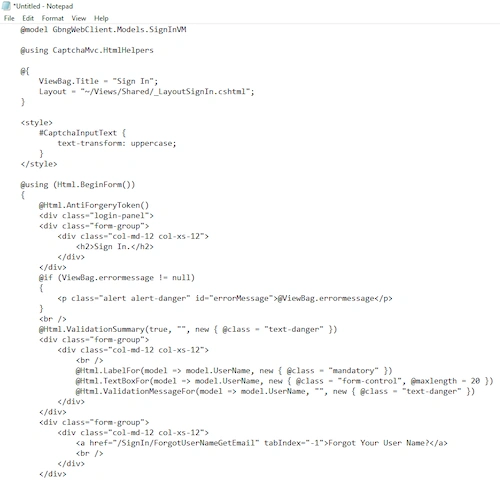
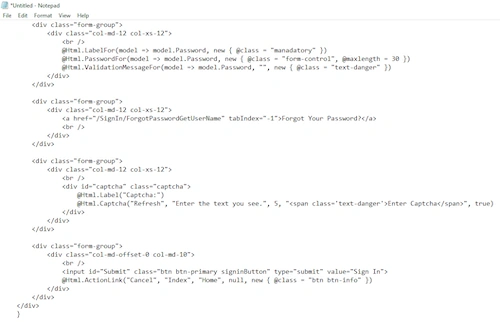
Here is the page code. (Note it would not allow me ti insert code snippet so I had to upload screen shots):
First LastPosted Oct 22, 2021, 8:17 PM
Sachin SinghPosted Oct 19, 2021, 4:35 AM
Srinivasan RamamoorthiPosted Oct 19, 2021, 3:43 AM
First LastPosted Oct 18, 2021, 9:18 PM
I added these media queries. Thye work but no change to the problem.
@media only screen and (min-width : 768px) and (max-width : 980px) {
.login-panel {
width: 70%;
}
.login-panel input[type="text"], .login-panel input[type="password"] {
width: 60%;
}
.login-panel .captcha input[type="text"] {
width: 60%;
}
}
@media only screen and (min-width : 569px) and (max-width : 767px) {
.login-panel {
width: 50%;
}
.login-panel input[type="text"], .login-panel input[type="password"] {
width: 40%;
}
.login-panel .captcha input[type="text"] {
width: 40%;
}
}
@media only screen and (min-width : 240px) and (max-width : 568px) {
.login-panel {
width: 40%;
}
.login-panel input[type="text"], .login-panel input[type="password"] {
width: 30%;
}
.login-panel .captcha input[type="text"] {
width: 30%;
}
}
Srinivasan RamamoorthiPosted Oct 18, 2021, 8:02 PM
ok, then let's check if the second step (Use CSS Media Queries) mentioned in the article has been taken care
First LastPosted Oct 18, 2021, 8:00 PM
Here is the SignIn.css. (Note: the SignIn.chstml references the login-panel CSS class).
.mybrand {
font-size: x-large;
font-weight: bold;
color: blue;
}
* {
border: 0;
text-decoration: none;
padding: 0;
margin: 0px;
}
.login-panel {
margin: 5em auto 0;
width: 80%;
max-width: 530px;
background: #ffffff;
overflow: hidden;
padding: 30px 18px 20px;
border: 1px solid #ddd;
border-top: 5px solid #1C2B36;
box-shadow: 0 0 3px rgba(0, 0, 0, 0.1);
}
.login-panel input[type="text"], .login-panel input[type="password"] {
height: 37px;
color: #333;
background-color: #fbfbfb;
background-image: none;
border: 0;
border-bottom: 1px solid #fff;
border-radius: 0;
margin-bottom: 10px;
width: 100%;
padding: 6px 12px;
font-size: 14px;
line-height: 1.42857143;
-webkit-box-shadow: inset 0 1px 1px rgba(0,0,0,.075);
box-shadow: inset 0 1px 1px rgba(0,0,0,.075);
-webkit-transition: border-color ease-in-out .15s,-webkit-box-shadow ease-in-out .15s;
-o-transition: border-color ease-in-out .15s,box-shadow ease-in-out .15s;
box-shadow: none;
transition: border-color ease-in-out .15s,box-shadow ease-in-out .15s;
border-bottom: 1px solid #d2d2d2
}
.login-panel .captcha input[type="text"] {
height: 37px;
color: #333;
background-color: #fbfbfb;
background-image: none;
border: 0;
border-bottom: 1px solid #fff;
border-radius: 0;
margin-bottom: 10px;
width: 100%;
padding: 6px 12px;
font-size: 14px;
line-height: 1.42857143;
-webkit-box-shadow: inset 0 1px 1px rgba(0,0,0,.075);
box-shadow: inset 0 1px 1px rgba(0,0,0,.075);
-webkit-transition: border-color ease-in-out .15s,-webkit-box-shadow ease-in-out .15s;
-o-transition: border-color ease-in-out .15s,box-shadow ease-in-out .15s;
box-shadow: none;
transition: border-color ease-in-out .15s,box-shadow ease-in-out .15s;
border-bottom: 1px solid #1C2B36
}
.login-panel .captcha img {
float: left;
margin-right: 10px;
margin-bottom: 15px;
max-height: 55px;
}
.login-panel .captcha a {
display: block;
color: #f1643f;
}
.login-panel .captcha {
font-weight: 500;
color: #333;
}
.login-panel .captcha br {
display: none
}
.captcha input[type="text"] {
background: #fff none repeat scroll 0 0;
border: 1px solid #D2DEE8;
border-radius: 0 !important;
box-shadow: 0 0;
font-size: 0.96em;
color: #286AA4;
display: block;
width: 100%;
height: 34px;
padding: 6px 12px;
}
First LastPosted Oct 18, 2021, 7:55 PM
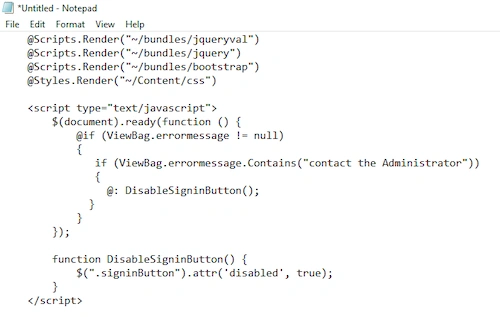
My sign in page that I have shown above includes a partial page (_LayoutSignIn.cshtml) that contains the 'viewport' and brings in a custom SignIn.css file. This is that _LayoutSignIn.cshtml code:
Srinivasan RamamoorthiPosted Oct 18, 2021, 7:48 PM
Try setting viewport meta tag in the html file
First LastPosted Oct 18, 2021, 7:25 PM
No, I am not. It is ok until the screen width drops below 975 pixels wide.
Srinivasan RamamoorthiPosted Oct 18, 2021, 7:20 PM
First LastPosted Oct 18, 2021, 7:10 PM
Srinivasan - I am just using the Bootstrap CSS as well as custom CSS for the sign in. See the code snippets.
Srinivasan RamamoorthiPosted Oct 18, 2021, 7:05 PM