Hello,
I have a MetroForm and I have added a DataSet using my Database sources.
I want to use the method Drag& Drop to add a table from this DataSet. But it's not working.
I have watched videos in YouTube:
It has to be like that:
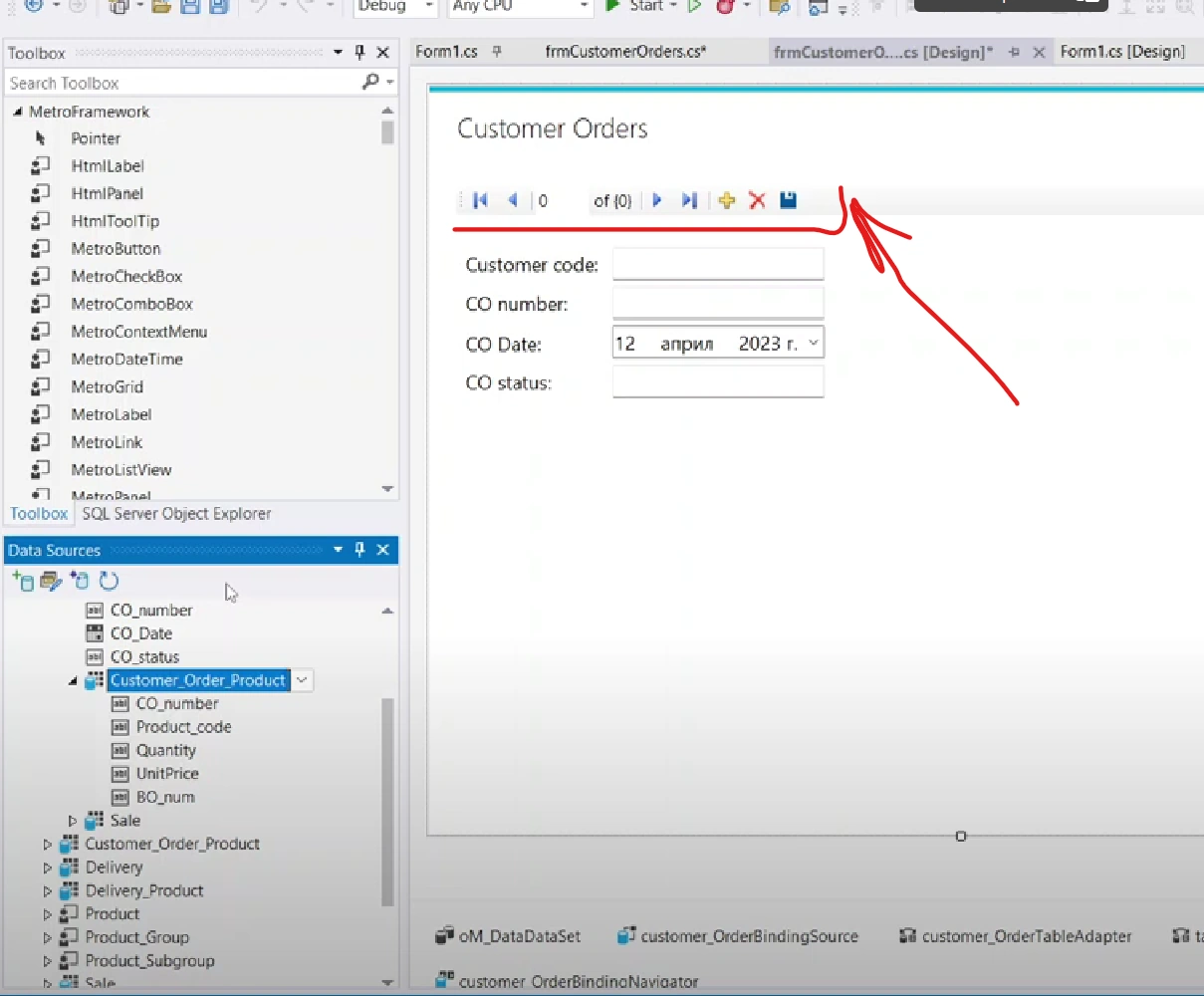
The most important thing is that I need this navigation/managment bar to show up. This happenes with just drag & drop the table with specified control.
However my form is staying blank.
Tuhin PaulPosted Apr 19, 2023, 2:03 AM
1. Open the form in design mode and make sure the DataSet is added to the form's components. You can check this by opening the "Component Tray" at the bottom of the designer window.
2. Add a DataGridView control to the form by dragging it from the "Toolbox" onto the form.
3. Select the DataGridView control and go to its properties window. In the "Data" section, set the "DataSource" property to the DataSet you want to use.
4. Now you should be able to drag a table from the DataSet onto the DataGridView control. When you drop the table onto the control, it should automatically generate columns for the table and display the data in the control.
5. To display the navigation/managment bar, you can set the "AllowUserToAddRows" and "AllowUserToDeleteRows" properties of the DataGridView to true.
Tuhin PaulPosted Apr 19, 2023, 2:01 AM
To use Drag&Drop to add a table from a DataSet to a MetroForm, you need to make sure that the DataSet is added to the form's components and that you have added a DataGridView control to the form.