
Code First Approach MVC Web Application 2019
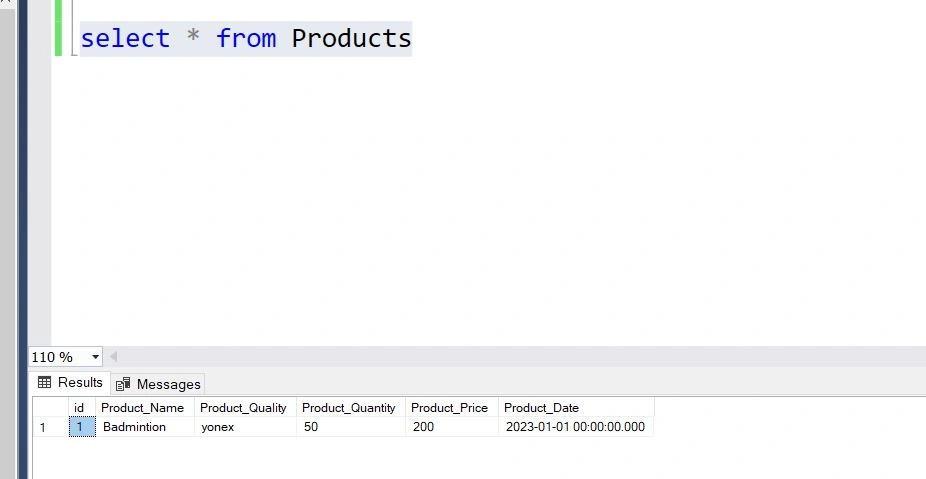
How to save calculated field in Microsoft SQl Server database (for eg how to save total field(calculated filed) in database
In following example total is calculated field how to add this total in database table product .
Jignesh KumarPosted Feb 22, 2023, 4:06 AM
Hi Suman,
Is that something you have to do?
Why do you need to add that column to the database if you just want to display it in gridview?
If you are able to get that value at run time, then it should be fine not to add that column to the database because, whenever you want to total that time, you can calculate based on these fields.
If we can get it from another field, we should not store it on the table as a best practice.
Suman SainiPosted Feb 22, 2023, 11:05 AM
Its just that I want to auto calucate Total = price*quanity & also wish to store it permanently in database the calculated field (total).using code first approach in mvc web applicaition 2019..
what should be the code in Product Model for taking toal as a calculated field = price*quanity .
what should be the code in contrroller and view regarding displaying and storing calculated field peramently in Microsoft Sql Server 2019 ?
Thanks in Advance
Naimish MakwanaPosted Feb 22, 2023, 4:05 AM
Hello Suman,
Since the 'Total' property is read-only, you cannot set its value directly.
I Would suggest you to change your Total property to get and set; so it will not create any issue.
Thanks
Naimish Makwana
Suman SainiPosted Feb 21, 2023, 4:40 PM
what changes are needed in view and controller
run time error coming cannot set data to readonly ie total (calculated field).
Naimish MakwanaPosted Feb 21, 2023, 3:21 PM
Hello Suman,
To Add Total Calucated field in database table. You need to do following things
1. Add Total Field in your Model Ex. here is Product class, add new property as Total with decimal Datatype.
2. You nedd to run the migration to update the database schema.
3. In your controller action method, you can calculate the 'Total' field using the values of other fields (e.g., Product_Qty and Product_Price) and assign it to the 'Total' property of the model object.
4. You can use the SaveChanges method of the DbContext object to save the changes to the database.
Example :
Thanks
Naimish Makwana