
Dear Sir,
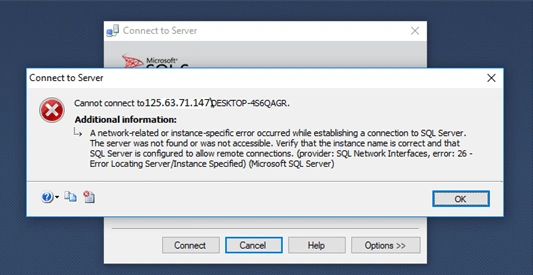
i install SQL 2012 in mixed mode but its not connect remotly (when static ip is availabe ) how to create login to database with static ip. i am trying but error occur.
Know the answer? Post it — somebody with the same question will find it here.
Sign in to answer this question
It is the same account you read, post and publish with — and you will come straight back to this page.
Chandrasekaran CPosted Sep 9, 2019, 6:30 AM
Step 1
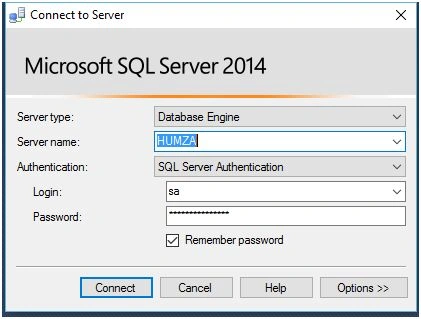
Open the SQL Server Management Studio and login to the database, using the SQL Server/Windows authentication.
Step 2
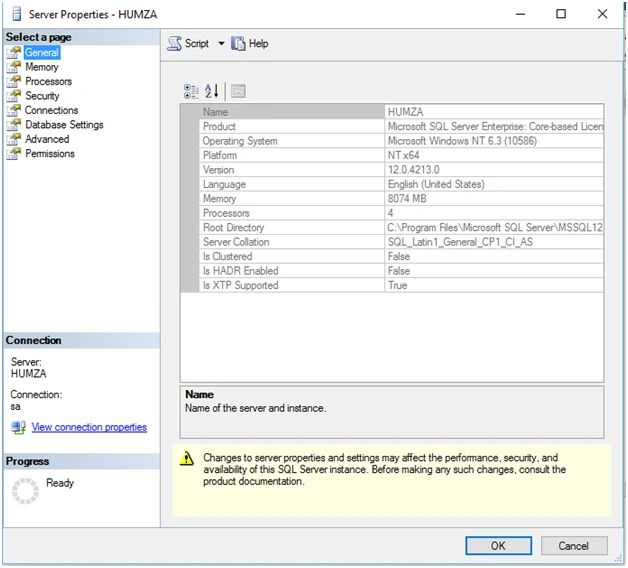
After login, go to the Object Explorer and right click on the root directory, in my case named HUMZA ( SQL Server ver-sa ) and click the Properties and this window will open.
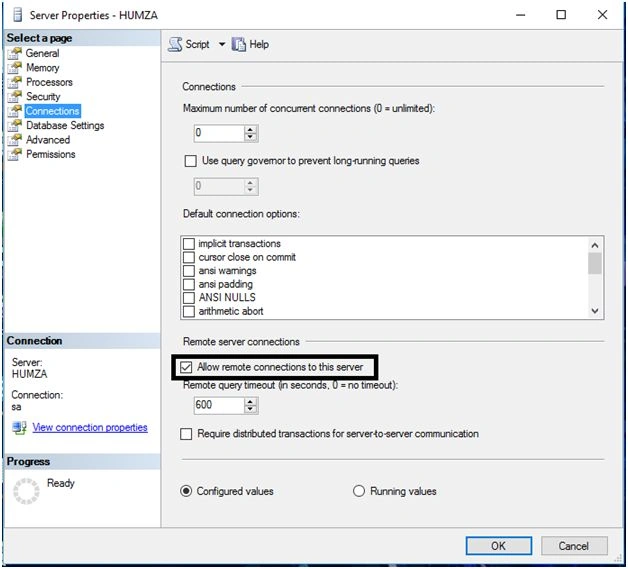
Click the connections and make sure the following check box is Checked:
Step 3
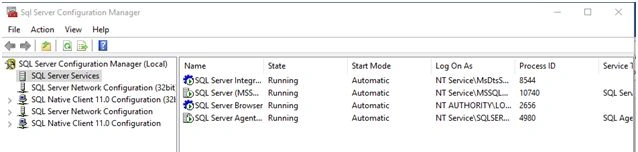
Start->Run->SQLServerManager(version).msc like.
Start->Run->SQLServerManager10.msc.
For SQL 2005, you can use SQLServerManager.msc.
Just look under C:\Windows\System32\SQLserverConfigurationManager.
Step 4
Sohil AhmedPosted Aug 30, 2019, 5:26 AM
Ashwin ChauhanPosted Aug 7, 2019, 1:30 AM