
Hi ,
When I try to open a file in Git Changes, this type of pop-up appears. Is there any solution to this? Why do these things happen?
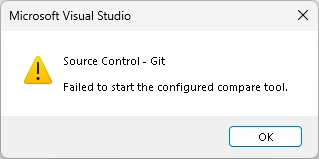
Kindly acknowledge if anyone has a solution for it.
Hi ,
When I try to open a file in Git Changes, this type of pop-up appears. Is there any solution to this? Why do these things happen?
Kindly acknowledge if anyone has a solution for it.
Know the answer? Post it — somebody with the same question will find it here.
Sign in to answer this question
It is the same account you read, post and publish with — and you will come straight back to this page.
Jayraj ChhayaPosted Aug 20, 2025, 10:36 AM
Hello,
This error means Visual Studio can’t find the Git compare tool you have configured.
Fix:
In Visual Studio go to Tools → Options → Source Control → Git Global Settings, set Diff/Merge tool to Visual Studio.
Or reset in terminal:
This ensures Git uses Visual Studio’s built-in compare tool and removes the error.