Hi,
I am trying to create a very simple GUI designer application in C# WinForm (This is just a UI designer and not a complicated IDE).Like below image but I have problem with adding items to the form as:
1- I tried to use Drag and Drop function in C# and drag and drop selected controls(When user Mouse Down on each control panels) but this function just replace (preposition) the existing control in the form.What I meant to do is generating new control by draging to correct position in the Main Form panel.
2- Then I used a method to create control and add them to panel whenever we call the method by Mouse Down event like:
This works but as you see it just add a hard coded button to the Main Form and it does not let user to drag the control to appropriate X,Y location.
3- The other issue is I have to create a method to check if there is any button added to the list already and if so give a different name the new button.like
and so on : btncustom_1, btncustom_2, btncustom_3
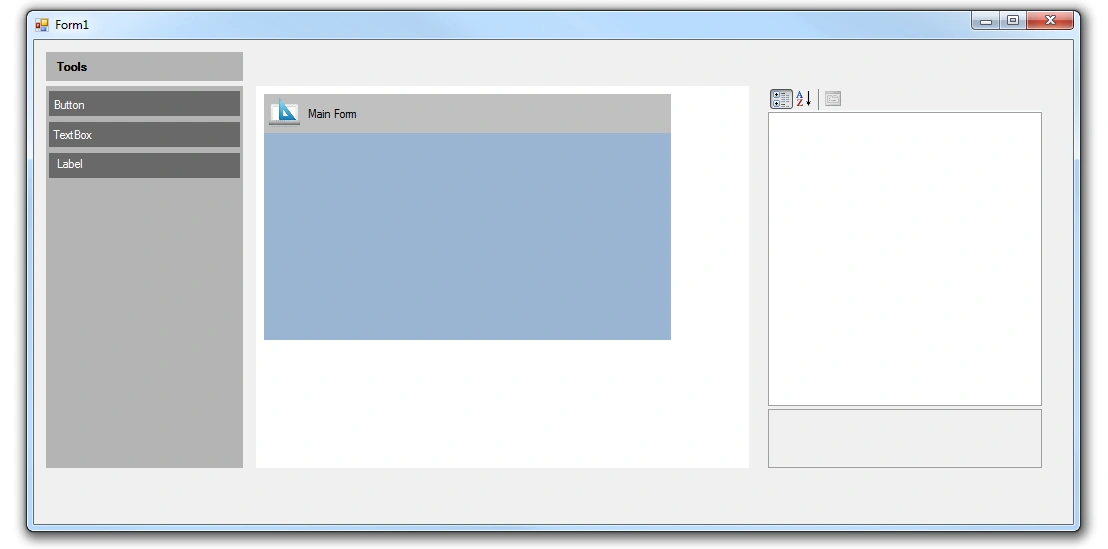
I really appreciate your time if you can help me to figure this out:
1- how I can drag and create(not Move) a new control and add it to the Main form
2- how to generate a controls like adding auto number naming convention like btncustom_1, btncustom_2, btncustom_3
Thanks for you help and comments
Behrouz HosseiniPosted May 7, 2012, 7:44 PM
Can you please let me know how I can do this in WPF? is there any tutorial for that? I mean creating new object like what we do by selecting from VS toolbox list at runtime?
Best regards
Mahesh ChandPosted May 7, 2012, 7:30 PM