Skip to content
Loading
Asp.Net Core Razor display an error message from if...else
+4
  • Marius Vasile
    Forget about old school, I will have the error message displayed at the top of the page, it looks better than popup. Thank you Sachin
    +3
  • Marius Vasile
    It works as alert, highlighting the error, agree, but I am old school, I would like to have it as a popup and for some reasons, jquery modal popup is not working on if else
    +2
  • Marius Vasile
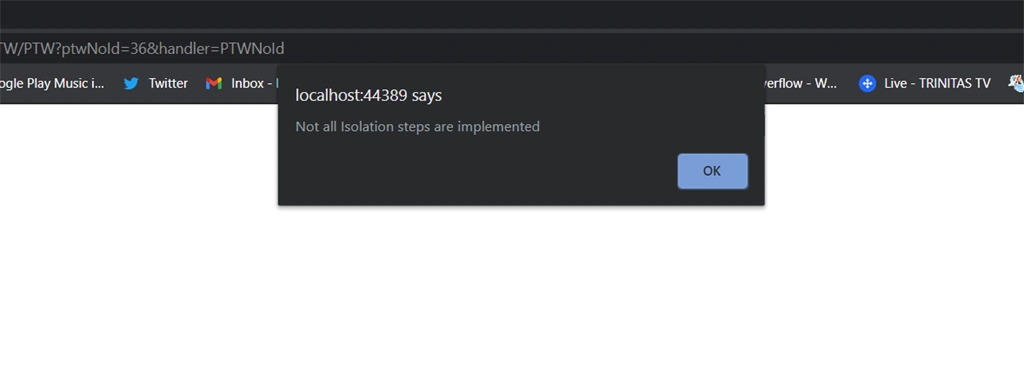
    I have a pop up with
     
    1. @if (Model.Error == null)  
    2. {  
    3.     "text/javascript">  
    4.         var message = "Not all Isolation steps are implemented";  
    5.         if (message)  
    6.             alert(message);  
    7.       
    8. }  
    but it doesn't look too good.


    any other ideeas? 
    +2
  • Marius Vasile
    OK, got it figuered out by
     
    1. int error = PTWIsoDetails.Count(x => x.IsStatus.Equals(myString));  
    2.             Error = error.ToString();  
    and 
     
    1. @if(Model.Error == null)  
    2. {  
    3.     

      This is an error

        
    4. }  
     but now I think a popup twill look better to show the message, most probably a jquery
    +2
  • Sachin Singh
    in page model create one more property
    like public string Error {get;set;}
    set it on method and use it like normal model property in razor.
    +2
  • Marius Vasile
    Ok, the error is not related to the message, was different source and fixed. However, I still can't show the message
    +2
  • Marius Vasile
    When I use
     
    1. string myString = "Awaiting";  
    2.               
    3.             var matchingvalues = checkIsoCert.Where(x => x.IsStatus.Equals(myString));  
    4.             if (matchingvalues == null)  
    5.             {  
    6.                 var ptwStatus = _context.PTWContents.First(s => s.PTWNo == idPTWNo);  
    7.                 ptwStatus.PTWStatus = "Issued";  
    8.                 await _context.SaveChangesAsync();  
    9.                 return RedirectToPage("PTWForm""PTWNoId"new { ptwNoId = idPTWNo });  
    10.             }  
    11.             else  
    12.             {  
    13.                 ViewData["MyString"] = "You havn't completed IsoCert";  
    14.             }  
    15.   
    16.             return Page();  
    and
     
    1. class="col-12 d-flex justify-content-center">  
    2.         "PTWIssue" asp-route-idPTWNo="@Model.PTWNo" type="submit" class="btn btn-link text-info font-weight-bolder mt-2 mb-2" style="font-size:20px;" data-toggle="tooltip" data-placement="top" title="Issue the Permit to Work and send to Receiver">Issue Permit To Work  
    3.     
      
  •   
  • @ViewData["MyString"]  
  •   
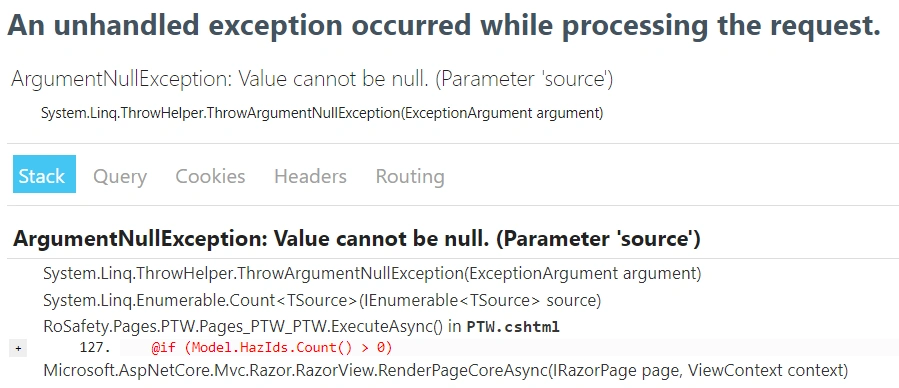
  • I got the following error
     
     
    +2
  • Sachin Singh
    also test with viewdata , it should work
     
    ViewData["MyString"] = "Error Message"; // in Page model
    @ViewData["MyString"] // in razor
    +2
  • Sachin Singh
    check this
    https://www.learnrazorpages.com/razor-pages/viewdata
    +2
  • Marius Vasile
    this ViewBag has to be a model and it is not
    +2
  • Sachin Singh
    obviously you can use sir
    give it a try
    +2
  • Marius Vasile
    But Sachin, can I use ViewBag in Razor pages? This is only for MVC
    +2
  • Sachin Singh
    simply use viewbag sir
     
    1. if(matchingvalues == null)    
    2.             {    
    3.                 var ptwStatus = _context.PTWContents.First(s => s.PTWNo == idPTWNo);    
    4.                 ptwStatus.PTWStatus = "Issued";    
    5.                 await _context.SaveChangesAsync();    
    6.                 return RedirectToPage("PTWForm""PTWNoId"new { ptwNoId = idPTWNo });    
    7.             }    
    8.             else    
    9.             {    
    10.               ViewBag.ErrorMessage="You havn't completed IsoCert";  
    11.             }    
    12.   
    13. // in Razor page  
    14.   
    15. @ViewBag.ErrorMessage 
    +3
  • Marius Vasile
    I can'y implement your solution because my check doesn't work as intended. Let try to work arround and update later
    +2
  • Yogeshkumar Hadiya
    yes sir return error message or any variable with value and check in razor page with if block .
     
    1. if(condition){  
    2. //your code  
    3. }  
    4. else{  
    5. return view ("YourView",new{error="yes"})  
    6. }  
     
    +1
  • Marius Vasile
    So you are trying to say that in else statement I just add the error text? And it will be shown in browser? That simple?
     
    My variable is list type, how do I get this into model? Please give an example 
    +1
  • Yogeshkumar Hadiya
    You can return view in else part with a new variable or model property then check in your razor page if that property has value which you pass from here then show error message like below .
    1. @if(MyVar=="error")  
    2. {  
    3. <b>This is your error messageb>  
    4. }  
    +3