

Introduction
In this post, we will discuss how to work with SQL string functions and explain the concepts with an example in a simple way. I hope this is very useful for beginners and intermediates to help them understand the basic concept.
Following are the list of SQL functions required to manipulate the string,
- ASCII()
- CHAR()
- CHARINDEX()
- DATALENGTH()
- LEFT()
- LEN()
- LOWER()
- LTRIM()
- REPLACE()
- RIGHT()
- RTRIM()
- STUFF()
- SUBSTRING()
- UPPER ()
- REVERSE()
Concept explanation with example,
ASCII()
The ASCII function returns numeric values of the left-most character of a string.
Example
- DECLARE @Name varchar(30)
- SET @Name = 'Developer'
- SELECT ASCII(@Name) AS NAME

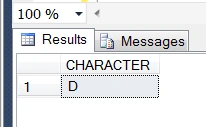
The char function returns the ASCII character based on the number.
Example
- DECLARE @CHAR AS INT
- SET @CHAR = 68
- SELECT CHAR(@CHAR) AS CHARACTER
Output
CHARINDEX()
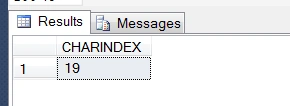
The CHARINDEX function returns the location of a substring in a string
Example
- select CHARINDEX('@', '[email protected]') As CHARINDEX
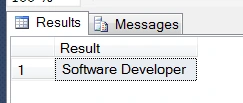
The CONCAT function returns concatenates of two or more strings together.
Example
- DECLARE @Str1 varchar(30), @Str2 varchar(30)
- SET @Str1 = 'Developer'
- SET @Str2 = 'Software '
- SELECT CONCAT(@Str2, @Str1) AS Result
Output
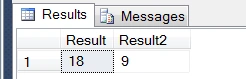
The DATALENGTH function returns the length of an expression (in bytes)
Example
- DECLARE @Str1 nvarchar(30), @Str2 varchar(30)
- SET @Str1 = 'Developer'
- SET @Str2 = 'Developer'
- SELECT DATALENGTH(@Str1) AS Result, DATALENGTH(@Str2) AS Result2
Output
LEFT()
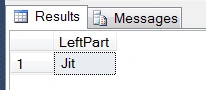
The LEFT function extracts a substring from a string starting from the left with the specified number of characters.
Example
- DECLARE @Name varchar(30)
- SET @Name = 'Jitendra'
- SELECT LEFT(@Name,3) AS LeftPart
Output
LEN()
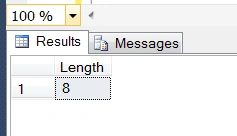
The LEN function returns the length of the specified string
Example
- DECLARE @Name varchar(30)
- SET @Name = 'Jitendra'
- SELECT LEN(@Name) AS Length
Output
LOWER()
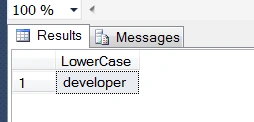
The LOWER function returns converts a string to lower-case
Example
- DECLARE @Name varchar(30)
- SET @Name = 'Developer'
- SELECT LOWER(@Name) AS LowerCase
Output
LTRIM()
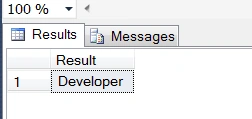
The LTRIM function removes left leading spaces from a string
Example
- DECLARE @Name varchar(30)
- SET @Name = ' Developer'
- SELECT LTRIM(@Name) AS Result
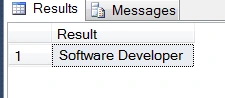
REPLACE()
Replaces a sequence of characters in a string with another set of characters or one string to another.
Example
- DECLARE @Str1 varchar(30), @Str2 varchar(30)
- SET @Str1 = 'Developer'
- SET @Str2 = 'Software Developer'
- SELECT REPLACE(@Str1, @Str1, @Str2) AS Result
Output
RIGHT()
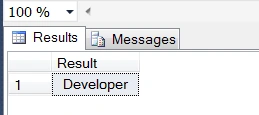
The right function extracts a substring from a string starting from the right side.
Example
- DECLARE @Name varchar(30)
- SET @Name = 'Software Developer'
- SELECT RIGHT(@Name,Len('Developer')+1) AS Result
Output
RTRIM()
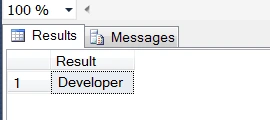
The RTRIM function removes trailing spaces from a string.
Example
- DECLARE @Name varchar(30)
- SET @Name = 'Developer '
- SELECT RTRIM(@Name) AS Result
Output
STUFF()
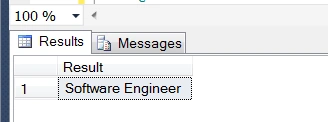
STUFF Deletes a sequence of characters from a string and then inserts another sequence of characters into the string, starting at a specified position
Example
- DECLARE @Name varchar(30)
- SET @Name = 'Software Developer'
- SELECT STUFF(@Name, Len('Developer'),LEN('Software Developer')+1,' Engineer') AS Result
Output
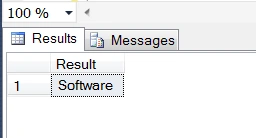
SUBSTRING()
The SUBSTRING function returns extracts of a substring from a string, requires a three parameter string, a start position, and end position
Example
- DECLARE @Name varchar(30)
- SET @Name = 'Software Developer'
- SELECT SUBSTRING(@Name,0,Len('Software')+1) AS Result
Output
UPPER ()
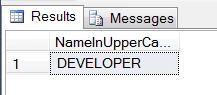
The UPPER function converts a string to upper-case.
Example
- DECLARE @Name varchar(30)
- SET @Name = 'Developer'
- SELECT UPPER(@Name) AS NameInUpperCase
Output
REVERSE()
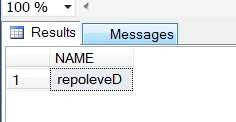
The REVERSE() function returns the string with the order of the characters reversed
Example
- DECLARE @Name varchar(30)
- SET @Name = 'Developer'
- SELECT REVERSE(@Name) AS NAME
Jignesh KumarPosted Aug 18, 2018, 9:38 PM
Good explanation .