

We will see the validations like Required Field Validation, Email Validation, Data type validation and how to enable the button after getting valid inputs.
We are going to use states for input fields $pristine and $invalid.
ng-class, ng-pattern, ng-show, ng-model also we will use in this article.
Here are the steps,
Step 1 - Add NuGet Package for AngularJS in your solution.
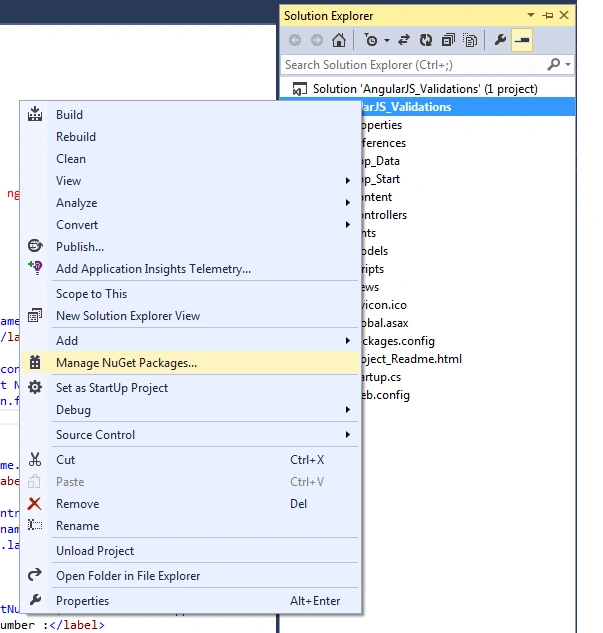
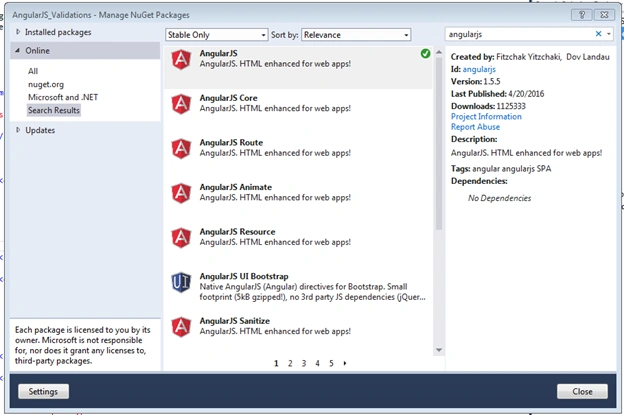
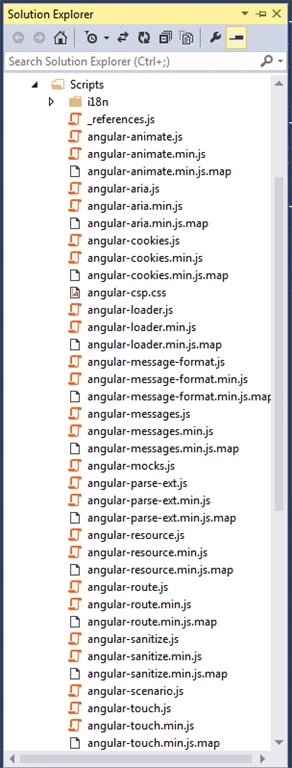
Right click on project and select option Manage NuGet Packages… it will give you a popup for selecting the package. Type AngularJS in the search box it will give you many options but just select the AngularJS only as shown in the image. I have added this already that’s why it's showing tick mark to that option. You will get Install button, just clic and it will add the all files under the Scripts folder.
Step 2 - Drag & drop Angular.min.js
Just drag and drop angular.min.js in your HTML page. It will look like this.
- <script src="~/Scripts/angular.min.js"></script>
- <script>
- var app = angular.module('myApp', []);
- app.controller('validate', function($scope) {});
- </script>
- <script src="~/Scripts/angular.min.js"></script>
- <script>
- var app = angular.module('myApp', []);
- app.controller('validate', function($scope) {});
- </script>
- <form class="form-horizontal" name="frmApplication" ng-submit="submitForm()" novalidate ng-app="myApp">
- <fieldset>
- <br />
- <div class="row col-md-12" ng-controller="validate">
- <div class="form-horizontal" role="form">
- <div class="form-group" ng-class="{ 'has-error' : frmApplication.firstName.$invalid && !frmApplication.firstName.$pristine }">
- <label for="FirstName" class="col-sm-4 control-label">First Name :</label>
- <div class="col-sm-8">
- <input type="text" name="firstName" id="firstName" class="form-control" ng-model="Application.firstName" placeholder="Enter First Name" required />
- <p ng-show="frmApplication.firstName.$invalid && !frmApplication.firstName.$pristine" class="help-block">First name is required</p>
- </div>
- </div>
- <div class="form-group" ng-class="{ 'has-error' : frmApplication.lastName.$invalid && !frmApplication.lastName.$pristine }">
- <label for="LastName" class="col-sm-4 control-label">Last Name :</label>
- <div class="col-sm-8">
- <input type="text" name="lastName" id="lastName" class="form-control" ng-model="Application.lastName" placeholder="Enter Last name" required />
- <p ng-show="frmApplication.lastName.$invalid && !frmApplication.lastName.$pristine" class="help-block"> Last name is required</p>
- </div>
- </div>
- <div class="form-group" ng-class="{ 'has-error' : frmApplication.contactNumber.$invalid && !frmApplication.contactNumber.$pristine }">
- <label for="contactNumber" class="col-sm-4 control-label">Contact Number :</label>
- <div class="col-sm-8">
- <input type="number" name="contactNumber" id="contactNumber" class="form-control" ng-model="Application.contactNumber" placeholder="Enter Contact Number" required />
- <p ng-show="frmApplication.contactNumber.$invalid && !frmApplication.contactNumber.$pristine" class="help-block">Enter number only</p>
- </div>
- </div>
- <div class="form-group" ng-class="{ 'has-error' : frmApplication.Email.$invalid && !frmApplication.Email.$pristine }">
- <label for="Email" class="col-sm-4 control-label">Email Id :</label>
- <div class="col-sm-8">
- <input type="email" name="Email" id="Email" class="form-control" ng-model="Application.Email" placeholder="Enter Email" required />
- <p style="padding-bottom:0; margin-bottom:0;" ng-show="frmApplication.Email.$invalid && !frmApplication.Email.$pristine" class="help-block">Enter a valid email.</p>
- </div>
- </div>
- <div class="form-group" ng-class="{ 'has-error' : frmApplication.userid.$invalid && !frmApplication.userid.$pristine }">
- <label for="userid" class="col-sm-4 control-label">User Id:</label>
- <div class="col-sm-8">
- <input type="text" name="userid" id="userid" class="form-control" ng-model="Application.userid" placeholder="Enter User Id" ng-pattern="/^[a-zA-Z0-9]*$/" required />
- <p style="padding-bottom:0; margin-bottom:0;" ng-show="frmApplication.userid.$invalid && !frmApplication.userid.$pristine" class="help-block">Spaces & Special characters not allowed </p>
- </div>
- </div>
- <div class="form-group" ng-class="{ 'has-error' : frmApplication.gender.$invalid && !frmApplication.gender.$pristine }">
- <label for="Gender" class="col-sm-4 control-label">Gender :</label>
- <div class="col-md-8">
- <select name="gender" id="gender" class="form-control" ng-model="Application.gender" required>
- <option value="">- Select -</option>
- <option>Male</option>
- <option>Female</option>
- </select>
- <p ng-show="frmApplication.gender.$invalid && !frmApplication.gender.$pristine" class="help-block">Select gender</p>
- </div>
- </div>
- <div class="form-group">
- <div class="col-md-offset-4 col-md-8">
- <button type="submit" ng-disabled="frmApplication.$invalid || frmApplication.$pristine" class="btn btn-primary">
- Submit
- </button>
- </div>
- </div>
- </div>
- </div>
- </fieldset>
- </form>
When I type any character first then this error message will appear.

It will validate special characters and space. This code is used for it.
ng-pattern="/^[a-zA-Z0-9]*$/"

After running application below screens will appear.
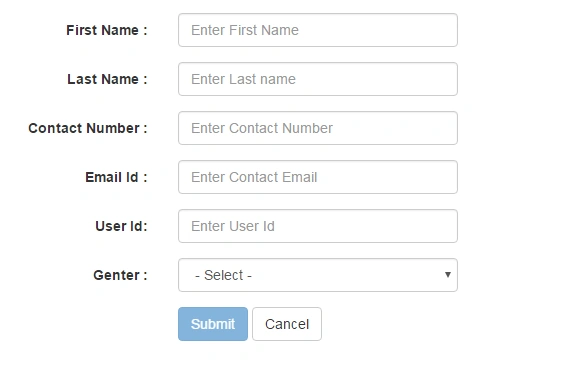
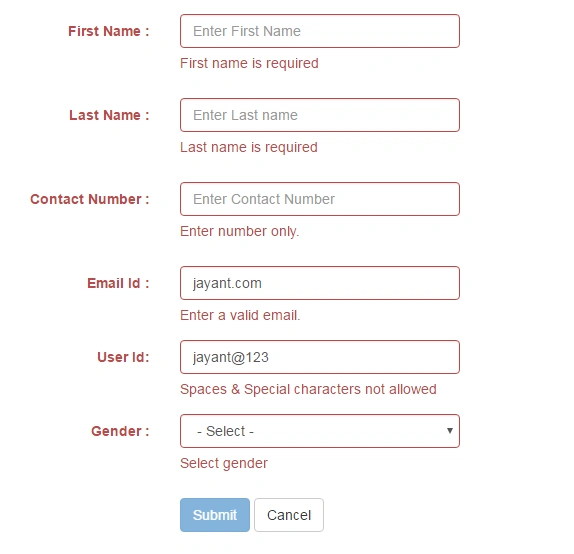
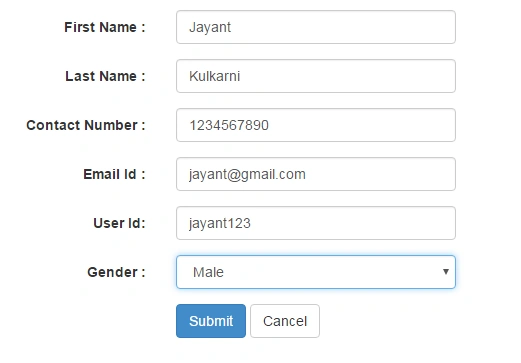
Submit button will get enabled after all input fields get valid values. So by using the above code you will perform validations using Angular in MVC.
Laxman DussaPosted Nov 22, 2018, 8:52 AM
How to access above values into controller
Arun TripathyPosted Jun 9, 2017, 1:17 AM
Nice Article. In MVC we use dataAnnotaion with model. This helps us in both UI and Server Side validation. Can we use this dataAnnotaion or for AngularJS, we can't use Model dataannotation?
Swapnil KarandePosted May 25, 2016, 1:39 AM
Nice , very helpful,,Thanks Jayant ...!!
Rekha KulkarniPosted May 24, 2016, 2:21 AM
Thanks for sharing..will be really helpful..
sujit patilPosted May 24, 2016, 2:18 AM
Nice one. Useful :)
Devendra SankpalPosted May 24, 2016, 2:13 AM
Zakaas
Rupali ShindePosted May 24, 2016, 12:21 AM
nice start.. if possible upload source code.
Debasis SahaPosted May 23, 2016, 1:47 PM
Good One..
Kuppurasu NagarajPosted May 23, 2016, 1:36 PM
Nice Sharing..
Sounik ChandraPosted May 23, 2016, 5:06 AM
Nice Article . Good Article ..
Deepak PanditPosted May 23, 2016, 5:00 AM
Nice Article Jayant..!!!