

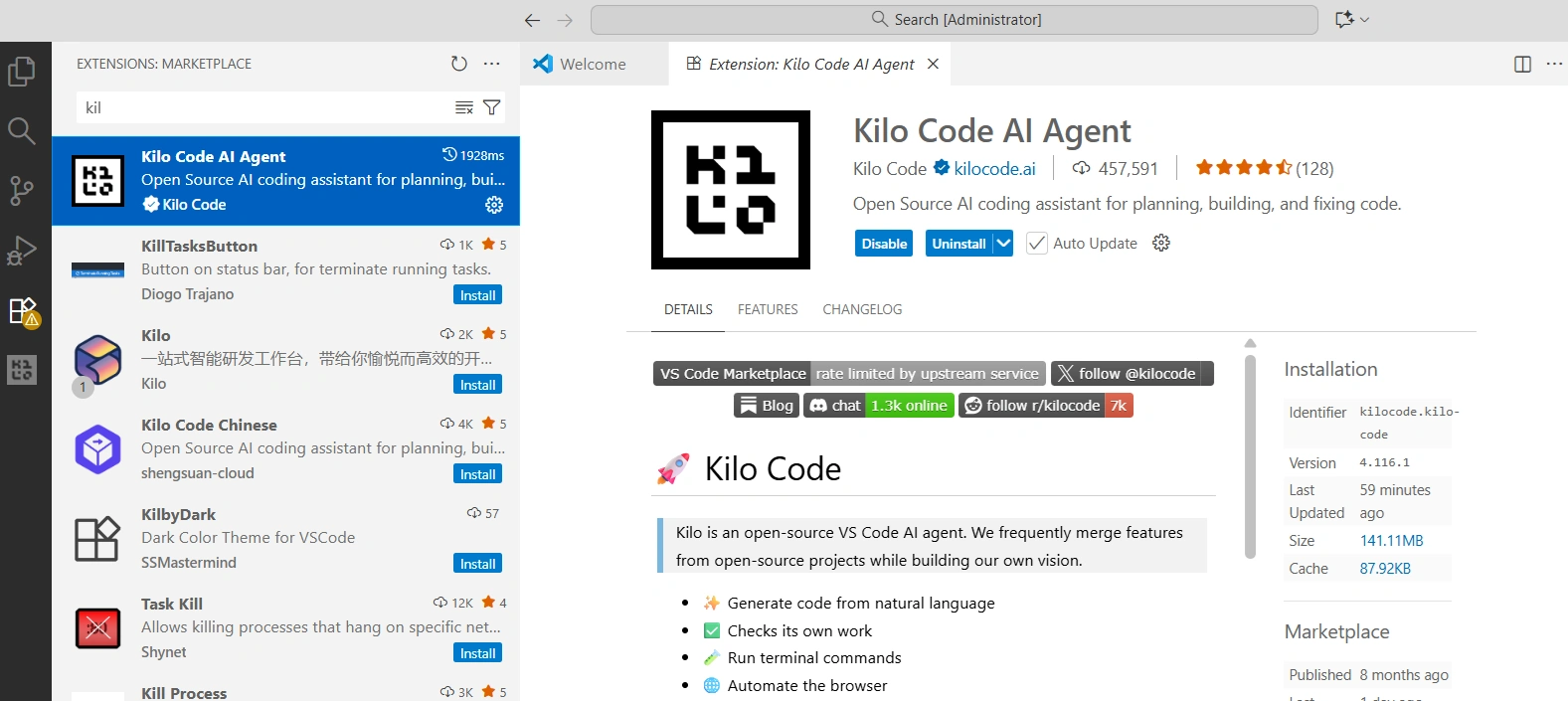
Kilo Code AI is an open-source coding assistant for Visual Studio Code that helps developers design, build, and automate software projects using plain English. Unlike regular AI copilots that only complete code, Kilo Code uses multiple specialized modes—like Architect, Coder, Debugger, and Orchestrator—that work together to plan, write, fix, and automate your code. It supports different AI models (both open and commercial) and gives full visibility into how your code and data are used. Kilo Code AI offers a flexible, developer-friendly way to turn your ideas into working software.
Why Kilo Code AI Stands Out
Open & Transparent: See exactly how your code and context are used—no black-box surprises. Perfect for building frameworks or libraries with full control.
Smart Multi-mode Agents: Architect, Orchestrator, and other modes break big tasks into smaller ones—design modules, scaffold repositories, wire RabbitMQ—so you can move faster.
Flexible AI Models: Use open-source, commercial, or local models with your own API keys. Control costs and protect sensitive data.
Automation & Integration: Beyond autocomplete—run commands, tests, and automate repetitive tasks across complex systems like RabbitMQ or DMS APIs.
Cost-effective: Free as an extension; pay only for AI model usage or run local models for zero cost.
Kilo Code AI helps turn complex ideas into working software—faster, smarter, and more controlled.
How to Get Started with Kilo Code
Install the extension : Find “Kilo Code” in the VS Code Marketplace or follow instructions on the website.
Sign up / connect : New users get $20 in credits to try different AI models.
Pick a model : Use one of Kilo’s models or provide your own API key.
Open your project : For example, a .NET Web API solution.
Plan with Architect mode : Ask it to outline modules for things like PaymentGatewayFactory, CQRS handlers, domain services, and repositories.
Scaffold with Coder mode : Generate interfaces and classes like IPaymentGateway, StripePaymentGateway, and PaymentIntentRepository.
Fix and test with Debug mode : Analyze test failures or add missing unit tests.
Manage bigger tasks with Orchestrator : Break large epics (like implementing a RabbitMQ publisher with retries and dead-letter handling) into subtasks you can review and approve.
Monitor usage : Keep an eye on token use and pick models based on budget or speed.
Review code : Since you’re building frameworks or libraries, check generated code carefully, enforce architecture standards, and integrate with CI as needed.
Modes in Kilo Code
Kilo Code AI works right inside Visual Studio Code and lets developers switch between different AI modes depending on the task:
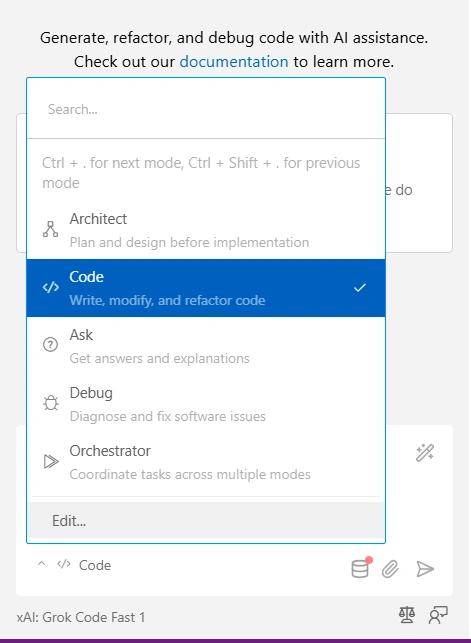
Architect Mode – Helps plan and design the structure of your code or system before you start building. Great for project planning, design patterns, or scaffolding.
Code Mode – The main mode for writing, updating, and improving code. Use it to implement logic, write methods, or clean up existing code.
Ask Mode – Gives answers and explanations to coding questions without changing your code.
Debug Mode – Helps find and fix software problems. Paste error messages or stack traces for targeted help.
Orchestrator Mode – Coordinates tasks across multiple modes (like design → code → test) and manages multi-agent workflows for bigger projects.
This multi-mode system makes Kilo Code smarter and more workflow-focused than traditional AI assistants.
Things to Keep in Mind
Kilo Code is powerful, but you still need to review generated code—especially for enterprise frameworks like CQRS or distributed systems. Multi-agent orchestration is helpful but may require some tuning and learning how to prompt effectively.
Large projects can use many tokens and may be slower; local models can reduce cost but might affect quality. Finally, always check how your organization handles sensitive code and AI models, and test Kilo on big solutions before fully relying on it
My Opinion
Kilo Code seems like a very useful tool for anyone doing serious software architecture and development work. It won’t replace your expertise, but it can handle repetitive tasks like boilerplate code, scaffolding, test generation, and workflow automation—letting you focus on design, decision-making, and integration. Its multi-agent and multi-mode workflow features make it flexible for complex projects.
I’d suggest trying Kilo in a sandbox project first to see how it performs with code generation, structuring, and automation. This will help you understand its strengths, limitations, and whether the cost and output quality make it worth using in your main workflow.
Join the conversation! Your thoughts help the community grow.