

What is a Collection in PowerApps?
Collections in PowerApps store data temporarily within the app. They are useful when the internet connection is slow or when users are offline. Collections also help you work around some limits of SharePoint lists, allowing you to run more complex queries, combine data from different sources, and apply custom logic easily.
You can create a collection in the OnStart property of the app or in the OnVisible property of a screen.
Types of Collections
PowerApps provides mainly two ways to create collections:
Collect() – Adds data to a collection
ClearCollect() – Clears existing data and then adds new data
Collect() function
Syntax
Collect(CollectionName, Item)Example
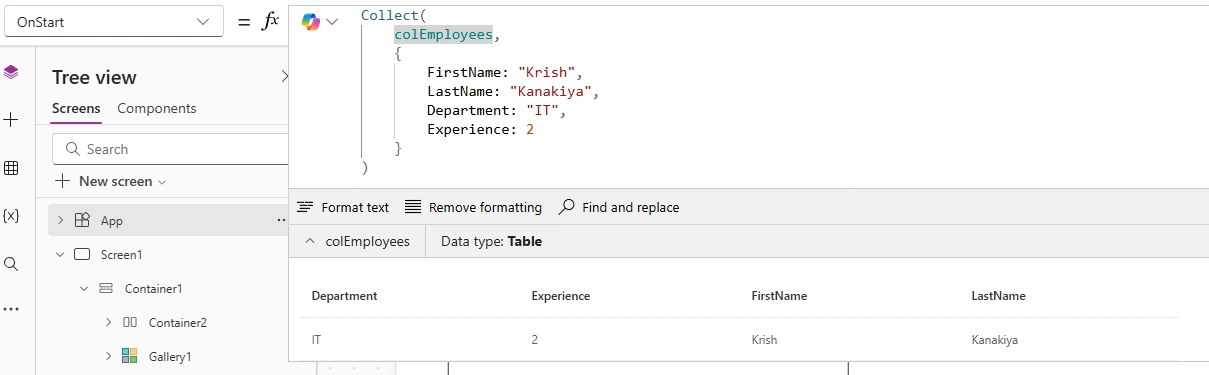
Collect(
    colEmployees,
    {
        FirstName: "Krish",
        LastName: "Kanakiya",
        Department: "IT",
        Experience: 2
    }
)
What this does
Creates a collection named colEmployees (if not already created)
Adds one record into it
If you run it again, it will add another record (it does not remove old data).
ClearCollect() function
Syntax
ClearCollect(CollectionName, Data)Example
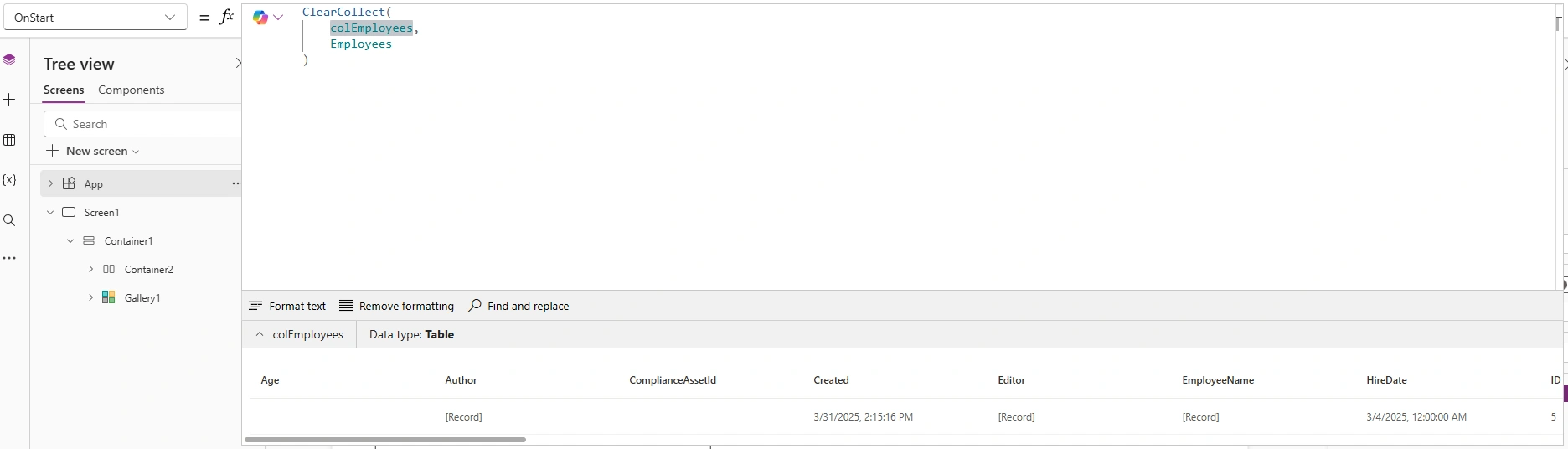
ClearCollect(
    colEmployees,
    <Your List Name>
)
What this does
Clears old data from colEmployees
Loads fresh data from your selected list
This is commonly used in App OnStart or Screen OnVisible.
How to View a Collection?
Go to Variables
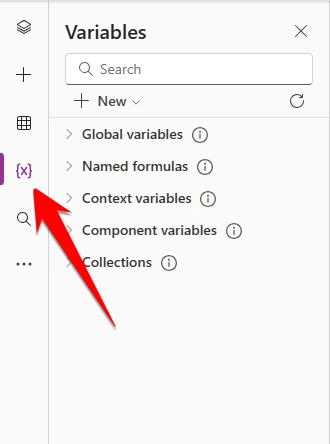
Click on Collections
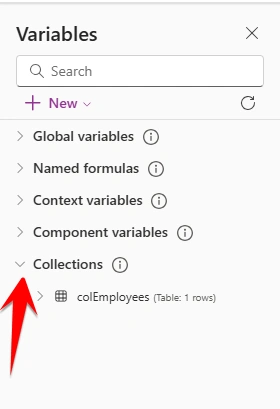
You can see all collections and their data
Why Use Collections?
Temporary Data Storage: Store data before submitting to SharePoint or Dataverse.
Improve Performance: Instead of calling SharePoint multiple times, store data once in a collection.
Edit Data Locally: Modify data in gallery before saving to the actual data source.
Offline Capability: Collections help build offline-enabled apps.
Conclusion
Collections are one of the most powerful building blocks in Power Apps. Whether you want faster performance, offline capability, or flexible data handling—collections make your app cleaner and more efficient.
Mastering collections will dramatically speed up development and improve your app’s user experience.
Join the conversation! Your thoughts help the community grow.