

In this blog I am going to show how we can generate a report using Pivot in SQL Server:
I want to dedicate this post to two of my friends cum brother Abhishek Nigam & Yogesh Gupta.
Abhishek Nigam & Yogesh Gupta If you see this post then I want to remember that beautiful day with both of you.
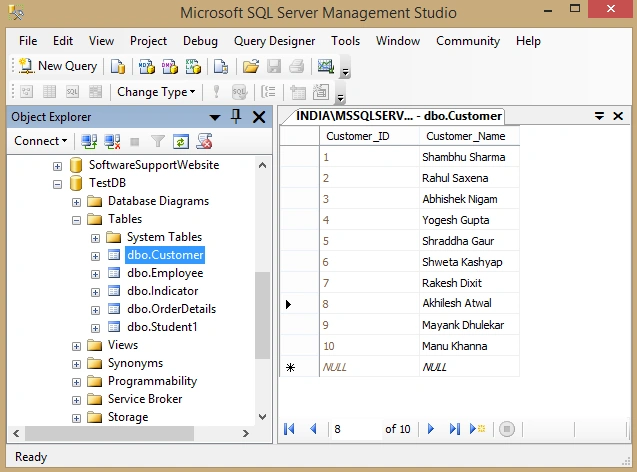
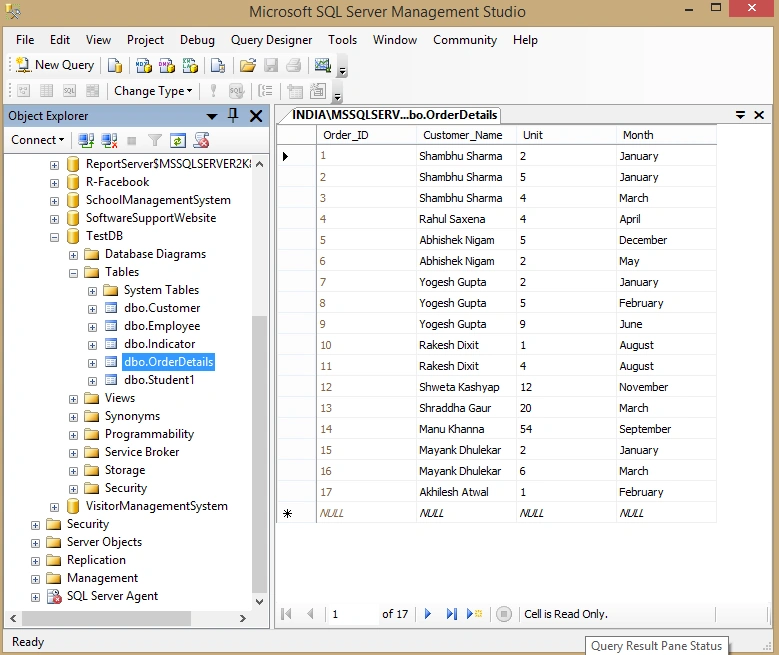
I got a business requirement to generate a report of Customer and their order detail by Month. Mean I have below 2 tables.
Customer:
- CREATE TABLE [dbo].[Customer](
- [Customer_ID] [int] IDENTITY(1,1) NOT NULL,
- [Customer_Name] [varchar](50) NULL,
- CONSTRAINT [PK_Customer] PRIMARY KEY CLUSTERED
- (
- [Customer_ID] ASC
- )WITH (PAD_INDEX = OFF, STATISTICS_NORECOMPUTE = OFF, IGNORE_DUP_KEY = OFF, ALLOW_ROW_LOCKS = ON, ALLOW_PAGE_LOCKS = ON) ON [PRIMARY]
- ) ON [PRIMARY]
- GO
- SET ANSI_PADDING OFF
- GO
- CREATE TABLE [dbo].[OrderDetails](
- [Order_ID] [int] IDENTITY(1,1) NOT NULL,
- [Customer_Name] [varchar](50) NULL,
- [Unit] [int] NULL,
- [Month] [varchar](50) NULL,
- CONSTRAINT [PK_OrderDetails] PRIMARY KEY CLUSTERED
- (
- [Order_ID] ASC
- )WITH (PAD_INDEX = OFF, STATISTICS_NORECOMPUTE = OFF, IGNORE_DUP_KEY = OFF, ALLOW_ROW_LOCKS = ON, ALLOW_PAGE_LOCKS = ON) ON [PRIMARY]
- ) ON [PRIMARY]
- GO
- SET ANSI_PADDING OFF
- GO
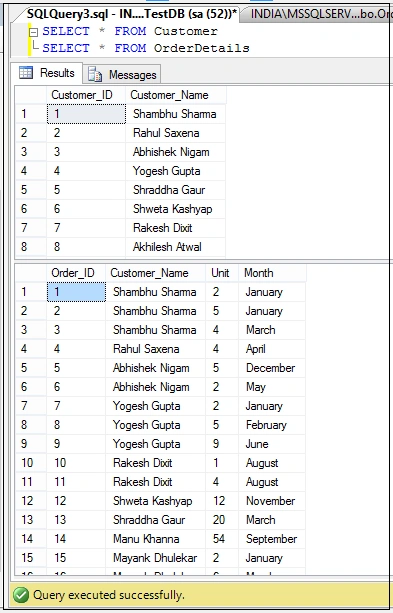
Select Records From both Tables:
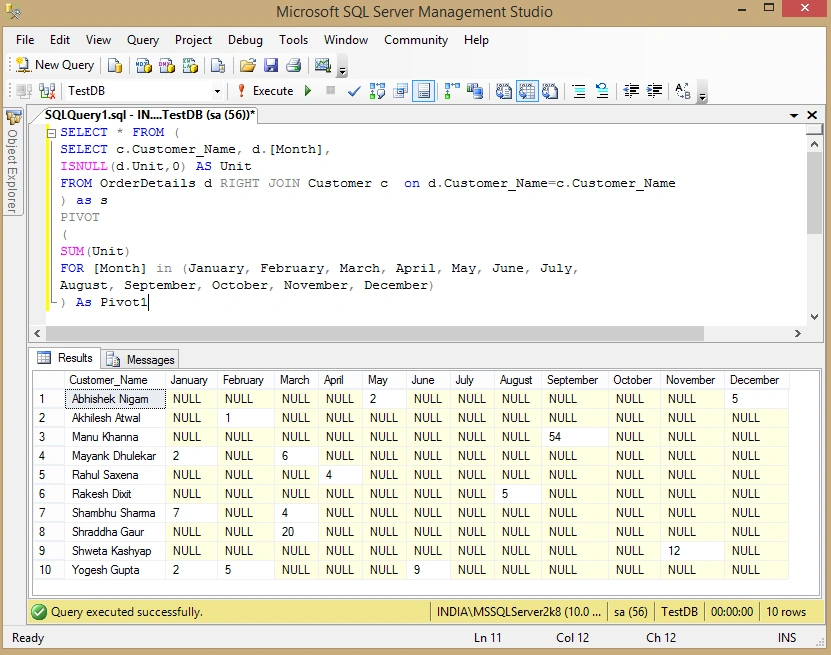
Now I want to see records by Month mean in which month which customer order how many unit.
To get this write below query using PIVOT syntax in SQL Server:
- SELECT * FROM (
- SELECT c.Customer_Name, d.[Month],
- ISNULL(d.Unit,0) AS Unit
- FROm OrderDetails d RIGHT JOIN Customer c on d.Customer_Name=c.Customer_Name
- ) as s
- PIVOT
- (
- SUM(Unit)
- FOR [Month] in (January, February, March, April, May, June, July, August, September, October, November, December)
- ) As Pivot1
Join the conversation! Your thoughts help the community grow.