

Step by step
- Open visual studio.
- Create a web application
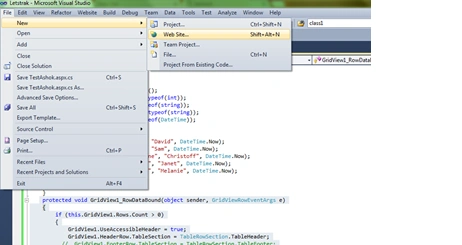
- Add new page.
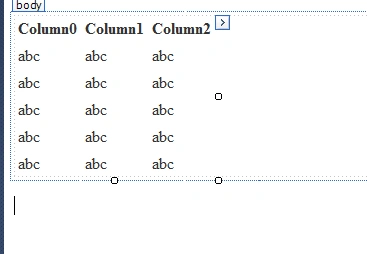
- Drag a gridview on the page.
- On the head section of page call below script and link:
- <script src="JS/jquery-1.11.1.js" type="text/javascript">
- </script>
- <link href="dist/css/theme.default.min.css" rel="stylesheet">
- <script src="dist/js/jquery.tablesorter.min.js"></script>
- <script>
- $(document).ready(function()
- {
- $("table").tablesorter();
- });
- </script>
- Grid page source like:\
- <asp:GridView ID="GridView1" runat="server" CssClass="tablesorter" CellPadding="4" ForeColor="#333333" GridLines="None" OnRowDataBound="GridView1_RowDataBound">
- </asp:GridView>
- In .cs (code behind) I have create a datatable with some static record and bind to gridview on page load.
- protected void Page_Load(object sender, EventArgs e)
- {
- BindGrid();
- }
- private void BindGrid()
- {
- DataTable table = new DataTable();
- table.Columns.Add("Dosage", typeof(int));
- table.Columns.Add("Drug", typeof(string));
- table.Columns.Add("Patient", typeof(string));
- table.Columns.Add("Date", typeof(DateTime));
- // Here we add five DataRows.
- table.Rows.Add(10, "Hydralazine", "Christoff", DateTime.Now);
- table.Rows.Add(21, "Combivent", "Janet", DateTime.Now);
- table.Rows.Add(100, "Dilantin", "Melanie", DateTime.Now);
- GridView1.DataSource = table;
- GridView1.DataBind();
- }
- On gridview rowdatabound event.
- protected void GridView1_RowDataBound(object sender, GridViewRowEventArgs e)
- {
- if (this.GridView1.Rows.Count > 0)
- {
- GridView1.UseAccessibleHeader = true;
- GridView1.HeaderRow.TableSection = TableRowSection.TableHeader;
- // GridView1.FooterRow.TableSection = TableRowSection.TableFooter;
- }
- }
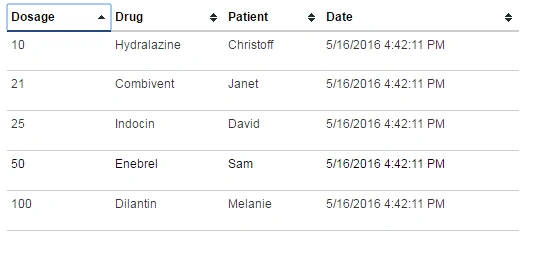
- Final result.
AbedElHamid AlWahidyPosted May 30, 2016, 7:19 AM
Nice Article Thanks for sharing