
Introduction : The Sequence activity is
a basic building block activity that expresses the idea of doing one thing, and
then another, it executes contained activities sequentially.
Let see how to create Sequence activity :
Step : 1 Create an Workflow Console Application.
- Open Visual Studio 2010.
- Select File->New->Project.
- Select Workflow Console Application.
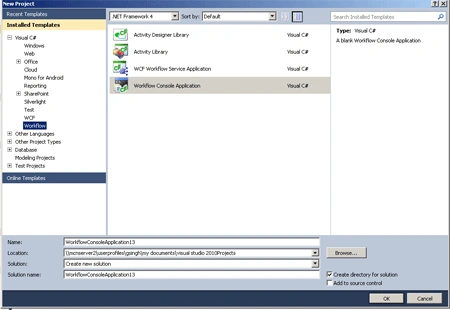
Step : 2 Drag Sequence activity to the
designer.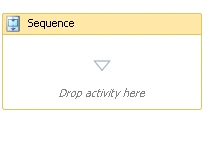
Step : 3 Drag a WriteLine activity to display a standard greeting message
and set the DisplayName value.
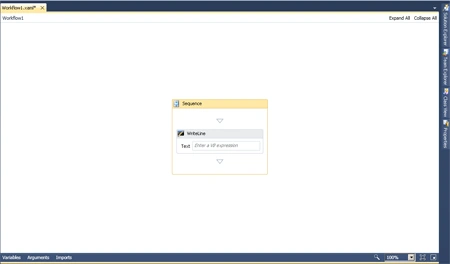
Step : 4 Go to WriteLine activity and right-click.
Select the properties and write a DisplayName.
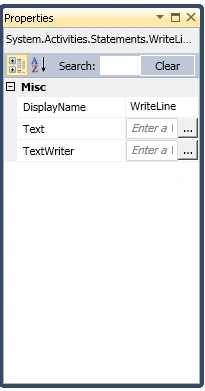
Step : 5 Go to Program.cs
file and write a code.
Code :
using
System;
using
System.Linq;
using
System.Activities;
using
System.Activities.Statements;
namespace
WorkflowConsoleApplication13
{
class Program
{
static void Main(string[]
args)
{
WorkflowInvoker.Invoke(new
Workflow1());
Console.WriteLine("hello");
Console.WriteLine("press
enter to exist ");
Console.ReadLine();
}
}
}
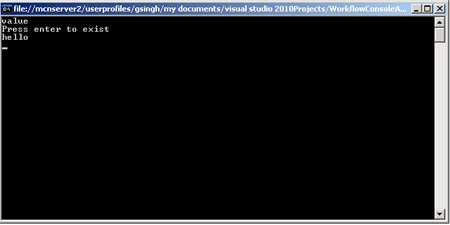
Step :6 Press F5 and run application.
Join the conversation! Your thoughts help the community grow.