

Recently, I've started working with the React JS library and thought to make some useful notes and share them as I go
through some of basic react concepts and in order
to understand it better. I decided to understand the life cycles of a React app and component.
The life cycle of a Web page or app or a component really means how a page is loaded, rendered, and when and how various events are fired to do certain things. These are useful when you plan to write code to load data before a page is acually rendered in a browser.
Let's run this simple React component code.
- import React from 'react';
- class ReactComponentLifeCycle extends React.Component {
- constructor(props) {
- console.log('constructor called') //This right place to set the state as it executes only once
- super(props);
- this.state = {
- data: 'Rajendra',
- }
- this.updateState = this.updateState.bind(this);
- };
- updateState(e) {
- this.setState({data: e.target.value});
- }
- componentWillMount() {
- console.log('componentWillMount called') //Sometimes based some conditional we need to changes the state
- }
- componentDidMount() {
- console.log('componentDidMount called') // Here you can call the external servies Ajax/Rest API's
- }
- componentWillReceiveProps() {
- console.log('componentWillReceiveProps called') // Here you can read Next and Previous Props/states
- }
- shouldComponentUpdate() {
- return true; // controls conditional rendering
- }
- componentWillUpdate() {
- console.log('componentWillUpdate called'); //on changes of state or props
- }
- componentDidUpdate() {
- console.log('componentDidUpdate called') //on changes of state or props
- }
- componentWillUnmount() {
- console.log('componentWillUnmount called') //Clean up or unsubscribe your observables
- }
- render() {
- console.log('render called') //It calls every time when state or prop changes
- return (
- <div>
- <h3>{this.props.myNumber}</h3>
- <input type = "text" value = {this.state.data}
- onChange = {this.updateState} />
- </div>
- );
- }
- }
- export default ReactComponentLifeCycle;
The output of the above React code generates the following events and I type something in the text box.

In the above console window, we can see the page level lifecycle methods.
Now, I will clear the console and try to change the input text value and see what happens.
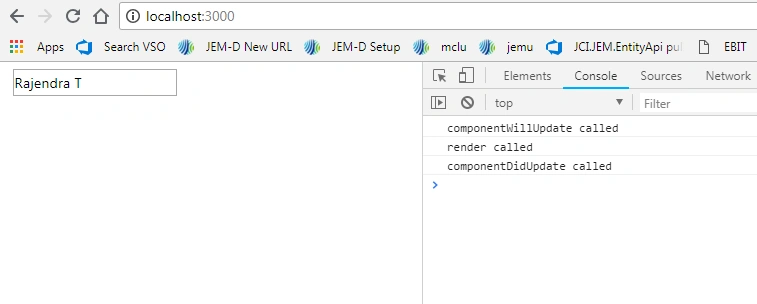
Now, you can observe only update and render methods get called and same methods will be called on when we get new properties or state changes from external componet along with componentWillReceiveProps() as we are in the same page.
Let's, talk about the shouldComponentUpdate() method. It looks for, should I execute the code or not. This is a method where we can control our rendering component. For example, I want to show some additional fields conditionally based on the external input, I can write show/Hide code for the controls.
A true response will allow to proceed with rendering and followed the next life cycle event.
The false response will stop rendering the react component to DOM.
Some Helpful Tips
Here is an extension for react snippets for VS Code.
https://marketplace.visualstudio.com/items?itemName=xabikos.ReactSnippets 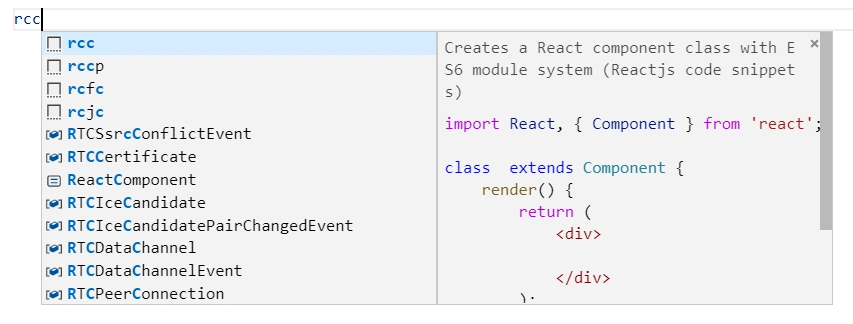 React Developer Tools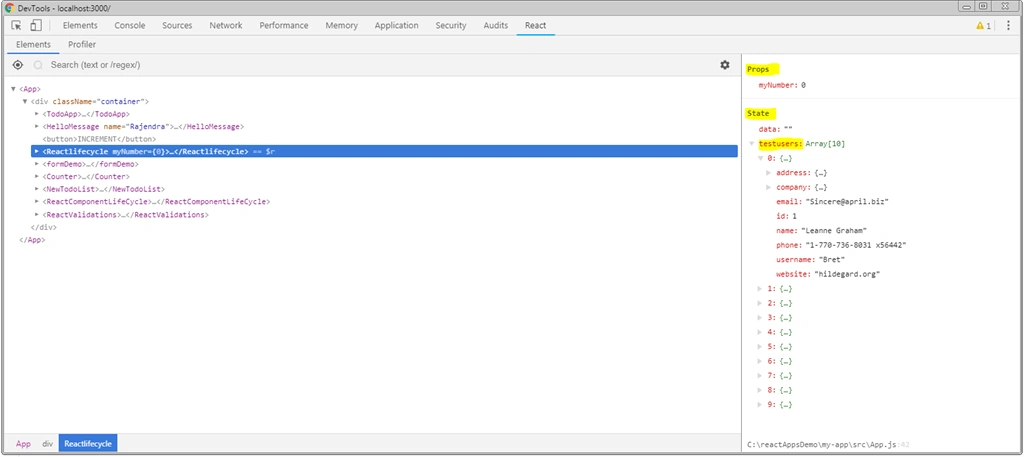
Once you installed it, simply type three letters and hit tab it will create a complete skeleton to jump directly to own development.
Type: rcc+tab
This is a chrome extension. With the help of this tool, we can keep track of what is being passed through various states and properties. It will list all the component being used. We can simply select them in the left side and see results in the right side panel.
That's all for now. Hope it helps!
Join the conversation! Your thoughts help the community grow.