

Overview
- In SharePoint list PowerApps form, we reset the fields when dropdown change or when value of any field's changed. We can reset the field value with many ways.
- Suppose I have a scenario that when one dropdown/combobox changed, automatically other field like textbox or other dropdown/combobox value should reset. So, on parent dropdown/combobox's OnChange method we can write one from the following 2 ways.
- We can use OnChange = Reset(DatacardValueName) function to reset the field value. - It will directly reset that datacardvalue OR
- We can use OnChange = UpdateContext({varDatacardValueName:true}):UpdateContext({var DatacardValueName:false}); - We need to use Reset = varResetDatacardName this variable in child field's Reset property.
- Now, everything works fine when SharePoint form is in the New mode. When we create new item. But, in Edit form above functions will not work as expected. Because OnChange event will trigger every time before form load in view mode or in edit mode and it is weird behaviour of PowerApps. So, to avoid this headache I have the solution.
Pre-Requisites
- First let’s understand the list structure.
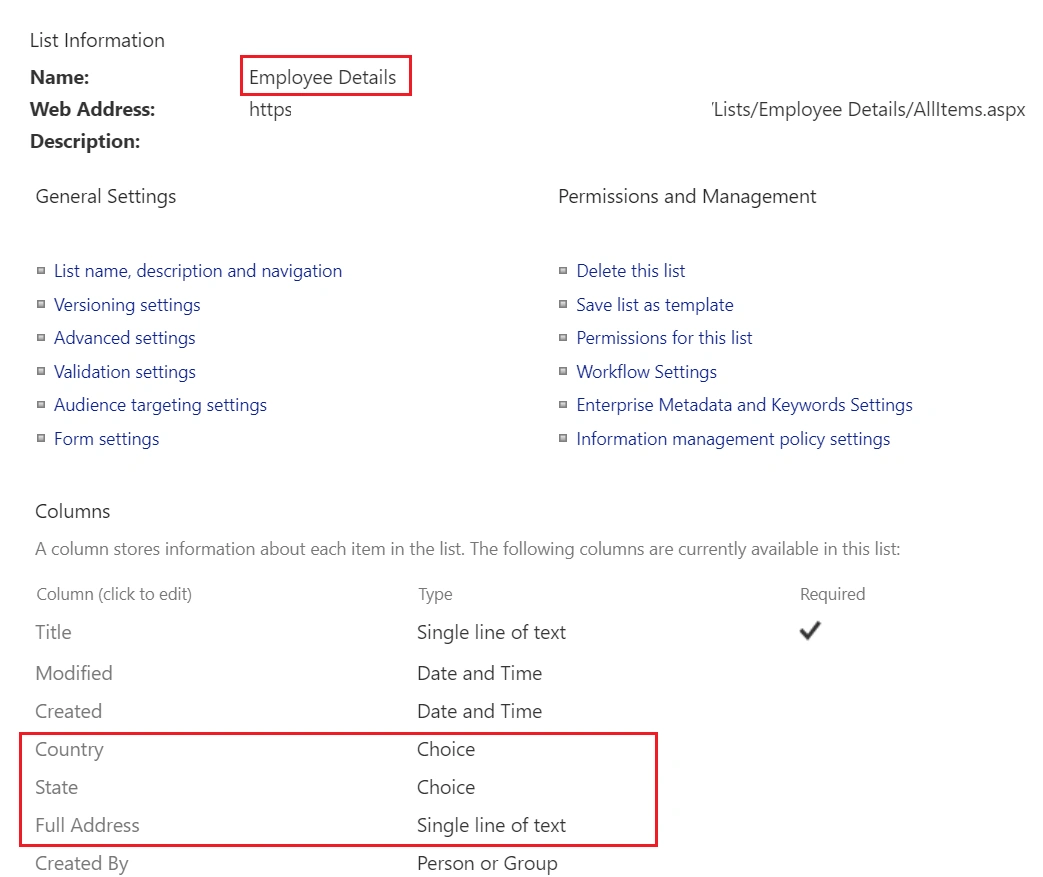
- I have one “Employee Details” list and there are 3 columns which I have created.
- 1st is Country column and type is Choice with some dummy data.
- 2nd is State column and type is Choice with some dummy data.
- 3rd is Full Address column and type is Single line of text.
(Please note, here I am not covering the cascading dropdown case)
Motivation
Here, our simple approach is when I change the Country dropdown, automatically State and Full address fields should be blank.
Let’s get started…
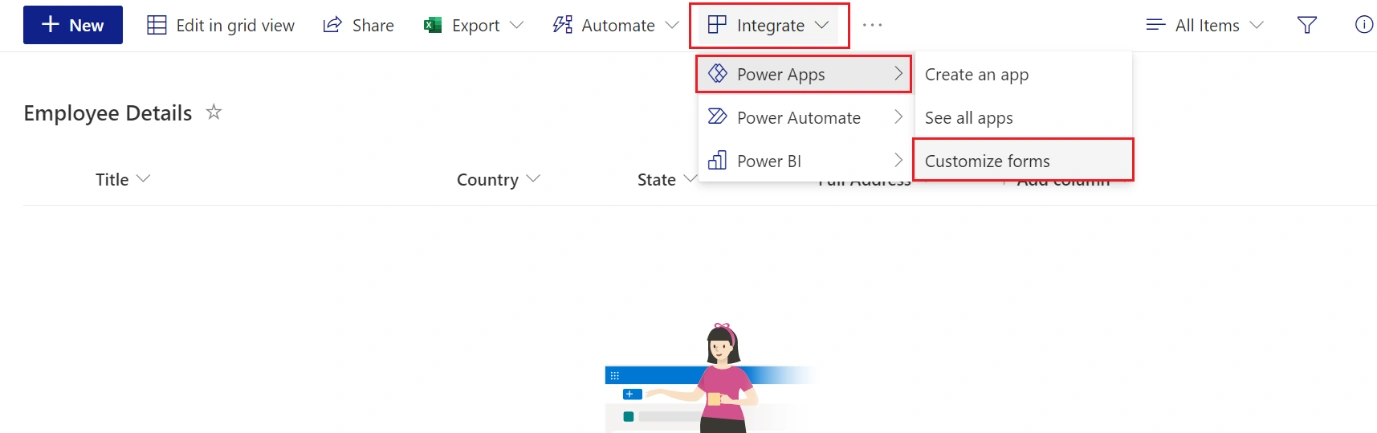
- Now, we will go to PowerApps Studio to design our list form. Click on “Integrate” > “Power Apps” > “Customize forms” and it will open a PowerApps Studio page.
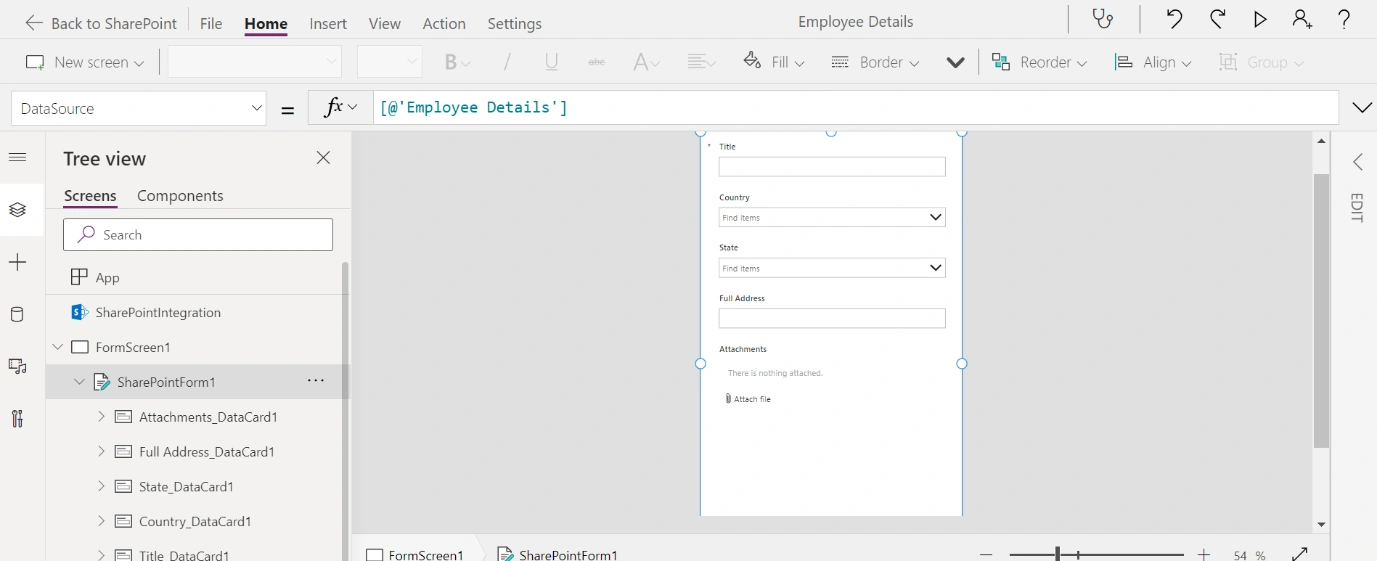
- Below will be the first screen with default layout and fields.
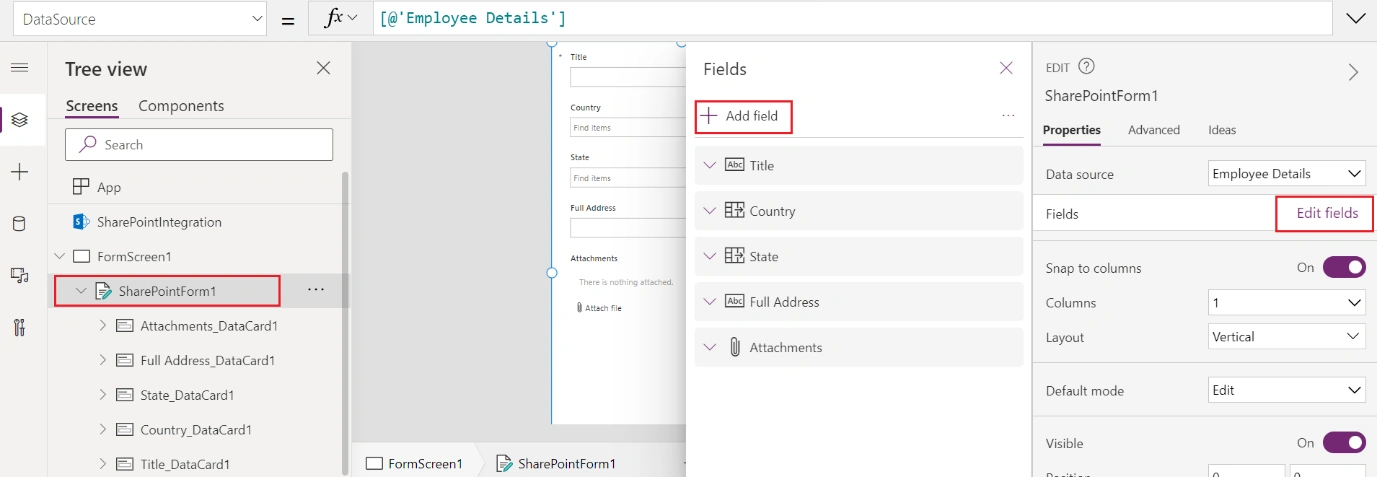
- If your fields are not showing on the form, please add from Edit fields > Add Fields.
- Once, we have all the fields on the form, let’s implement the functionality.
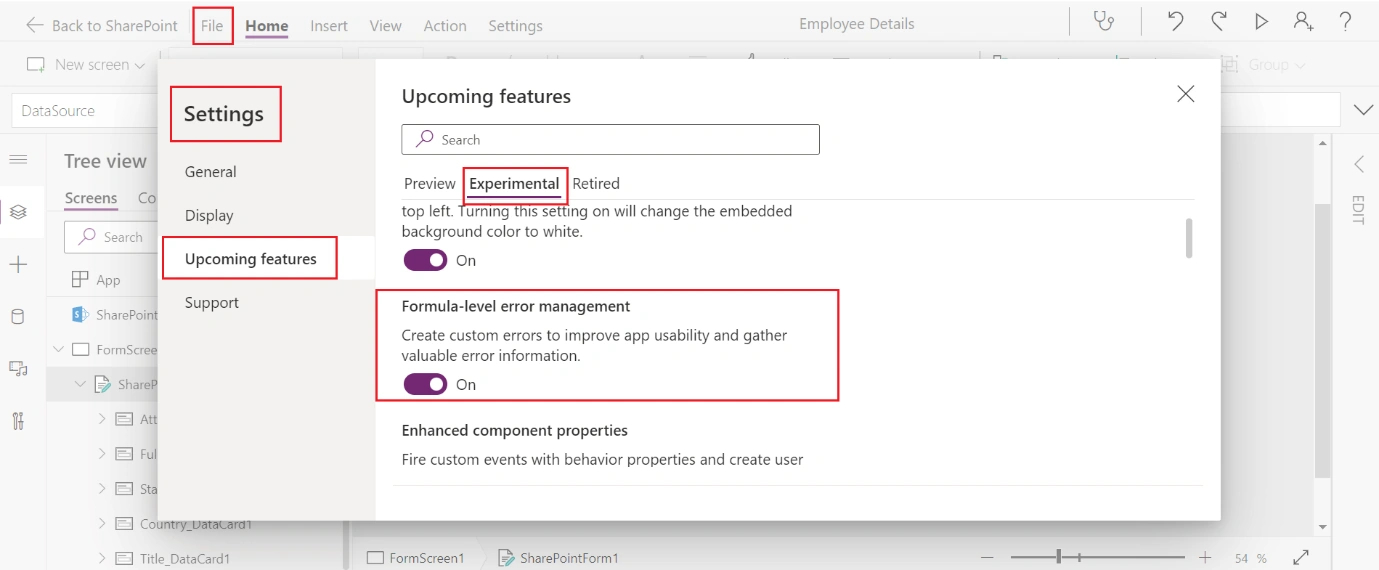
1. First we will need to turn on one feature. So, Click on File > Settings > Upcoming Features > Experimental Tab > Turn On Formula-level error management feature.
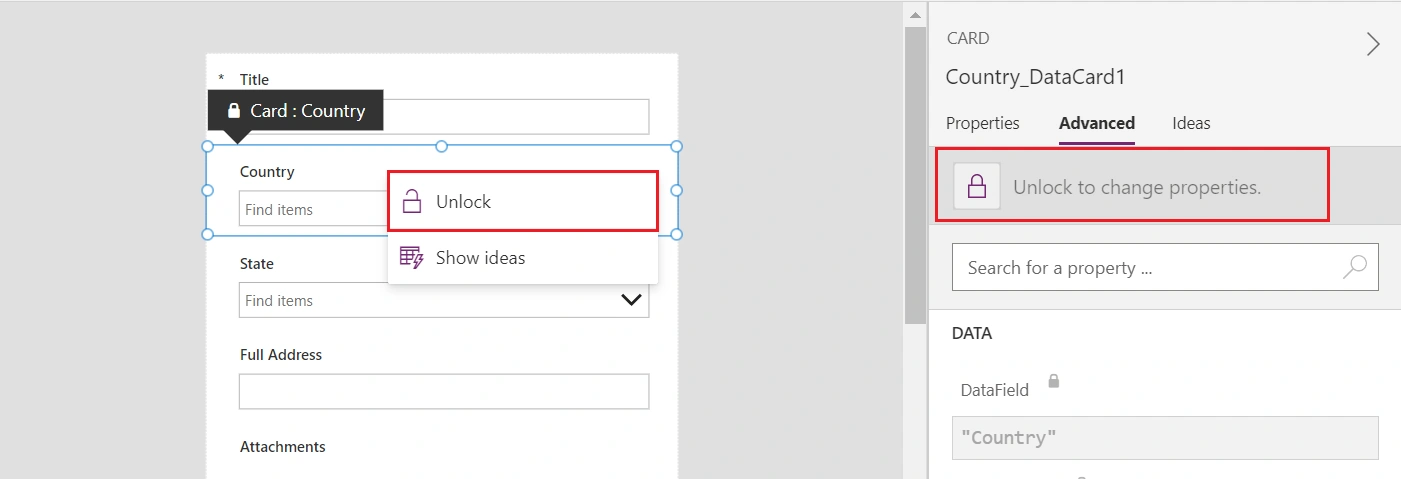
2. Now, back to our form, we will first unlock all the fields
3. Here, DataCardValue for the respective fields are as below. (We can also Rename and give a meaningful name. We will use as it is)
- Country = DataCardValue2
- State = DataCardValue3
- Full Address = DataCardValue4
4. In New form below formula will work when we change our Country and it will reset the values of State and Full address fields.
- Select the Country DataCard’s DataCardValue2 and go to OnChange property and write below formula:
OnChange = Reset(DataCardValue3); Reset(DataCardValue4);
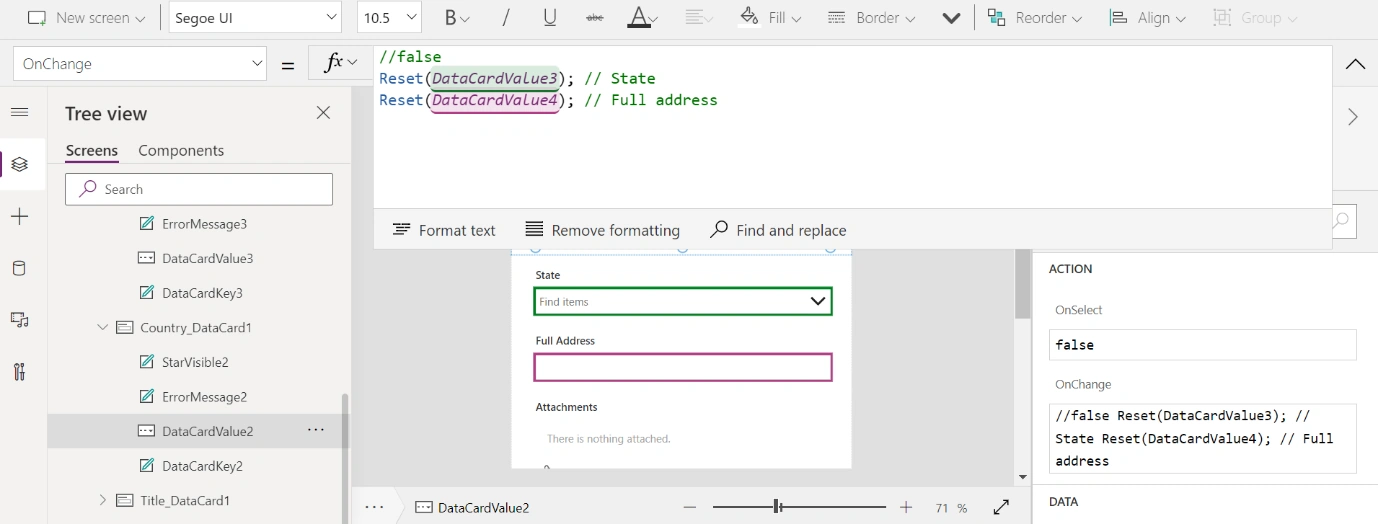
5. For Edit Form above formula will not work. So, follow below workaround:
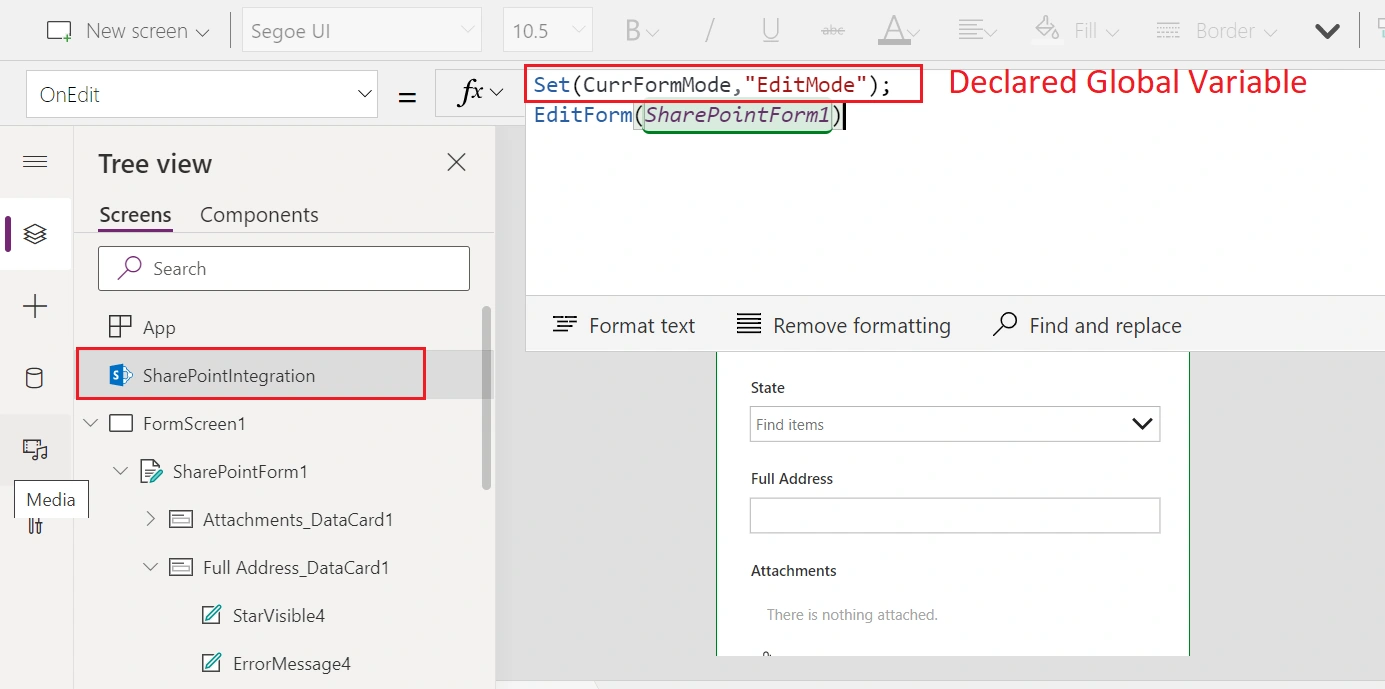
- Declare one global variable in OnEdit method of SharePointIntegration. In PowerApps New or Edit form it gives us edit mode as a OOTB form display mode. So, this variable will help us to determine that form is currently in Editmode or not.
OnEdit = Set(CurrFormMode,"EditMode");
6. Now, select the DataCardValue2 (Country) and go to the OnSelect property and write below formula. As I said, in Form Edit mode formula written in OnChange method will not work, So, we will call OnChange method through OnSelect method:
OnSelect = If(CurrFormMode = "EditMode", Set(ResetOnChange, true) );
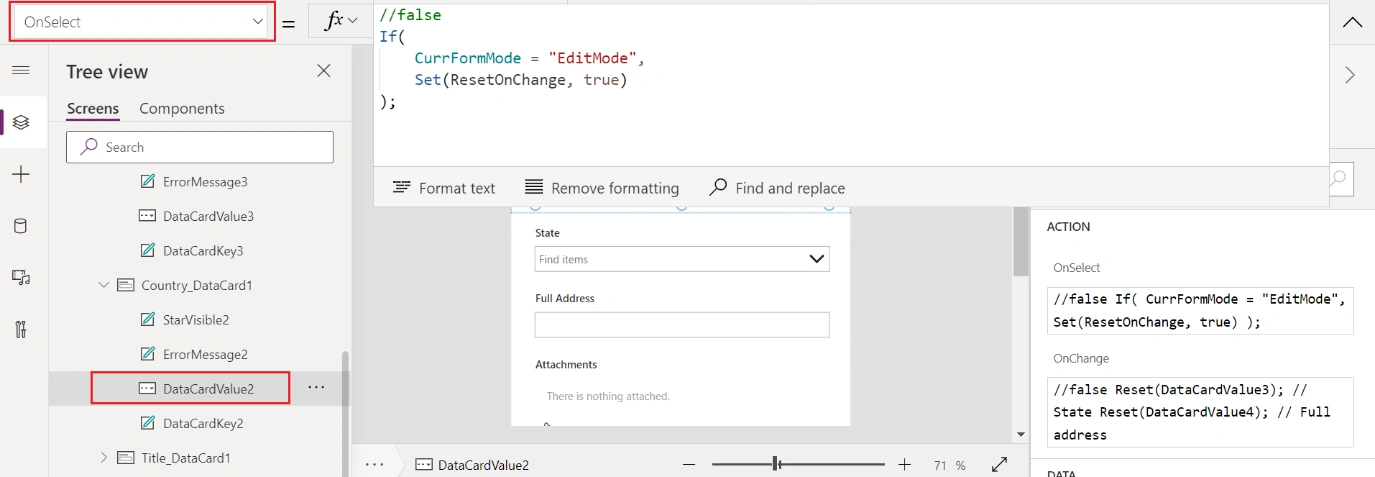
7. Next, on the same DataCardValue2 (Country), go to the OnChange property and write below formula. Keep previous reset formula as it is.
OnChange = If(ResetOnChange, Set(ResetStateandAddress, true);, Set(ResetStateandAddress, false););
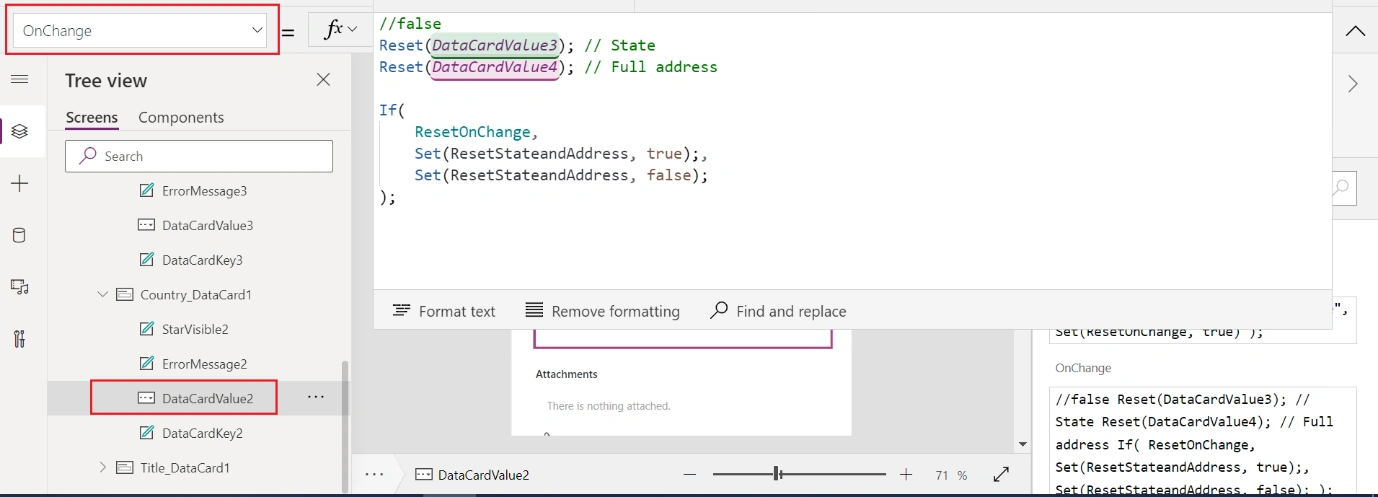
8. Next, we need to reset our State and Full Address fields. So, select the DataCardValue3 for States (Combobox) and go to the “DefaultSelectedItems” property and write below formula. This formula will check that someone has changed the Country dropdown or not. If ResetStateandAddress variable value is true. So, need to set value as blank otherwise keep default value.
DefaultSelectedItems = If(ResetStateandAddress, Blank(), Parent.Default)
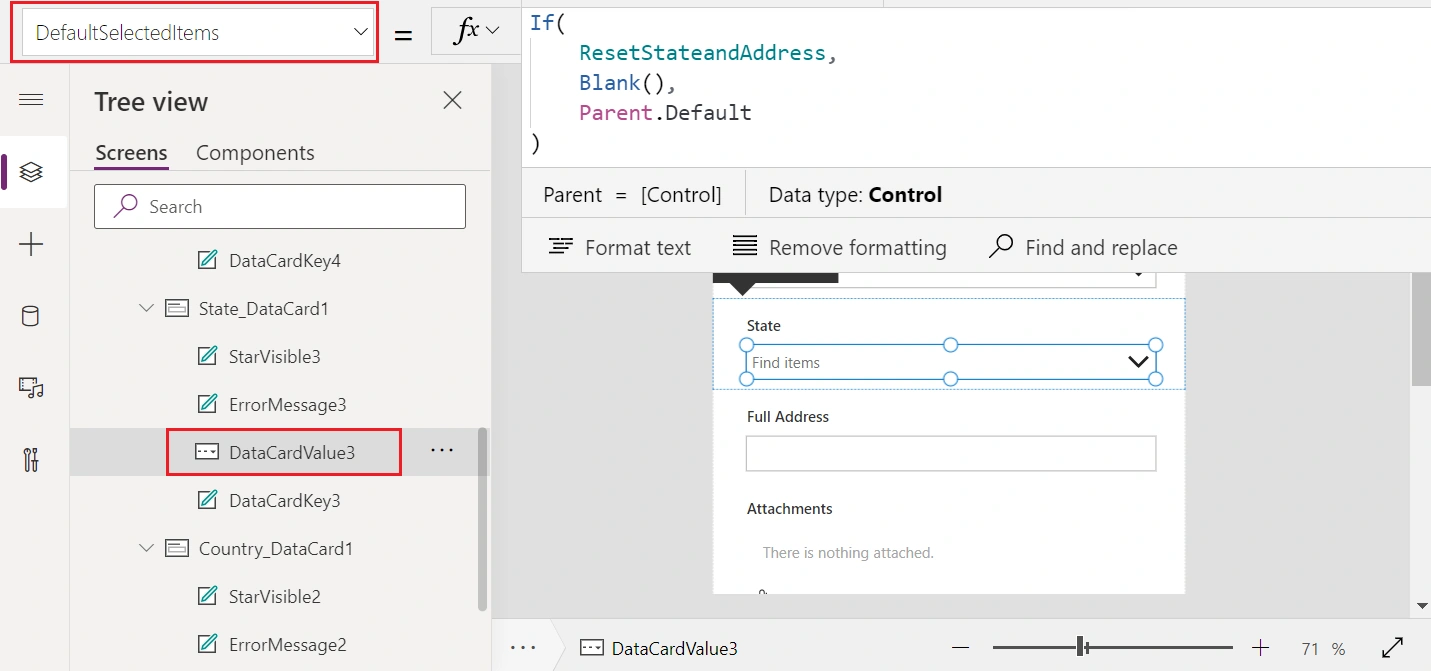
9. Next, select the DataCardValue4 for Full Address (Single line of text) and go to the “Default” property and write the same above formula:
Default = If(ResetStateandAddress, Blank(), Parent.Default)
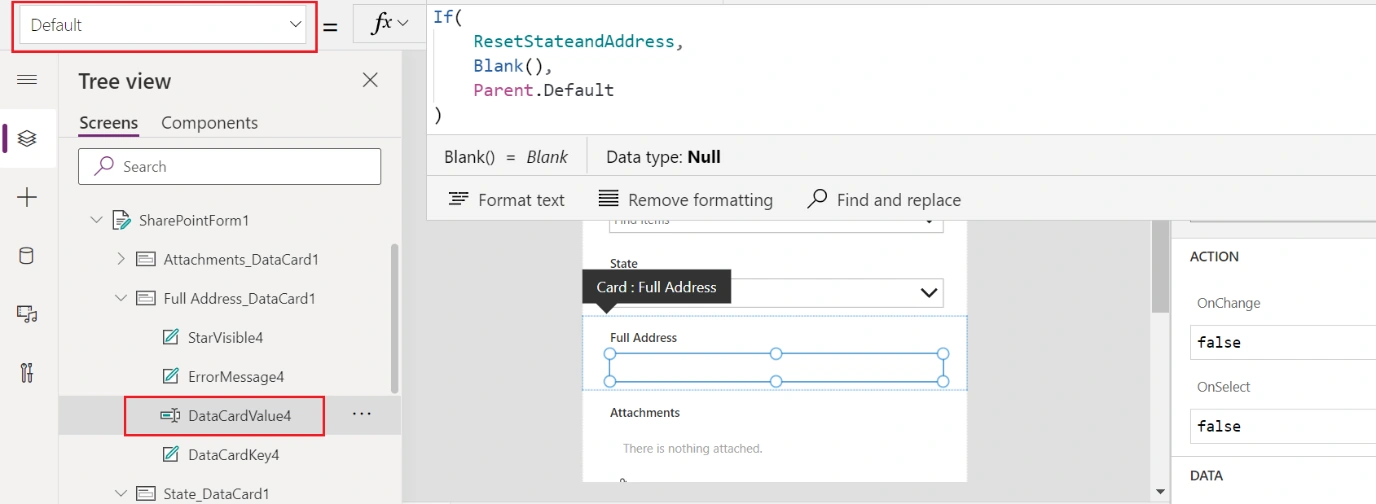
10. Now, Save and Publish the form to SharePoint.
11. Here, we have successfully resolved the PowerApps dropdown issue in Edit form.
Enjoy!
Kshitij GuptaPosted Mar 2, 2023, 12:42 PM
This is working but not completely, on edit form if I change value of a dropdown it does resets the other field but at the same time it also resets that field for other items too but if we refresh the list again, it shows value which were blank earlier. I'm not getting what needs to be changed in this!