

Benefit of manually download is, you don't need to download APIs again and again if you are working with new Android Bundles.
First of all, open following link in browser
New Link for repository
https://dl-ssl.google.com/android/repository/repository-8.xml
Old Link for repository
https://dl-ssl.google.com/android/repository/repository-7.xml
This will show you following output.
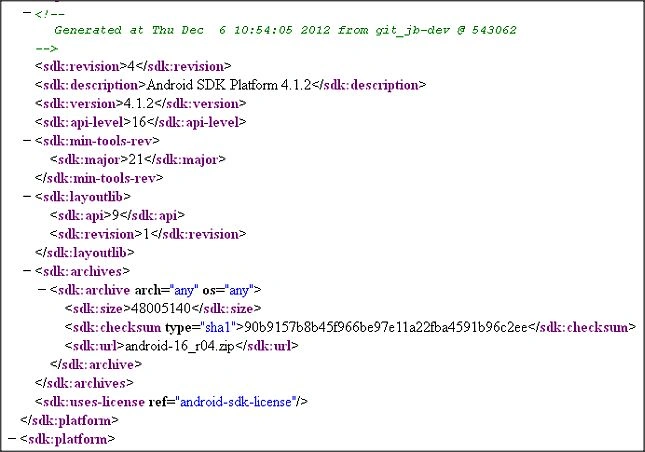
Now, you can see that all information provided in XML format.
There is one link provided here. Search for sdk:url tag in XML file. After searching that, copy that value and make following URL pattern to download it.
Note that, you should choose sdk:url as per your platform which is provided in <sdk:archive arch="any" os="any">.
Base URL : https://dl-ssl.google.com/android/repository/
Full URL : https://dl-ssl.google.com/android/repository/android-16_r04.zip
You can add suffix URL as you want.
After completion of download, extract that file. This will produce one directory. You just need to place that in following directory.
path_to_android_sdk\platforms
Open your Android SDK, and check. Newer API will be shown as Installed.
Happy Coding.
Join the conversation! Your thoughts help the community grow.