

Here I am going to tell you how to make animation of color on click event using JavaScript. Using CSS and JavaScript in HTML we can make our page very attractive.
HTML CODE
- <html>
- <head>
- <title>animation</title>
- <style>
- #box {
- background: #36C;
- width: 640px;
- height: 480px;
- }
- h1 {
- color: #FF0;
- padding-top: 180px;
- padding-left: 150px;
- }
- h3 {
- color: #009;
- padding-left: 150px;
- }
- #form {
- padding-left: 150px;
- }
- </style>
- <script type="text/javascript">
- function changeBG(el, clr) {
- var elem = document.getElementById(el);
- elem.style.transition = "background 2.0s";
- elem.style.background = clr;
- }
- </script>
- </head>
- <body>
- <h3>CLICK ON ANY BUTTON</h3>
- <form id="form">
- input type="button" value="megenta" onClick="changeBG('box','#F0F')"/>
- <input type="button" value="green" onClick="changeBG('box','#0c0')" />
- <input type="button" value="black" onClick="changeBG('box','#000')" />
- </form>
- <div id="box">
- <h1>Hello i am Sanjay Singh</h1>
- </div>
- </body>
- </html>
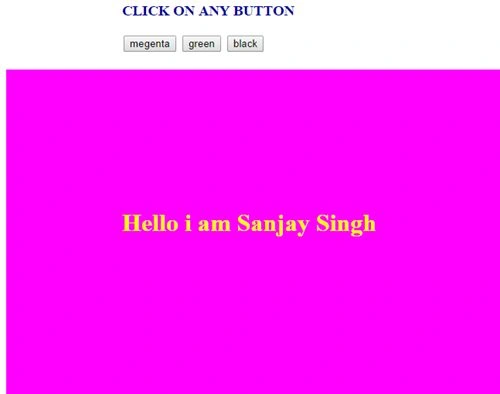
Output
When we click on the magenta button and here I also set this default color
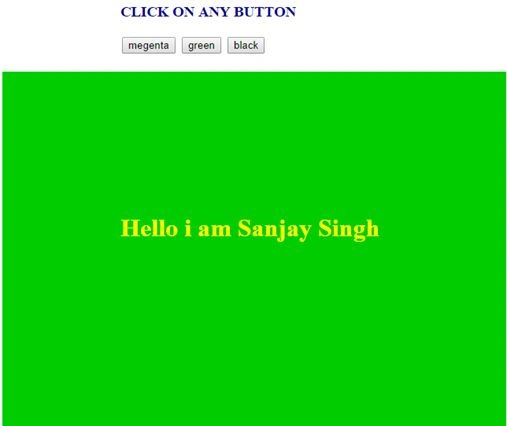
 Now if we click on the green button
 Now if we click on the black button

Join the conversation! Your thoughts help the community grow.