

Step 1. Open SQL Developer and Connect to Your Database.
- Launch Oracle SQL Developer.
- In the Connections pane, expand your connection and navigate to the Tables node.\
- Create a table structure

Step 2. Initiate the Import Process.
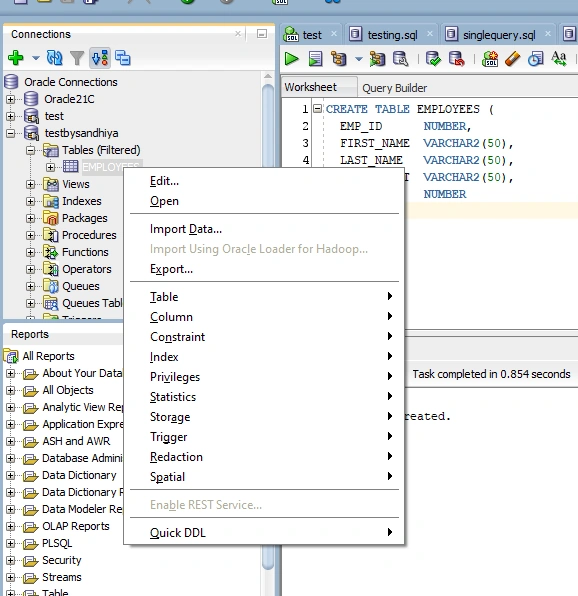
- Right-click on the Tables node or an existing table (if you want to import data into it).
- Select Import Data... from the context menu.
Step 3. Select Your Excel File.
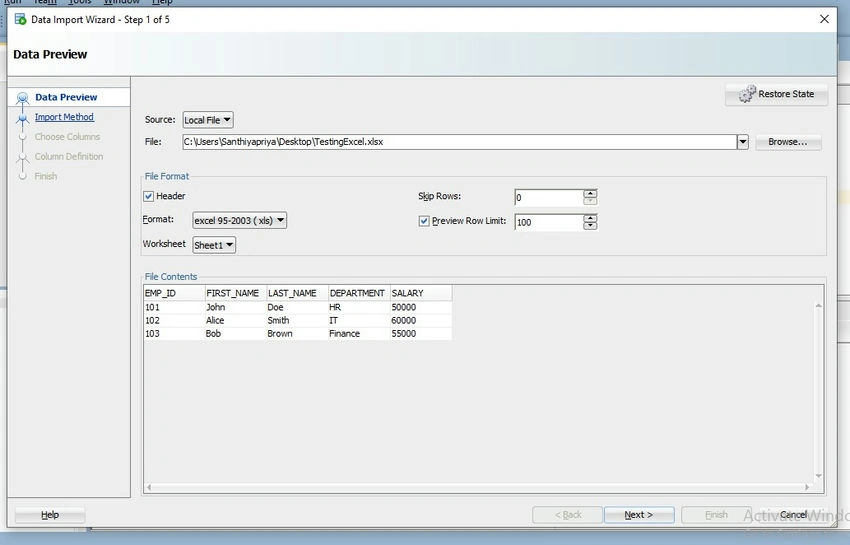
- In the Import Wizard, click the Browse button.
- Locate and select your Excel file (.xls or .xlsx).
- Click Next to proceed.
Step 4. Configure Import Settings.
- Ensure the correct worksheet is selected.
- Check the box "Header" if your Excel file has column headers.
- Adjust the "Skip Rows" value if necessary (e.g., if your data starts from row 2, set this to 1).
- Click Next.
Step 5. Define Import Method and Table Details.
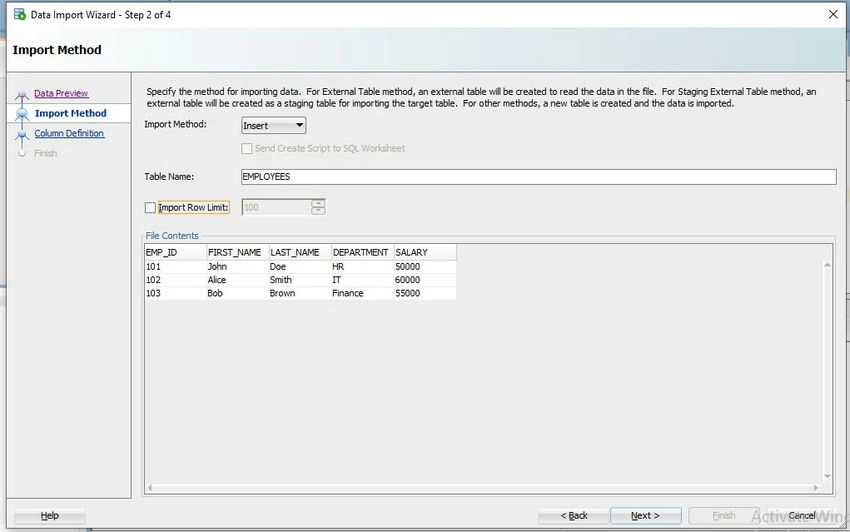
- Choose the Import Method.
- Insert: Directly inserts data into the table.
- Insert Script: Generates a SQL script with INSERT statements.
- If creating a new table, provide a Table Name.
- Click Next.
Step 6. Select Columns to Import.
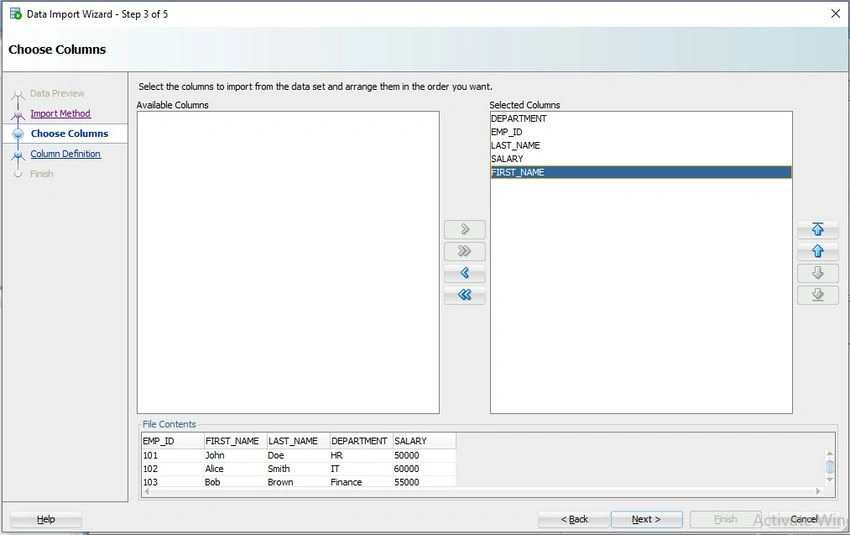
- Review the columns detected from your Excel file.
- Select the columns you wish to import.
- Click Next.
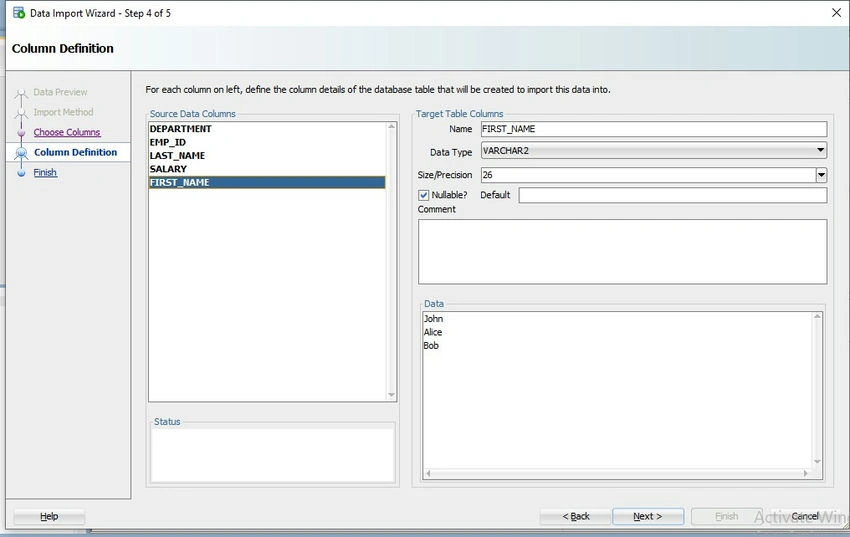
Step 7. Map Excel Columns to Table Columns.
- Map each Excel column to the corresponding table column.
- Ensure data types are correctly matched.
- Click Next.
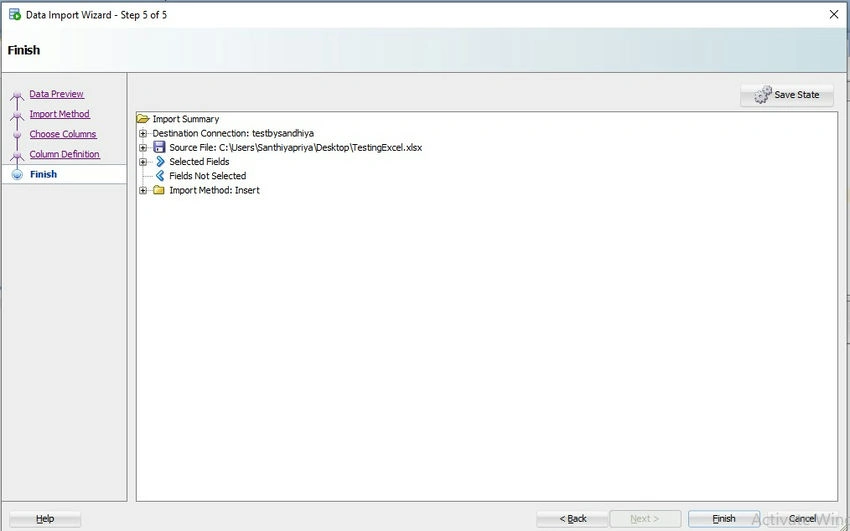
Step 8. Review and Finish.
- Review the summary of your import settings.
- Click Finish to start the import process.
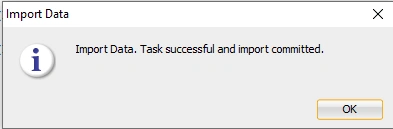
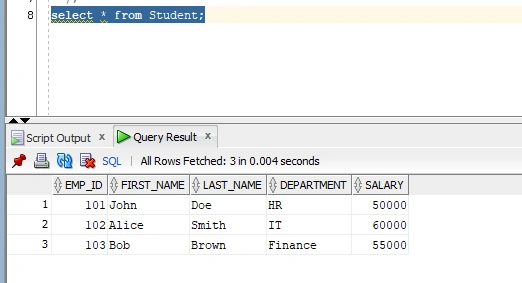
Step 9. Verify Imported Data.
-
Once the import is complete, you can verify the data by executing a SELECT query on the table: SELECT * FROM your_table_name;
Join the conversation! Your thoughts help the community grow.