

Introduction
We know sometimes due to browser compatibility and support our HTML, CSS or other page doesn't work as we expect. Sometimes it creates a bad impression with the client and users about our web application. So, it is always good to know whether our HTML elements and CSS classes are compatible and supported by different browsers or not.
Solution
To get the solution to this problem let's get started now with the following steps.
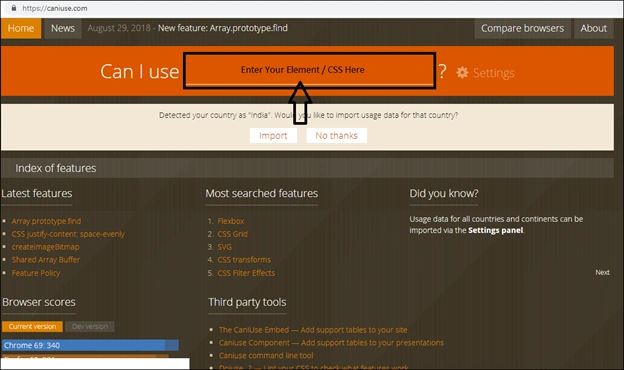
Open the website Can I use.
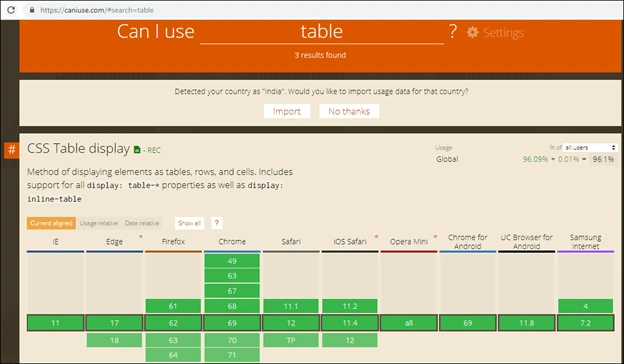
Apart from the above support table related to the searched element it shows several other details. Some of them are as follows:
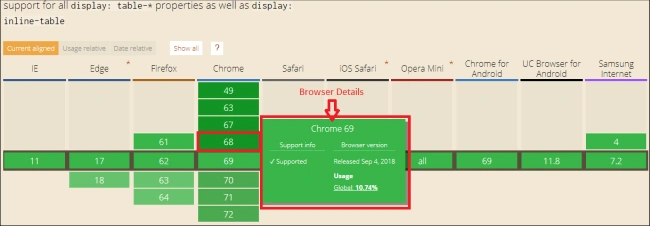
Browser DetailsOnce you mouse over on the table cell as shown in the above image it gives the details of browser support information: browser version, released date, and global usage as shown in the below image.
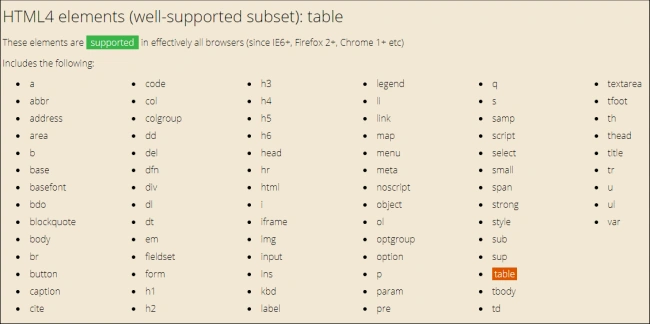
It gives the subset of all related elements which can be used with a searched element as shown below.
Known Issues with Searched Element
It gives the details of known issues with browser name which come generally with a searched element as shown in the below image.

It gives the link of documentation for the searched elements as shown in the below image.

Now as per the result displayed you can make a further decision as to whether you can use that searched element in your website or web application, as you already know for which browsers you have developed your website.
In this blog, we have learned how to check the browser compatibility of HTML elements and CSS class. I hope you learned and enjoyed it. I look forward to seeing your feedback.
Abhishek MishraPosted Oct 16, 2018, 11:07 AM
Nice info :)