

Introduction
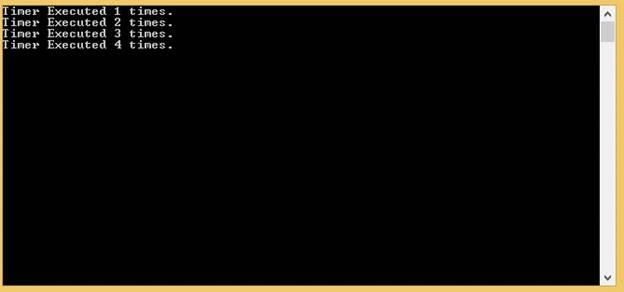
This blog demonstrates, how to run a timer on the specific time interval, using System.Threading.Timer class. This will help the developer to execute a task on the certain time interval. This blog starts with the simple declaration of Timer and will execute a method with a console message printing.
Step 1: Create a new console Application with the name “Threading_Timer” and declare the ‘ _timer’ of type System.Threading.Timer and a local variable ‘count’ of type int globally.
Declaration of Timer and a local variable of type int
- //Declare a _timer of type System.Threading
- private static Timer _timer;
- //Local Variable of type int
- private static int count = 1;
- //Initialization of _timer
- _timer = new Timer(x => { callTimerMethode(); }, null, Timeout.Infinite, Timeout.Infinite);
- /// <summary>
- /// This method will print timer executed time and increase the count with 1.
- /// </summary>
- private static void callTimerMethode()
- {
- Console.WriteLine(string.Format("Timer Executed {0} times.", count));
- count = count + 1;
- }
- /// <summary>
- /// This method will set the timer execution time and will change the tick
- time of timer.
- /// </summary>
- private static void Setup_Timer()
- {
- DateTime currentTime = DateTime.Now;
- DateTime timerRunningTime = new DateTime(currentTime.Year, currentTime.Month, currentTime.Day, 2, 0, 0);
- timerRunningTime = timerRunningTime.AddDays(15);
- double tickTime = (double)(timerRunningTime - DateTime.Now).TotalSeconds;
- _timer.Change(TimeSpan.FromSeconds(tickTime), TimeSpan.FromSeconds(tickTime));
- }
If you want to run the timer after every 2 minutes, just comment these line of code,
- //DateTime currentTime = DateTime.Now;
- //DateTime timerRunningTime = new DateTime(currentTime.Year, currentTime.Month, currentTime.Day, 2, 0, 0);
- //timerRunningTime = timerRunningTime.AddDays(15);
- DateTime timerRunningTime = DateTime.Now.AddMinutes(2);
- using System;
- using System.Collections.Generic;
- using System.Linq;
- using System.Text;
- using System.Threading;
- namespace Threading_Timer
- {
- public class Program
- {
- //Declare a _timer of type System.Threading
- private static Timer _timer;
- //Local Variable of type int
- private static int count = 1;
- static void Main(string[] args)
- {
- //Initialization of _timer
- _timer = new Timer(x => { callTimerMethode(); }, null, Timeout.Infinite, Timeout.Infinite);
- Setup_Timer();
- Console.ReadKey();
- }
- /// <summary>
- /// This method will print timer executed time and increase the count
- with 1.
- /// </summary>
- private static void callTimerMethode()
- {
- Console.WriteLine(string.Format("Timer Executed {0}
- times.",count));
- count=count+1;
- }
- /// <summary>
- /// This method will set the timer execution time and will change the
- tick time of timer.
- /// </summary>
- private static void Setup_Timer()
- {
- DateTime currentTime = DateTime.Now;
- DateTime timerRunningTime = new DateTime(currentTime.Year,
- currentTime.Month, currentTime.Day, 2, 0, 0);
- timerRunningTime = timerRunningTime.AddDays(15);
- //DateTime timerRunningTime = DateTime.Now.AddMinutes(2);
- double tickTime = (double)(timerRunningTime –
- DateTime.Now).TotalSeconds;
- _timer.Change(TimeSpan.FromSeconds(tickTime),
- TimeSpan.FromSeconds(tickTime));
- }
- }
- }
Summary
In this blog, I discussed, how we can set the execution time of a method, using “System.Threading.Timer” class. I think this will help a developer to execute a specific task at a specified time interval.
SubashPosted Sep 15, 2016, 7:02 AM
Nice blog