
I just started working on Office app. In office 365 app, mostly we have to use client side scripting. So, i want to get cell values from excel. Somewhere, i need to define JavaScript array and get values from array in my code. hence, I have prepared JavaScript method to get values from array.
What is Jquery?
I don't want to explain overview about jQuery in this blog. Here is the nice explanation in following link.
How can we get array values from client side using jquery?
We can get array values using $.each method in jQuery. I have used jQuery version 1.10.2 js in following sample.
$.each() is a generic iterator function for looping over object, arrays, and array-like objects. Plain objects are iterated via their named properties while arrays and array-like objects are iterated via their indices.
// Declare array like following in javascript
var arr = ["Mahesh", "Praveen", "DJ", "Jignesh", "Vulpes"];
Code Snippet :
- <!doctype html>
- <html lang="en">
- <head>
- <meta charset="utf-8">
- <title>click demo</title>
- <!-- Declare Jquery -->
- <script src="Scripts/jquery-1.10.2.min.js"></script>
- <script src="Scripts/jquery-1.10.2.js"></script>
- <title></title>
- <script type="text/javascript">
- // Specify a function to execute when the DOM is fully loaded
- $(document).ready(function ()
- {
- // Call button click event
- $("#btnTest").click(function ()
- {
- // Declare array
- var arr = ["Mahesh", "Praveen", "DJ", "Jignesh", "Vulpes"];
- // Define jquery each loop to get value of array
- $.each(arr, function (index, value)
- {
- // Get value in alert
- alert(value);
- });
- });
- });
- </script>
- </head>
- <body>
- <input type="button" id="btnTest" value="GetValuefromArray" />
- </body>
- </html>
I have tested and it is working fine in Google Chorme 35.0.1916.153, Internet Explorer 11 and Firefor 29.0.1 browsers.
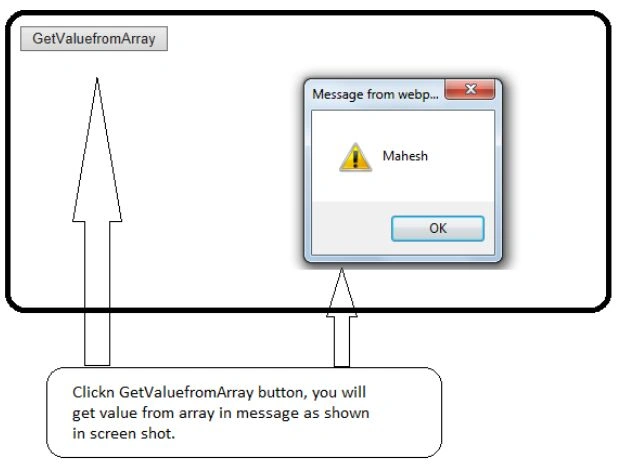
Output of sample code
Join the conversation! Your thoughts help the community grow.