

We cannot use session in a static method. Thus, I will show one way in which this can be done without much hassle.
Just use the syntax, given below:.

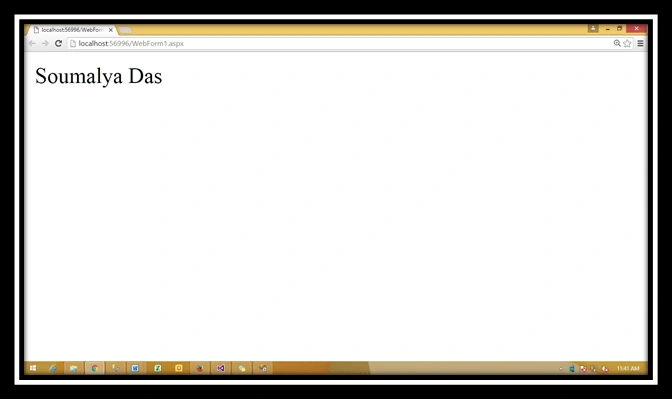
Using this code, we can access the session value in the static methods too. Create a Website. Add a Webform to it. Write the code, given below, in the ASPX page.
- <%@ Page Language="C#" AutoEventWireup="true" CodeBehind="WebForm1.aspx.cs" Inherits="WebApplication1.WebForm1" %>
- <!DOCTYPE html>
- <html xmlns="http://www.w3.org/1999/xhtml">
- <head runat="server">
- <title></title>
- </head>
- <body>
- <form id="form1" runat="server">
- <div>
- <asp:Label ID="lblsessionName" runat="server"></asp:Label>
- </div>
- </form>
- </body>
- </html>
- using System;
- using System.Collections.Generic;
- using System.Linq;
- using System.Web;
- using System.Web.UI;
- using System.Web.UI.WebControls;
- namespace WebApplication1
- {
- public partial class WebForm1: System.Web.UI.Page
- {
- protected void Page_Load(object sender, EventArgs e)
- {
- Session["UserName"] = "Soumalya Das";
- lblsessionName.Text = AssignSession();
- }
- protected static string AssignSession() {
- string _users = string.Empty;
- _users = HttpContext.Current.Session["UserName"].ToString();
- return _users;
- }
- }
- }
SubashPosted Sep 17, 2016, 3:26 AM
Nice one sir.
Ravi KandelPosted Aug 14, 2016, 3:02 AM
Nice
NitinPosted Aug 11, 2016, 3:02 PM
@Soumalya Das: Kindly do not copy and use other authors articles and represent under your name in C# Corner or anywhere else. This is one of the post that I had submitted on C# Corner. This is the link that you had copied it from. http://www.c-sharpcorner.com/blogs/get-session-value-in-a-static-method. cc Praveen Moosad Dinesh Beniwal.
Sumit AroraPosted Aug 9, 2016, 2:58 PM
Nice...