

Sometimes we need export data from excel data source to SQL. In this article we are demonstrating the export data from excel data source to SQL server table by using T-SQL Query.

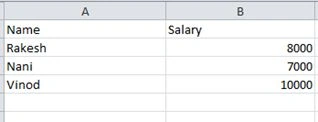
We need to import above Excel data into SQL using T-SQL Query.
This can be achieved by two ways
- OPENDATASOURCE
- OPENROWSET
1. OPENDATASOURCE
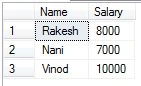
SELECT * INTO #ExcelImport FROM OPENDATASOURCE('Microsoft.Jet.OLEDB.4.0',
'Data Source=C:\test\Employee.xls;Extended Properties=Excel 8.0')...[Emp$]
DROP TABLE #ExcelImport
Here above query Data Source is the Source path of where Excel file is in kept .[Emp$] is the Excel Sheet name.
2. OPENROWSET
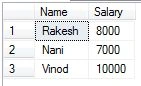
SELECT * INTO #ExcelImport FROM OPENROWSET('Microsoft.Jet.OLEDB.4.0',
'Excel 8.0;Database=C:\test\Employee.xls', [Emp$])
SELECT * FROM #ExcelImport
DROP TABLE #ExcelImport
Here above query Database is the Source path of where Excel file is in kept .[Emp$] is the Excel Sheet name .
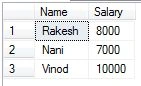
SELECT * INTO #ExcelImport FROM OPENROWSET('Microsoft.Jet.OLEDB.4.0',
'Excel 8.0;Database=C:\test\Employee.xls', 'SELECT [Name],[Salary] FROM [Emp$]')
SELECT * FROM #ExcelImport
DROP TABLE #ExcelImport
Here above query Database is the Source path of where Excel file is in kept. If you observe the 'SELECT [Name],[Salary] FROM [Emp$]’ Selecting the colums from Emp sheet.
Join the conversation! Your thoughts help the community grow.