

Step1
First follow the below code for HTML in your design page (Ex:component.html).
- <div class="brands-name">
- <div *ngFor="let data of ParentList; let $index=index;">
- <div (click)="Collaps($index)">Item{{index + 1}}</div>
- <div *ngIf="$index === expandedIndex">
- <div *ngFor="let data of ChildList;let i=index">
- <div class="row" style="margin-left:0px;margin-right:0px">
- <div class="col-sm-1">Sub-Item{{index + 1}}</div>
- <div class="col-sm-6" style="width: 80%;"></div>
- </div>
- </div>
- </div>
- </div>
- </div>
Step2
Added component.ts code in your page . This.expandedIndex's initial value -1 has been assigned as ngOnInit for pageload function. Get ParentList value from database for assigning Header.
- constructor(private router: Router, private service: Service) {}
- ngOnInit() {
- //some values
- this.expandedIndex = -1
- this.ParentList = [];
- }
Step3
I have clicked header position and opened ChildList.
- Collaps(index: number) {
- this.expandedIndex = index === this.expandedIndex ? -1 : index;
- //some values
- this.ChildList = [];
- });
- }
- (click) = "Collaps($index)"
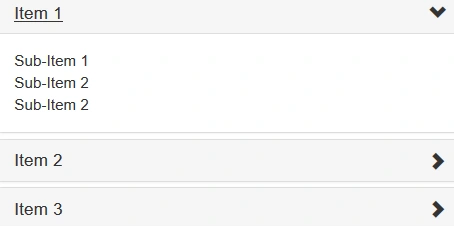
Finally we have successfully gotten dynamic Collapse in Angular4. I hope this blog was mostly helpful for you.
Abhijit PandiaPosted May 17, 2019, 2:14 AM
Its not working sir