

Introduction
We can simply set this option in two or three steps. The main purpose of setting this option is we can easily find out the code line number in MS SQL.Other important purpose is when we face an error in SQL programming, it provides the line number and error message details. So we can quickly find out the code line number.
Step 1: Open Microsoft SQL Server Management Studio.
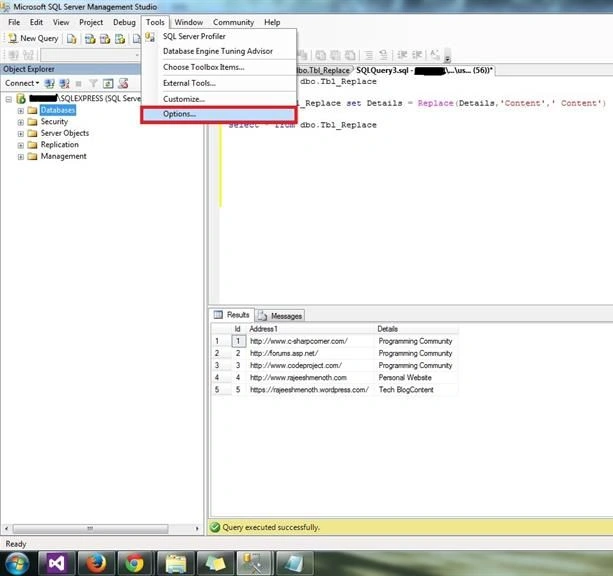
Step 2 : Tools - > Options.
We can simply set this option in two or three steps. The main purpose of setting this option is we can easily find out the code line number in MS SQL.Other important purpose is when we face an error in SQL programming, it provides the line number and error message details. So we can quickly find out the code line number.
Step 1: Open Microsoft SQL Server Management Studio.
Step 2 : Tools - > Options.
Step 3: Click Tools, then Options and select Text Editor ( Expand the Text Editor ).
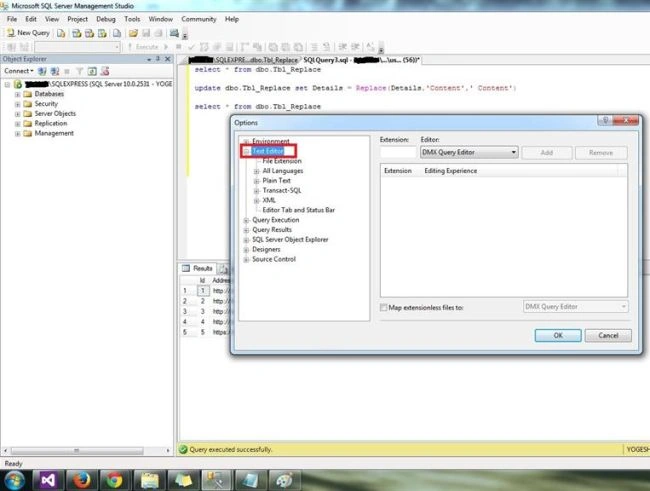
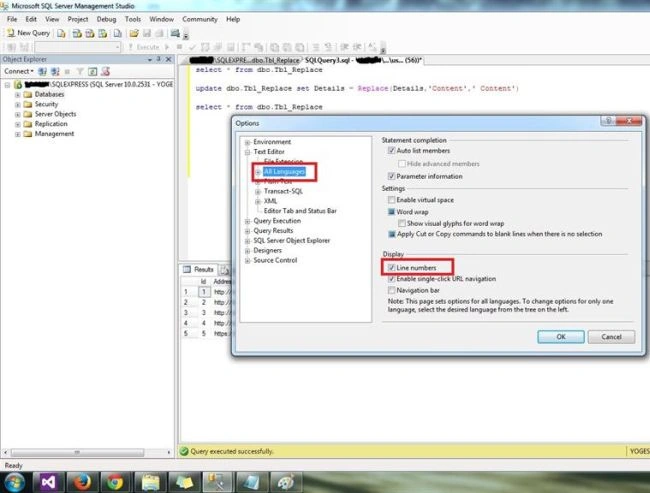
Step 4: Click Tools, then Options and click Text Editor ( Expand the Text Editor ). After that click All Languages and check the Line numbers and click OK.
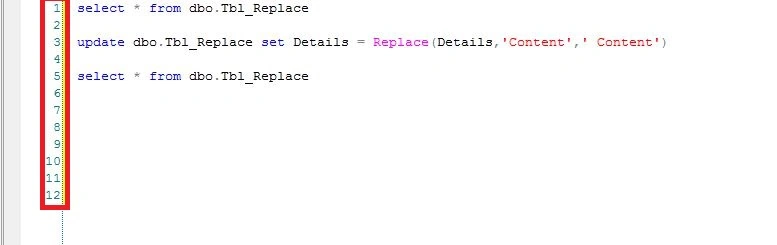
Output :
Join the conversation! Your thoughts help the community grow.