

You can make a digital clock of your own with just 13 lines of code, you just have to follow these 3 steps:
Step 1
Open notepad and write the below script.
@echo off
Title Digital clock
@mode con cols=25 lines=5
color 00
:main
cls
echo.
echo Time:%time%
echo.
echo Date: %date%
echo.
ping -n 2 0.0.0.0>nul
goto main
Step 2
Save it with .bat extension. For example: DigiClock.bat
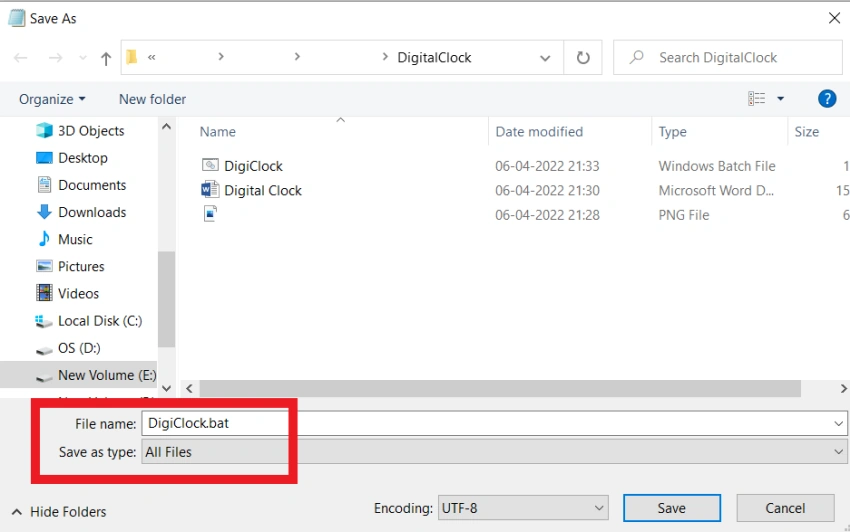

Step 3
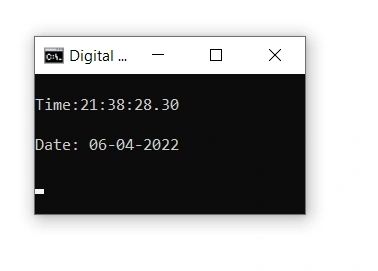
Open this .bat file wherever it is saved, either double click on it or right click and click on open.
Here is your digital clock!!!
Line-wise explanation
Line 1
'echo off' command, is used to prevent echoing commands at the command prompt.
The "@" sign in front makes the command apply to itself as well.
Line 2
This batch command sets the title displayed in the console window.
Line 3
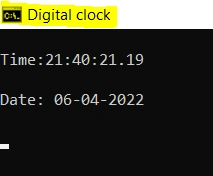
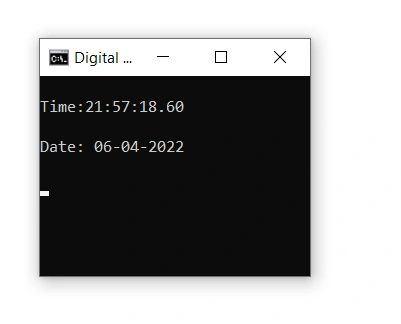
To resize a console window ("DOS prompt") to 5 lines of 25 characters each.
See the difference; when cols=25 lines=5
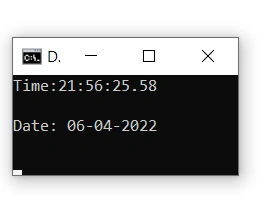
And when cols=30 lines=10
Line 4
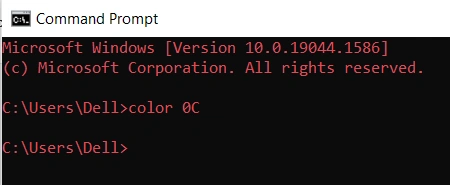
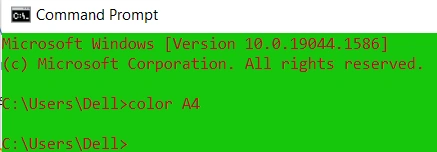
Colors are coded as two hexadecimal digits. Color 00 means black.
- 00-black
- 01-navy
- 02-green
- 03-teal
- 04-maroon
- 05purplr
- 06-olive
- 07-silver
- 08-grey
- 09-blue
- 0A-lime
- 0B-aqua
- 0C-red
- 0D- fuchisa
- 0E-yellow
- 0F-white
You can try it simply by opening your cmd and type colorXX (XX will be the code you want)
Line 5
":main" – It is label for the goto command used in line 13. “:” means whatever is writer after that is a label which instructs the script to start executing at different place(:main in this case)
Line 6
cls is used for clear screen.
Line 7
To echo a blank line on the screen
Line 8
This will echo or you can say display the current time pic 10
Line 9
To echo a blank line on the screen
Line 10
This will echo or you can say display today’s date pic 9
Line 11
To echo a blank line on the screen
Line 12
"Ping" is used to delay for some time.
-n 2 flag means send 2 ping requests (one for date and one for time).
0.0.0.0 is the IP address ping command is referring to. 0.0.0.0 is kind of default address.
>nul is used to redirect it to null. So, this would output nothing.
Line 13
Usually the script execution is from top to bottom line-wise but sometime we want the script to repeat a certain part of the code or want to start execution from a different point. Then we use goto, along with a label, which tells goto where to go (in this case :main- line5)
Join the conversation! Your thoughts help the community grow.