
Step 1
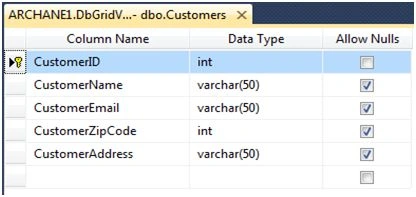
Create database and table named Customers using definition as shown in the below figure
Step 2
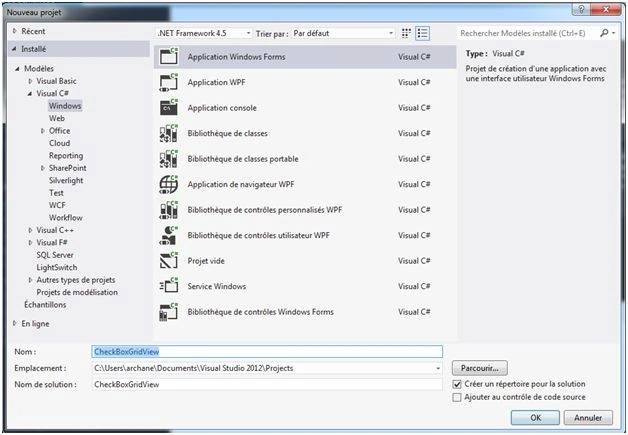
Now, using Visual Studio, we create application windows Forms named CheckBoxGridView, then click on OK. You can see the following figure.
Step 3
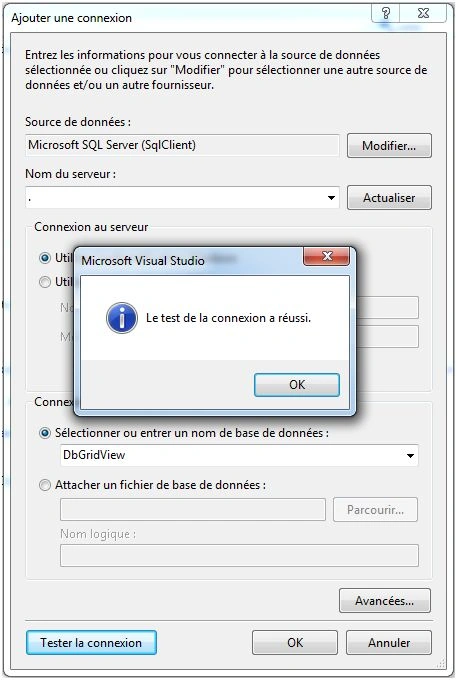
At this stage, we need to add connection to database. You shouldbe selecting Server Name, then the Database Name (in this case: DbGridView) that will be used in our application.
*DbGridView
Step 4
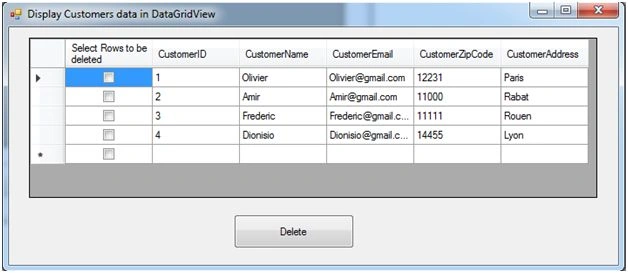
Now, Add DataGridView and button controls to the form by selecting them from Toolbox as shown in the following figure,
Step 5
Adding source code for DataGridView.
- using System;
- usingSystem.Collections.Generic;
- usingSystem.ComponentModel;
- usingSystem.Data;
- usingSystem.Data.SqlClient;
- usingSystem.Drawing;
- usingSystem.Linq;
- usingSystem.Text;
- usingSystem.Threading.Tasks;
- usingSystem.Windows.Forms;
- namespace CheckBoxGridView
- {
- publicpartialclassForm1: Form
- {
- public Form1()
- {
- InitializeComponent();
- }
- privateSqlConnectionconx = newSqlConnection("Data Source=.;Initial Catalog=DbGridView;Integrated Security=True"); // Connection String
- privateSqlDataAdapteradp = null;
- privateDataSet ds = newDataSet();
- // loading data from "Customers" Table to DataGridView
- privatevoidLoadData()
- {
- AddCheckBoxForDataGridView();
- adp = newSqlDataAdapter("SELECT * FROM Customers", conx);
- adp.Fill(ds);
- dataGridView1.DataSource = ds.Tables[0];
- }
- // AddCheckBoxForDataGridView Function allow to add checkbox in DataGridView
- privatevoidAddCheckBoxForDataGridView()
- {
- DataGridViewCheckBoxColumn col = newDataGridViewCheckBoxColumn()
- {
- Name = "Select Rows to be deleted"
- };
- dataGridView1.Columns.Add(col);
- }
- privatevoid Form1_Load(object sender, EventArgs e)
- {
- LoadData();
- }
- privatevoidDeleteRowFromGrid(int id)
- {
- try
- {
- conx.Open(); //Open Connection
- SqlCommandcmd = newSqlCommand("DELETE FROM Customers WHERE CustomerID = '" + id + "'", conx); //Here, we specify query with {Id} parameter which allow us to delete rows from Db.
- int Result = cmd.ExecuteNonQuery(); // Execute Query for deleting all rows selected from DataGridView
- conx.Close(); // Close Connection
- }
- catch (Exception ex)
- {
- MessageBox.Show(ex.Message);
- }
- finally
- {
- conx.Close();
- }
- }
- //Delete Button
- privatevoid button1_Click(object sender, EventArgs e)
- {
- DataGridViewRow row = newDataGridViewRow();
- for (inti = 0; i < dataGridView1.Rows.Count; i++)
- {
- row = dataGridView1.Rows[i];
- if (Convert.ToBoolean(row.Cells[0].Value))
- {
- int id = Convert.ToInt16(row.Cells[1].Value);
- DeleteRowFromGrid(id);
- dataGridView1.Rows.Remove(row);
- i--;
- }
- }
- }
- }
- }
Run Application.
Suresh MolabantiPosted Jun 24, 2016, 6:43 AM
good one