

There are some basic CSS properties, which everyone must be aware of to start working with CSS. We will have a look into the properties here.
What is CSS?
CSS stands for Cascading Style Sheets. It is a set of properties, which explains the look & feel of HTML elements in a screen.
CSS properties can be written in external style sheets, internal style sheets or as inline styles.
- External style sheets is a CSS file, where you can manage all the styles for any element you want.
- Internal style sheets are the styles written within in HTML page inside the style tag.
- Inline styles are the styles specific to HTML element, which is written inside style attribute of the element.
While using external & internal style sheets, CSS properties can be assigned to HTML elements by means of HTML tags or by using class or Id attributes.
- <div class="cssbeginner" id="cssbeginnerid"></div>
Now, we can give CSS property to div tag.
- Using tag - div{display:block;} // This will result in applying the property to all div tags
- or
- Using class - .cssbeginner{display:block;} //This will give style to all elements with class as cssbeginner
- or
- Using id - #cssbeginnerid{display:block;} //This will give style to unique element having id cssbeginnerid
- <div class="cssbeginner" id="cssbeginnerid" style="display:block;"></div>
- Font-family
This defines the font for HTML element.
- cssbeginner{font-family:'Arial';}
- Font-size
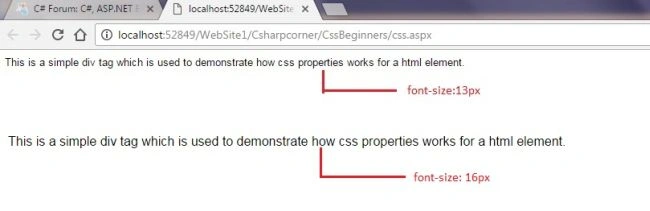
This defines the size of a font. It is usually expressed in pixels(px). We can also give it in percent(%), points(pt) or ems(em).
- cssbeginner{font-size:13px;}
- Display
Display is an important property, which manages the layout of HTML elements. It can be used to specify whether an element has to be shown or not.
Other important values for display are none, inline, inline-block etc.- cssbeginner{display:block;}
- Width
It is used to set the width of HTML element. It is normally expressed in pixels(px) or percents(%).
- cssbeginner{width:300px;}
- Height
It is used to set the height of HTML element. It is also expressed in pixels(px) or percents(%).
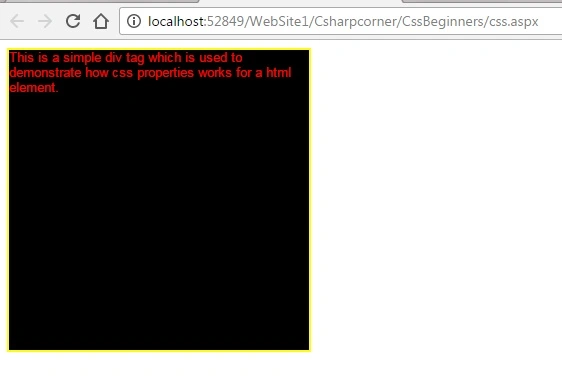
After providing width & height, our div has been made, which is given below.- cssbeginner{height:300px;}
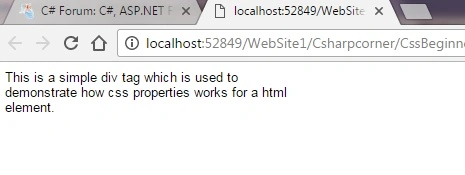
Since we reduced the element width, the text inside the element is split into the rows.
- Color
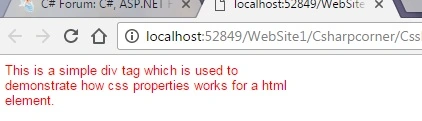
This defines the color of text inside HTML element.
It can be expressed as a color name or as HEX value or as RGB value.
- cssbeginner{color:red;}
- or
- cssbeginner{color:#FF0000;}
- or
- cssbeginner{color:#ff0000;}
You will get the list of colors and their respective HEX/RGB values here
- Background-color
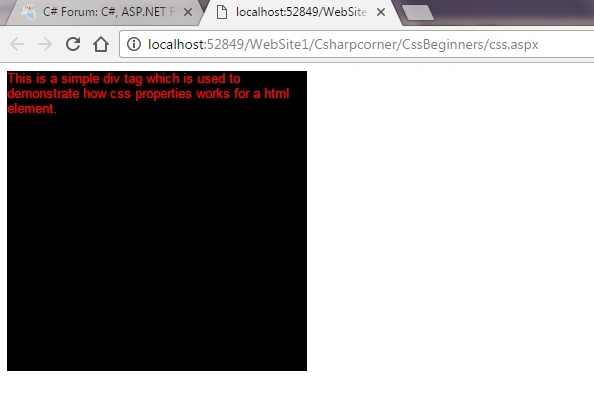
This is used to provide backround color for HTML element.
This is also expressed as a color name or as HEX value or as RGB value.
- .cssbeginner{background-color:black;}
- or
- .cssbeginner{background-color:#000000;}
- or
- .cssbeginner{background-color:#000000;}
- Border
This property is used to give style to the border of an html element.
It is is an mix of border-style, border-width & border-color property.
Border-style can have values as dotted, dashed, solid, etc.
Border-width can be expressed as pixels or percent
Border-color can be color name, HEX value or RGB value.
- .cssbeginner{border:solid 2px yellow;}
- Padding
This property is used to provide space around HTML elements.
It will clear space inside the border of HTML element and hence the background-color will be available for this cleared space also.
Padding can be given separately for top, right, bottom & left.- .cssbeginner{padding:20px;}
- .cssbeginner{padding-top:20px;}
- .cssbeginner{padding-right:30px;}
- .cssbeginner{padding-bottom:40px;}
- .cssbeginner{padding-left:50px;}
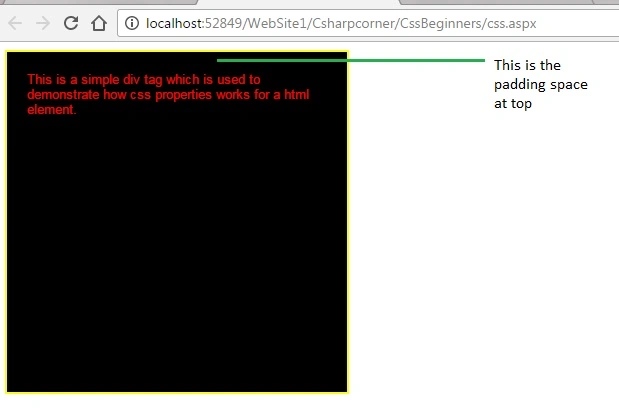
The properties, given above can be combined to a single one, using padding, as given below.
- .cssbeginner{padding:20px 30px 40px 50px;}
- Margin
This property is also used to generate space around HTML elements.
The main difference between the margin & padding is that the margin creates space outside the border of elements.
Hence the background color would not be having effect for the margin space.
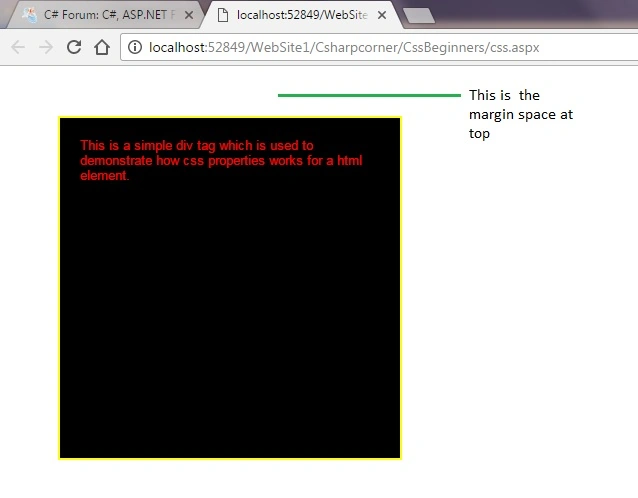 The margin can also be given separately for top, right, bottom & left.
- .cssbeginner{margin:50px;}
The properties, given above can be combined to a single one, using margin, as given below.- .cssbeginner{margin-top:20px;}
- .cssbeginner{margin-right:30px;}
- .cssbeginner{margin-bottom:40px;}
- .cssbeginner{margin-left:50px;}
Now, we can give all the 10 properties, given above to a div with class cssbeginner, as given below.- .cssbeginner{margin:20px 30px 40px 50px;}
- <style type="text/css">
- .cssbeginner { font-family: 'Arial'; font-size: 13px; display: block; width: 300px; height: 300px; color: Red; background-color: black; border: solid 2px yellow; padding: 20px; margin: 50px; }
- </style>
Conclusion
In this blog, we have learned the most basic and most needed CSS properties, which can be used in HTML element.
Hope, this will be helpful for the beginners.
Sagar Pandurang KapPosted Dec 6, 2017, 1:55 AM
So much Informative Blog Thanks.
SubashPosted Nov 4, 2016, 6:38 AM
Midhun T P very nice article thanks for share
Midhun TpPosted Oct 13, 2016, 2:24 AM
You are welcome Aruljothy :)
Aruljothy SundaramoorthyPosted Oct 12, 2016, 11:29 AM
Hope this it`s make easy to learn about CSS easily :) Thank u Mr.MIDHUN TP