

Tooltip represents a control that creates a pop-up window that displays information for an element in the UI
Step 1: Open a blank app and add a Button and TextBlock with ToolTip control either from the toolbox or by copying the following XAML code into your grid.
- <Button Content="Hover over the Button" ToolTipService.ToolTip="Sample ToolTip" />
- <TextBlock Text="TextBlock with a ToolTip.">
- <ToolTipService.ToolTip>
- <ToolTip Content="Sample ToolTip." />
- </ToolTipService.ToolTip>
- </TextBlock>
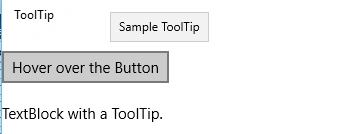
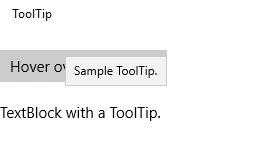
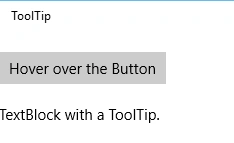
Step 2: Run your application and check yourself.
Johnny GenericPosted Oct 5, 2016, 4:51 PM
ToolTipService.ToolTip="Sample ToolTip" this doesn't work.
Neeraj KumarPosted May 13, 2016, 2:34 PM
Nice
Bhuvanesh MohankumarPosted May 13, 2016, 11:18 AM
Good one
Sr KarthigaPosted May 13, 2016, 10:57 AM
good one sir
Vignesh ManiPosted May 13, 2016, 7:10 AM
nice