

Overview
Today I thought I can share something which is commonly used and very use full information in developing the scripts and validating the scripts.
So I am writing the standard function which is commonly used that is How to Create Log file in PowerShell Script.
Why Log File?
Using log file people can follow and can see what is happening while the script is executing and records the errors if any, and also it improve the debugging steps and makes life easier.
Script Code
- [System.Reflection.Assembly]::LoadWithPartialName("Microsoft.SharePoint")
- [System.Reflection.Assembly]::LoadWithPartialName("Microsoft.Publishing")
- [System.Reflection.Assembly]::LoadWithPartialName("System")
- [System.Reflection.Assembly]::LoadWithPartialName("System.IO")
- $PSshell = Get-PSSnapin "Microsoft.SharePoint.PowerShell" -ErrorVariable err -ErrorAction SilentlyContinue
- if($PSshell -eq $null){ Add-PSSnapin "Microsoft.SharePoint.PowerShell" }
- $fileName = "RKTest"
- $logFileName = $fileName + "_Log.txt"
- $invocation = (Get-Variable MyInvocation).Value
- $directoryPath = Split-Path $invocation.MyCommand.Path
- $logPath = $directoryPath + "\" + $logFileName
- $isLogFileCreated = $False
- function Write-Log([string]$logMsg)
- {
- if(!$isLogFileCreated){
- Write-Host "Creating Log File..."
- if(!(Test-Path -path $directoryPath))
- {
- Write-Host "Please Provide Proper Log Path" -ForegroundColor Red
- }
- else
- {
- $script:isLogFileCreated = $True
- Write-Host "Log File ($logFileName) Created..."
- [string]$logMessage = [System.String]::Format("[$(Get-Date)] - {0}", $logMsg)
- Add-Content -Path $logPath -Value $logMessage
- }
- }
- else
- {
- [string]$logMessage = [System.String]::Format("[$(Get-Date)] - {0}", $logMsg)
- Add-Content -Path $logPath -Value $logMessage
- }
- }
Write-Log "Created By: Ramakrishna Basagalla"
Write-Log "End of the program..."

Output File
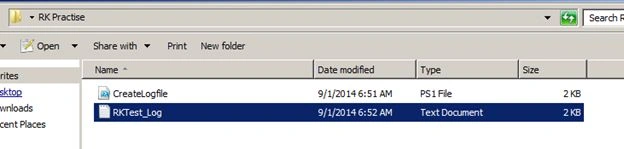
Log File Content

Gopi ChandPosted Sep 2, 2014, 1:16 PM
nice effort....