

What is Bootstrap?
Bootstrap is an open source library that contains the HTML, CSS, and JavaScript combined together for creating a web application with more responsive and mobile-first type of applications.
Bootstrap was mainly introduced for building applications with more attractive user interfaces. It was introduced in 2011 and named Twitter Blueprint, developed by Mark Otto and Jacob Thornton.
Why do we need Bootstrap?
- Rapid Development speed
- Responsive
Introduced for Grid concepts for arranging the columns in the display.
col-md-12
col-md-6
col-md-6
col-md-4
col-md-4
col-md-4
col-md-3
col-md-3
col-md-3
col-md-3
- Consistency
- Customizable
- The main feature of Bootstrap is that it is browser compatible for almost all type of browsers, including Google Chrome, Internet Explorer, Microsoft Edge, Firefox, Safari, Opera etc.
- Builds responsive applications
- Mobile-first approach
Let’s make an application using bootstrap.
First, create a Web application using Visual Studio.
- Go to File -> New -> Project -> Asp.NET Web Application.
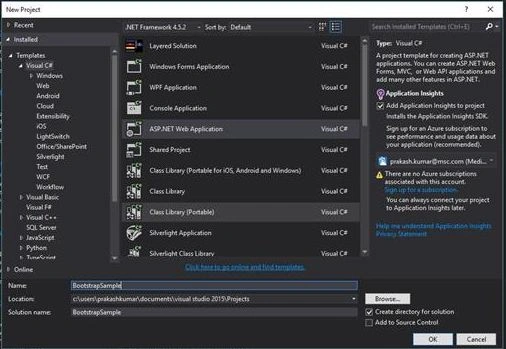
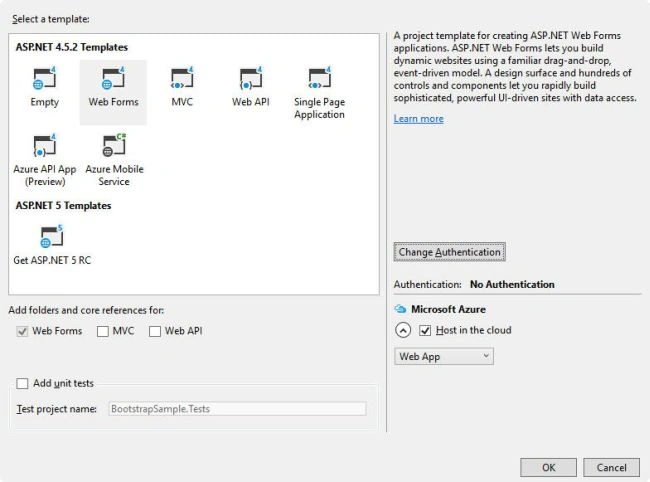
- Select "Web Forms".
Add bundle references by using "Bundle Config" or "webopt" for adding JavaScript and CSS files from directory.
By BundleConfig.cs in App_start Folder -
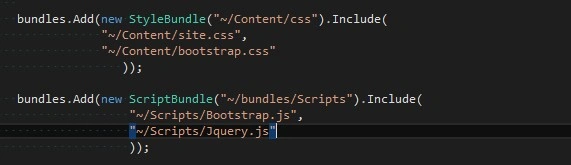
By Bundle reference in web form -

Designing a form in Web form like the following.
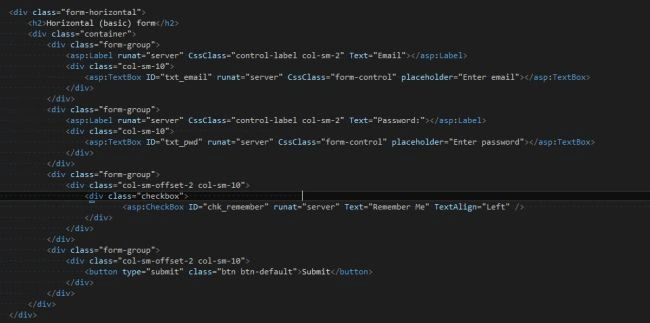
And finally, run the application. The output screen will be shown like below.
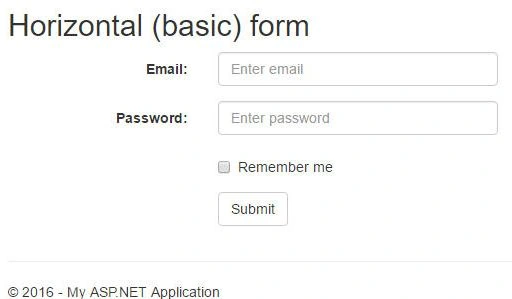
When you see the source of your form in browser, the rendered html will look like the following.
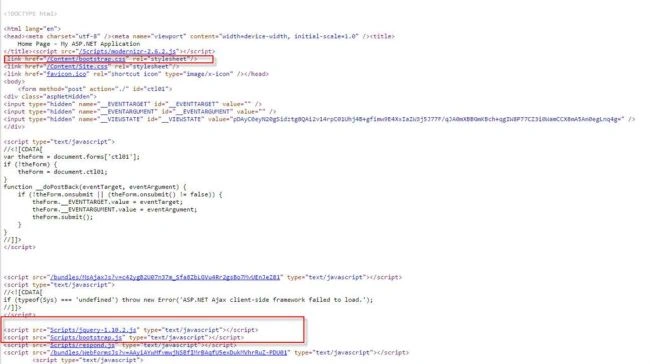
In this source file, we can see the rendered scripts and CSS files in the browser source.
Join the conversation! Your thoughts help the community grow.