

Before starting your new WCF service and if you want to know more about WCF, please refer to my blog WCF - Windows Communication Foundation.
Step 1 - Create a WCF service application
- On the File menu, point to New and then click "Project".
- In the New Project dialog box, expand the Visual Basic or Visual C# node and click WCF, followed by WCF Service Application.
- Provide the project name, such as WCFService or another as you wish, and specify the location.
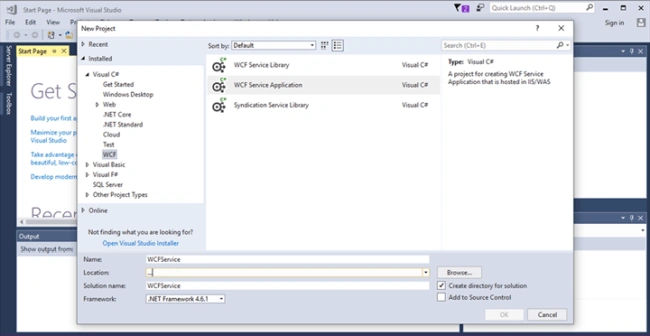
- Click OK to open the project.
The Solution Explorer will look like the following screen.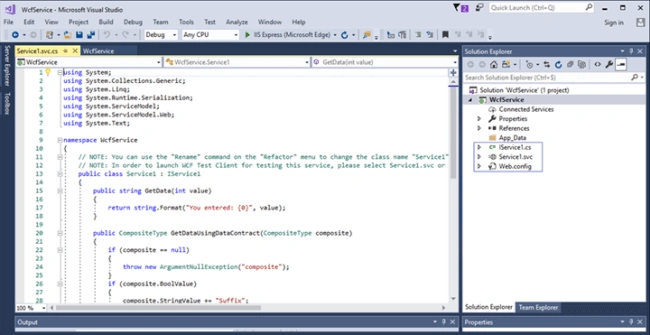
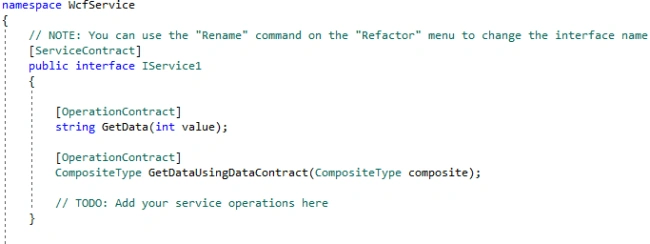
IServices1.cs
We call it Contract in WCF. This file holds the interfaces that are declared under the Service contract and method signatures that are declared under the Operation contract in WCF.
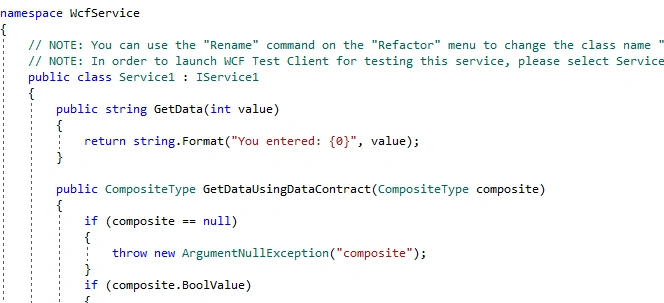
Service1.svc
This is a class file where IServices1.cs interfaces are implemented. The whole logic is written here.
Web.Config
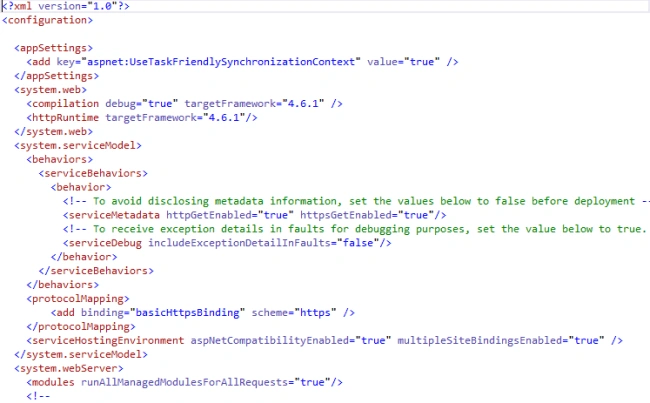
In a WCF application, Web.config files play another important role, as the application will have various sets of “ABC”- Address, Binding, and Contract and all those are defined in the web.config files.
Step 2 - Run the WCF application
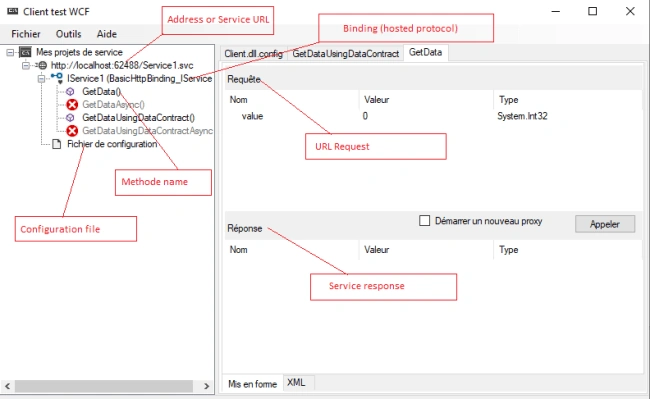
Set the Service.SVC file as the “Start up page” and run the application. Now, the WCF Test client window will be displayed.
Step 5
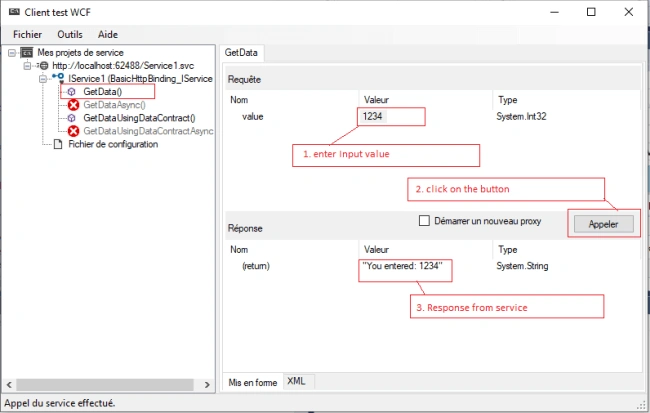
Provide input parameters and click on the "Invoke" button for a response from the service.
Click on the method name, then follow the screenshot steps.
Sathish KumarPosted Jan 19, 2021, 5:16 AM
Nice article with good presentation
DeepanPosted Jul 9, 2019, 1:42 AM
Good information
Nikunj SatasiyaPosted Apr 26, 2019, 10:14 AM
Nice article Marwa, thanks for sharing such articles with us.
Limin ChenPosted Feb 28, 2019, 9:35 PM
A great article! Well done. I can't wait for your next Hosting and Service Configuration.
Bikesh SrivastavaPosted Jan 5, 2019, 5:20 AM
Well explained ,keep it up
Laxmidhar SahooPosted Jan 3, 2019, 10:56 PM
Very good naration
ShankarPosted Jan 3, 2019, 8:23 AM
Can you share some more details like how to make available this service on www? I mean i launch this service in s machine and try to access its endpoint from another machine..
ShankarPosted Jan 3, 2019, 8:19 AM
Basic but very good info!