

Overview
As we all know, due to the Coronavirus pandemic, organizations are encouraging employees to work from home to maintain social distancing.
Leaders of organizations and different business units are being asked to come up with plans and guidelines to respond to this situation.
I work in an organization of 1500 people; I got a request to create Work from Home Checklist and an Online Induction Quiz, which should be available online.
Although there are many tools like Survey Monkey, my organization already has Office 365, so I decided to use Microsoft Forms to collect information.
Pre-requisites to create Microsoft forms
You must have one the following licences to create Microsoft Form or Quiz.
- Office 365 Education licenses.
- Office 365 Commercial licenses.
- U.S. Government Community Cloud: GCC and GCC High environments.
- Microsoft personal account
Our requirement was to create a Checklist for collecting information and sending out email to a Reporting Manager, which we capture in a form, and to create a quiz to assess field workers
The Difference between a Form and a Quiz
While form is used to collect information, Quiz can also be used as assessment process.
We can assign points with questions and can assess the response based on correct answers in a Quiz.

Share Form / Quiz with people to respond
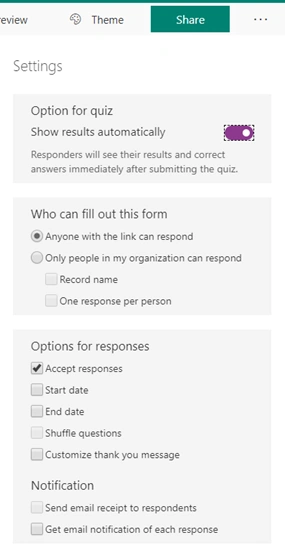
We can share quiz/form anonymously to respond or ask people to respond within the organization. We can do this by sharing the link of the Quiz or Form.
An anonymous link is different than the one used for sharing within the organization.
Click on three dots, and then click Settings.
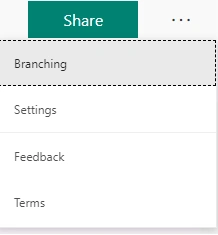
You can use the below setting according to your requirement.
Send Email via Microsoft forms
We can also send notification via Microsoft Forms using Send an email notification (V3).

I used this action as I was getting an error while trying to create a connection with Office 365 Outlook.
Or you can use choose to click an option.

Upload files in Microsoft Form.
Click on Add New, and from drop down click File upload.
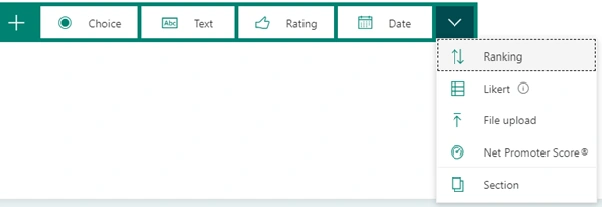
Files will be saved in the One Drive of the person who is creating the form.
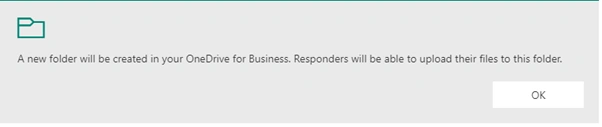
Limit of the max number of files is 10.
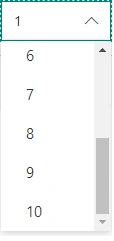
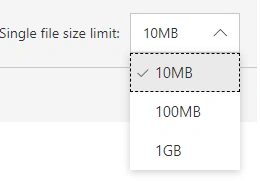
Max number of files to upload, although we can upload up to 1 GB, my recommendation is never exceed 100 MB and if possible only allow up to 10 MB.
Use this link to for further detailed guidance.
Join the conversation! Your thoughts help the community grow.