
You can't create a folder with a name that starts with a dot (.), in the Windows system. For that, follow the given procedure.
Here, I have opened Santech folder inside E directory.
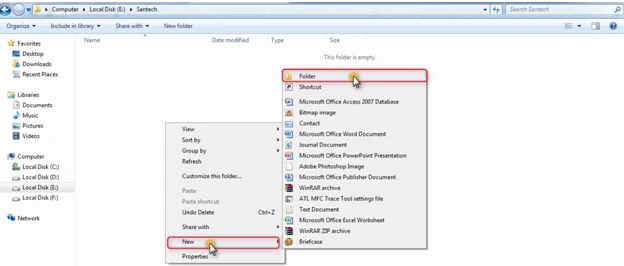
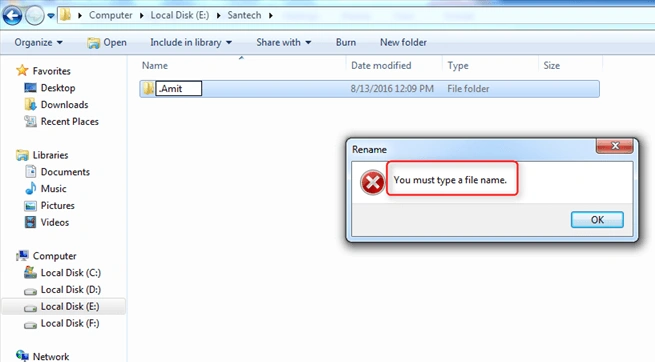
I am trying to create a folder with a name starting with dot (.) but I can’t create it and I am getting an error also. See below.
But, I can do this using command prompt .
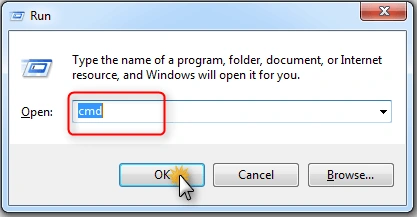
Press-> window + R and click OK.
Open command prompt and make a folder with a name that starts with dot (.)
My command prompt is open here.
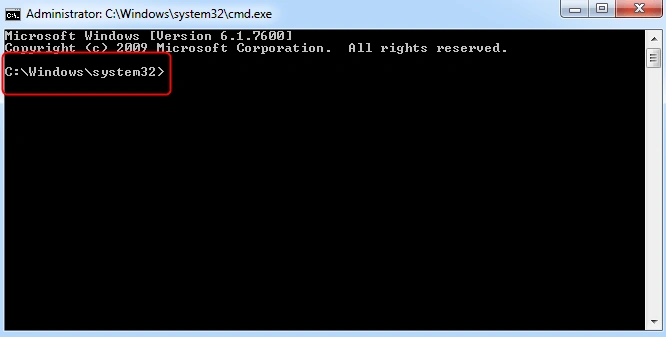
In the below image, I am creating a folder named .Math.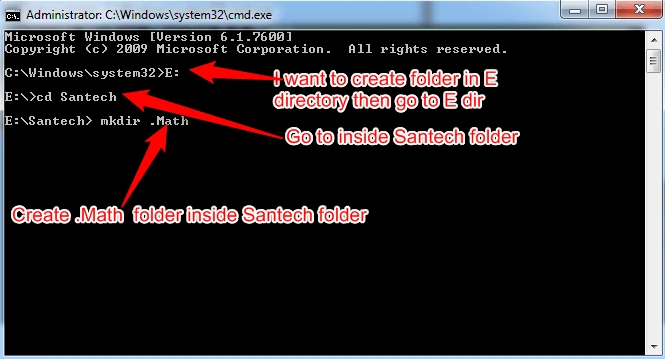
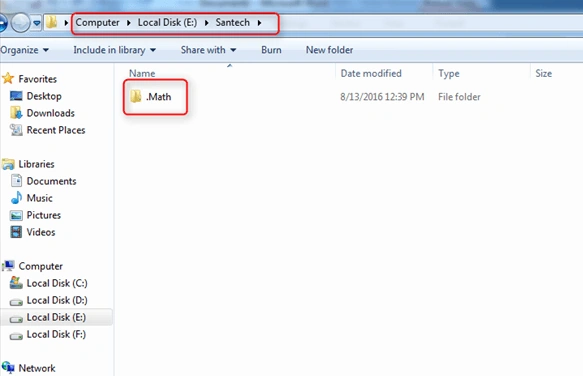
Finally, you can see that I have successfully created .Math folder here.

Create a Folder Which Has a Name That Starts With a Dot(.)
Join the conversation! Your thoughts help the community grow.
Sign in to leave a comment
It is the same account you read, post and publish with — and you will come straight back to this page.
Guest UserPosted Jul 9, 2021, 9:33 AM
Can you please explain why does second process work but not the first? TIA
Rajib Das GuptaPosted Aug 23, 2016, 4:20 AM
Good one !
Vivek KumarPosted Aug 19, 2016, 3:47 PM
Nice one
Bhuvan PandeyPosted Aug 19, 2016, 12:49 AM
Good