

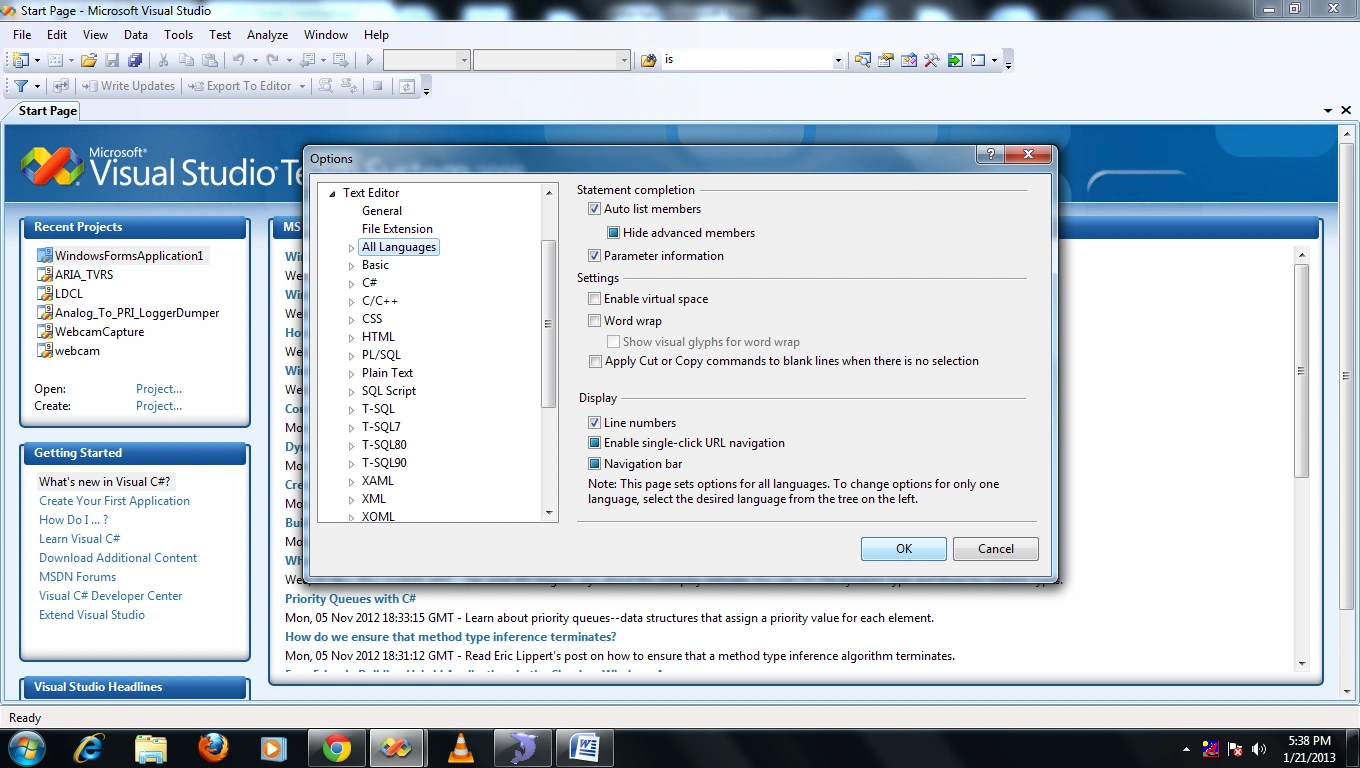
1. Showing
line number in the editor
If you want to have line numbers in your editor then follow
the steps:
- Go to the Tools
tab.
- Select options.
- Select Text editor.
- Select All
languages.
- Select general
- Then check the
"Line number" check box.
- Then press ok.
2. Incremental
search
Visual studio provides one feature of searching on the fly.
This feature search words as we start typing.
To do this just press “CTRL+I” and start typing and then the status bar will
show the current searching words.
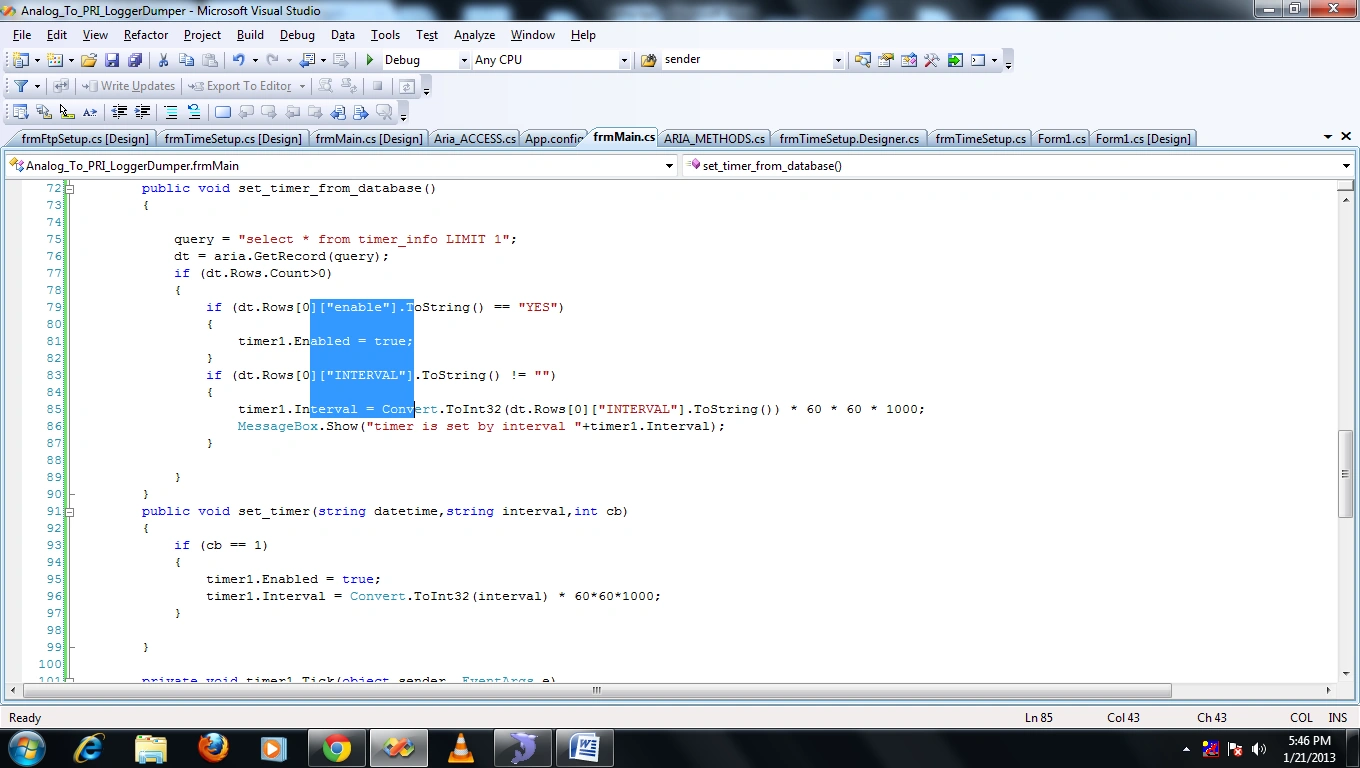
3. Box
Selection
We can select words in a box format and we can change it. To
do this just press the alt key and make
your selection.
Join the conversation! Your thoughts help the community grow.