

Command prompt is a command line interface in Windows that allows you to execute commands using text input.
To open the command prompt, you can do the following
- Click on the Start menu and search for "command prompt"
- Select the "Command Prompt" app from the search results
- Right-click on the Start menu and select "Command Prompt" from the list of options
- Press the Windows key + R on your keyboard, type "cmd" into the Run dialog box, and press Enter
Once you open the command prompt, you can start using commands. Some commands that you might find useful are listed below.
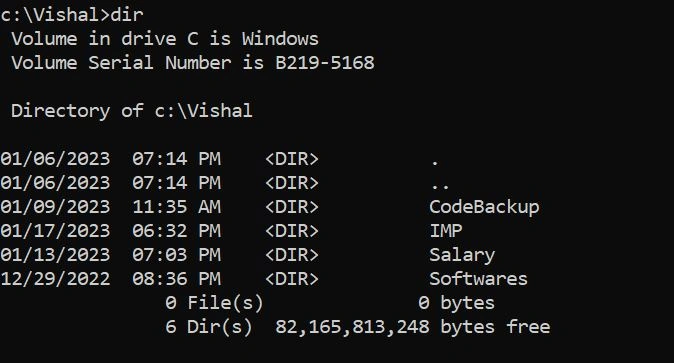
- "dir" - Lists the files and directories in the current directory
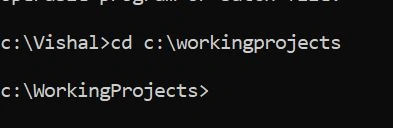
- "cd" - Change the current directory
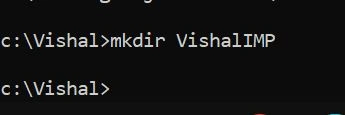
- "mkdir" - Create a new directory
- "copy" - Copies a file
- "del" - Deletes a file
- "ren" - Rename files and directories
- dir - Lists the files & folders contained in the current working directory
- cd - Change Directory allows you to change and access the directory
- mkdir - Make a Directory and Creates a new folder in the working directory
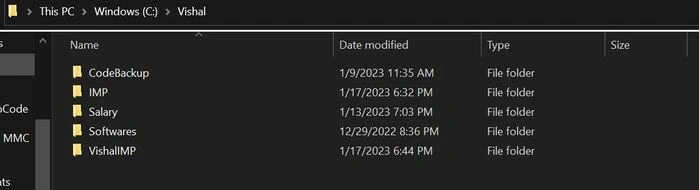
After directory/folder created "VishalIMP"
- ren - Rename files and folders
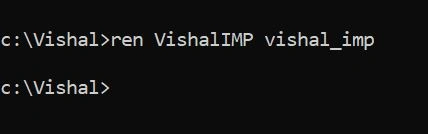
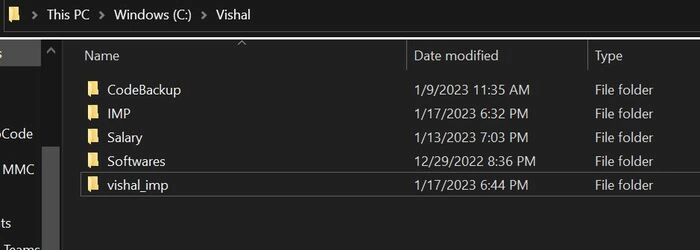
After directory/folder renamed "VishalIMP" to "vishal_imp"
- copy - Copies file to destination
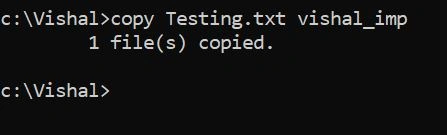
Before file "Testing.txt" copy
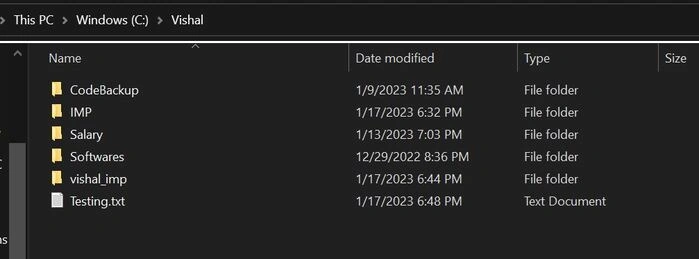
After the file "Testing.txt" copied from "Vishal" to "vishal_imp"
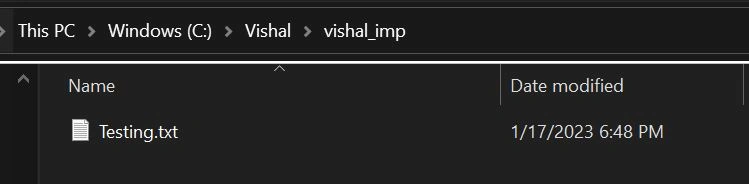
- del - Deletes files.
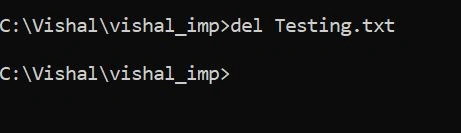
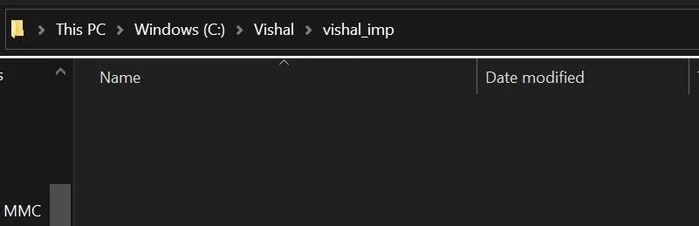
After the file "Testing.txt" was deleted from "vishal_imp"
Join the conversation! Your thoughts help the community grow.