

Introduction
Here we will be discussing the Callee property in javascript. It is used to specify the body text of the current function being executed.
For Ex:
- <html>
- <head>
- <title> New Document </title>
- <script language="JavaScript">
- function chkCallee()
- {
- var txt = arguments[0].value;
- txt += arguments[1];
- alert(txt);
- document.write(arguments.callee.toString());
- }
- </script>
- </head>
- <body>
- <input type="button" value="First" OnClick=chkCallee(this,"Grade")>
- <input type="button" value="Second" OnClick=chkCallee(this,"Grade")>
- <input type="button" value="Third" OnClick=chkCallee(this,"Grade")>
- </body>
- </html>
The output will be:
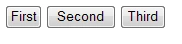
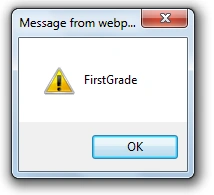
When we click on the first button

Join the conversation! Your thoughts help the community grow.