
For any organization which has an entirely separate "Data Security" team who are responsible for bulk user management, we can use dynamic groups replacing those scripts with PowerShell for moving the users to certain groups. In azure we can now use dynamic groups to maintain the group members based on the attributes of those users.
The Azure portal provides a graphical-based rule builder for dynamic membership, which supports adding up to five expressions, and the ability to enter your query string directly into the text editor.
Why would you use Dynamic Groups?
- Using a query-based membership, when you update the attributes of a user or device they will be added to or removed from the dynamic groups that are now relevant to them, without you having to do any other steps.
- You might have a dynamic group for people who have the same department name or location specified in their user account. You can combine more than one attribute so, for example, the group members have to both be in the Finance department and be located in Chennai, India.
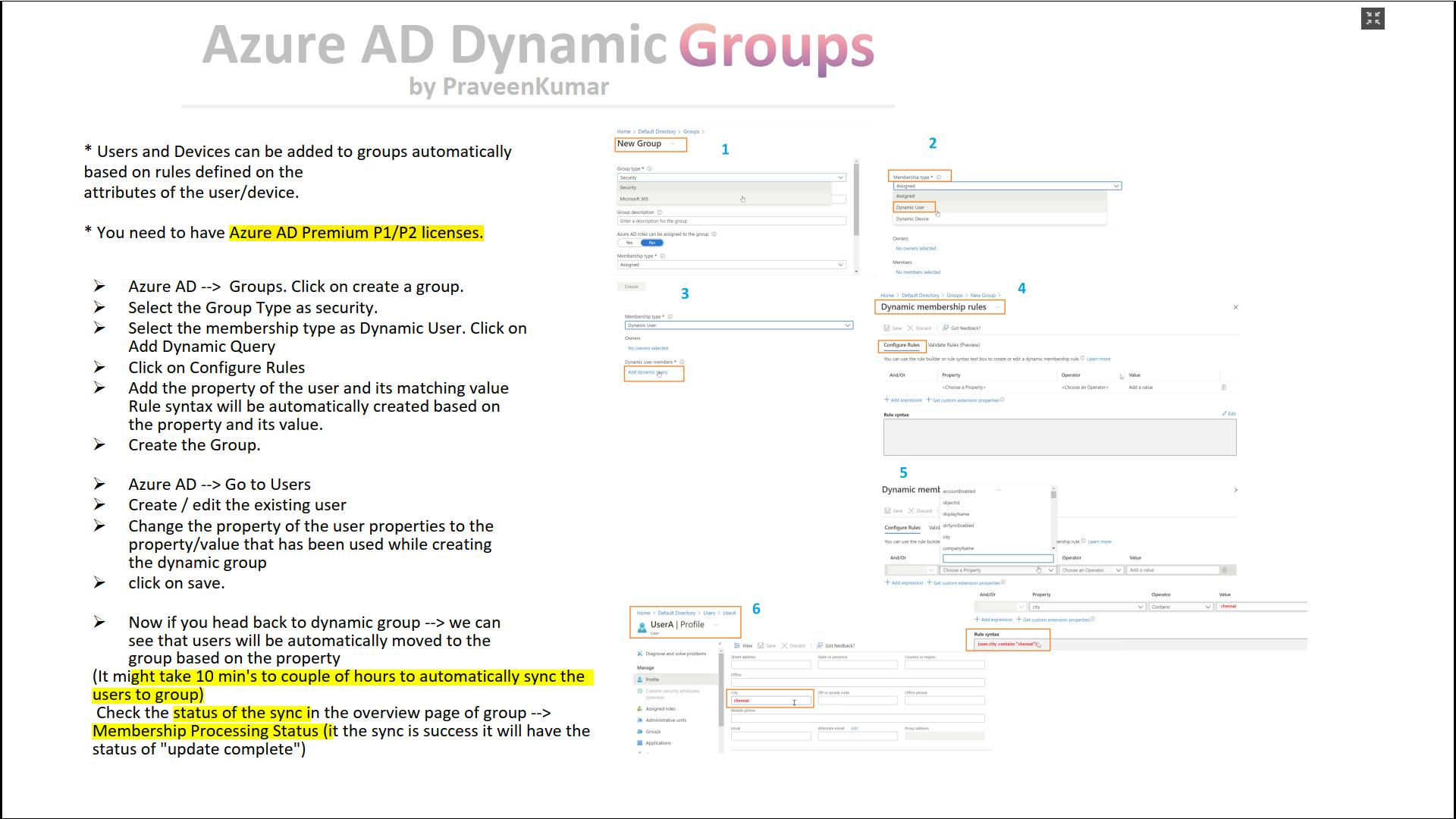
Dynamic Group: Cheat Sheet
References
Join the conversation! Your thoughts help the community grow.