

In this blog we learn how to create autocomplete TextBox.
Step 1:
Now open visual Studio -> File -> New -> Project -> Windows From Application -> Ok
Drag and Drop label and TextBox.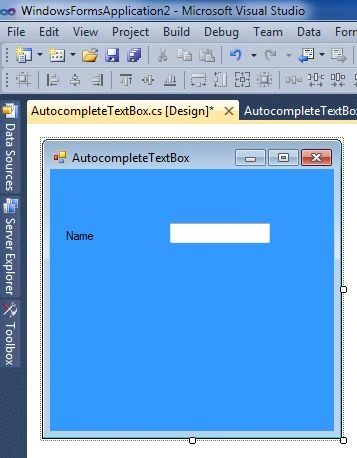
Step 2:
Now click on TextBox and go to its properties window.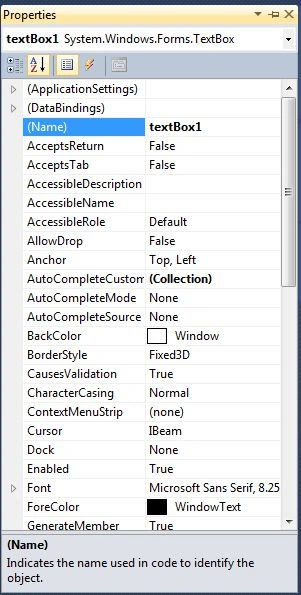
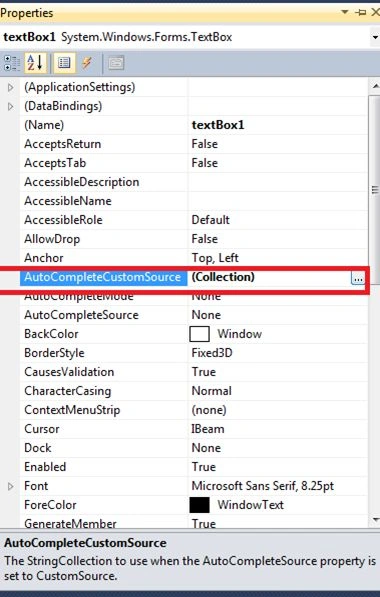
Now Select AutoCompletecustomeSource. Click on it.
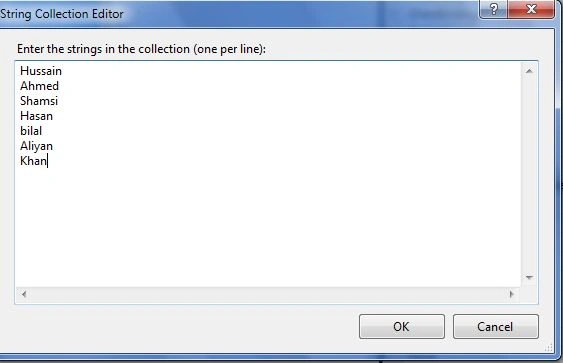
Now insert the Some Values
Click on AutocompleteMode and select SuggestApend.
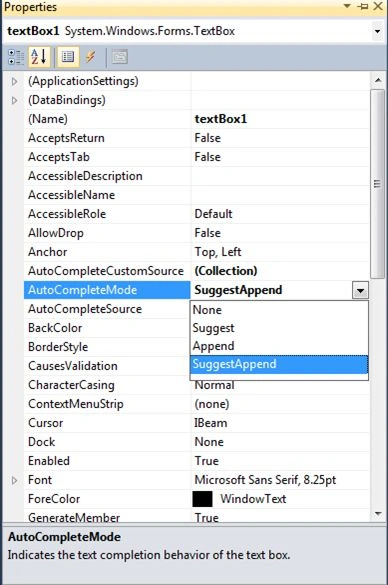
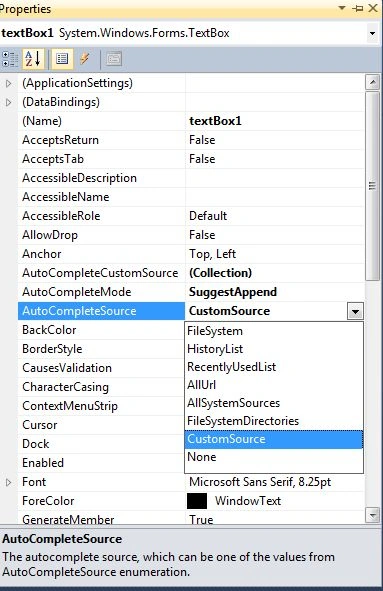
Now Select AutocompleteSource -> CustomeSource
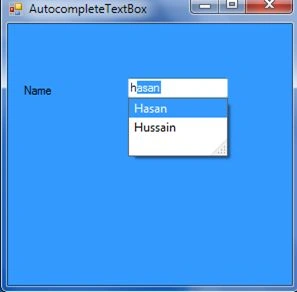
Output
Enter name in TextBox eg: Enter h it will autocompelete and append list. You can select here specific name.
kero thrwatPosted Feb 24, 2016, 11:49 AM
very nice , how to implementing it for right to left language