

Continuing with the previous share, today I will share the way to install Bootstrap in ASP.NET MVC5 using Visual Studio 2019.
Read previous articles again:
Setup Bootstrap 3.3.1 to ASP.NET MVC 5
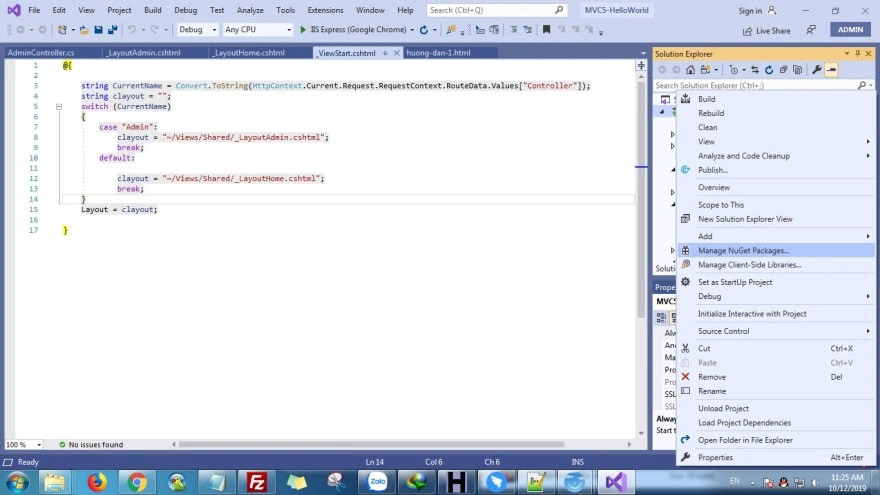
Right-click Project -> Manager NuGet Packages -> Click icon setting configuration, add package source.
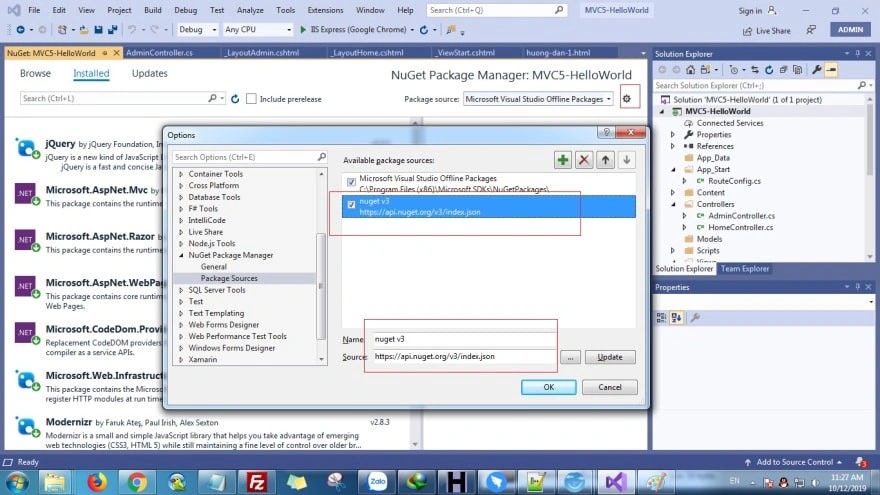
https://api.nuget.org/v3/index.json
Continue by adding a package source (following image)
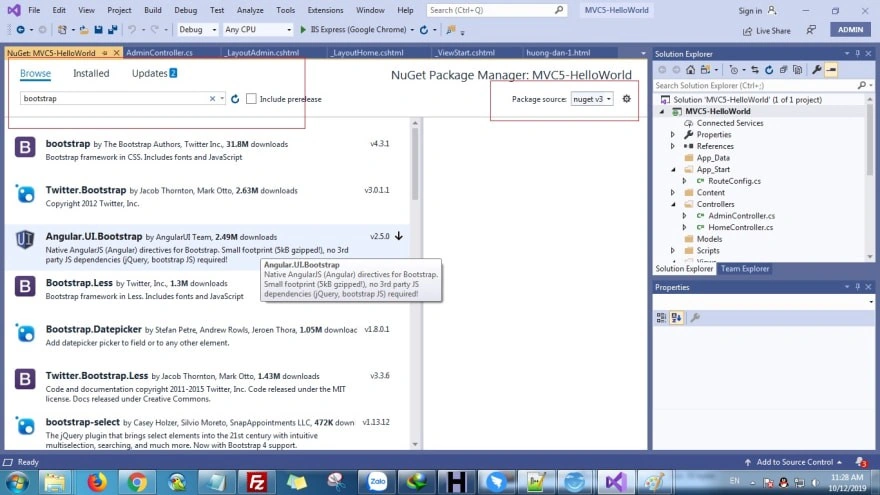
You search keyword “bootstrap” and then install
You can see bootstrap in project after a successful installation.
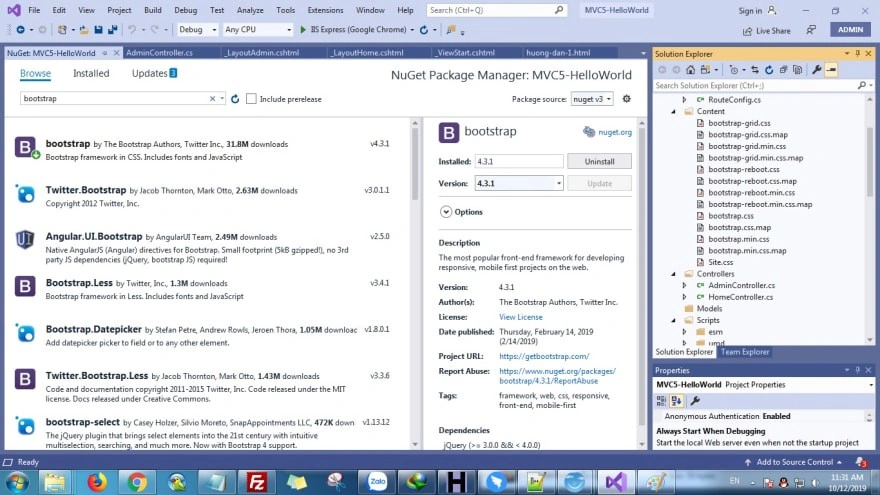
Okay, installation is successful!
You can use bootstrap in Layout file of Views/Shared/_LayoutHome.cshtml directory. (Note you add css,javascript to file)
- <link rel="stylesheet" href="~/Content/bootstrap.min.css" />
- <script src="~/Scripts/jquery-3.3.1.min.js"></script>
- <script src="~/Scripts/bootstrap.min.js"></script>
- <!DOCTYPE html>
- <html>
- <head>
- <meta name="viewport" content="width=device-width" />
- <title>@ViewBag.Title</title>
- <link rel="stylesheet" href="~/Content/bootstrap.min.css" />
- <script src="~/Scripts/jquery-3.3.1.min.js"></script>
- <script src="~/Scripts/bootstrap.min.js"></script>
- </head>
- <body>
- <div>
- @RenderBody()
- </div>
- </body>
- </html>
- <div class="container">
- <div class="row">
- <div class="col-md-12">
- <h2>@ViewBag.title</h2>
- <a href="https://hoanguyenit.com" class="btn btn-success">https://hoanguyenit.com</a>
- </div>
- </div>
- </div>
Ok, we successfully installed bootstrap in ASP.NET MVC 5!!
Joe BarrettPosted May 18, 2021, 9:46 PM
I'm trying to see the value in this post, given that Bootstrap was already being installed in ASP.NET web projects as part of the default template.....
Matt KernPosted Jan 27, 2021, 10:41 PM
Thank you Azdev