

Animate function in asp.net 4.0 Use Jquery.
- <%@ Page Language="C#" AutoEventWireup="true" CodeFile="Default2.aspx.cs" Inherits="Default2" %>
- <!DOCTYPE html PUBLIC "-//W3C//DTD XHTML 1.0 Transitional//EN""http://www.w3.org/TR/xhtml1/DTD/xhtml1-transitional.dtd">
- <html xmlns="http://www.w3.org/1999/xhtml">
- <head id="Head1" runat="server">
- <title></title>
- <style type="text/css">
- .contentarea
- {
- width:300px;
- height:250px;
- font-size:16px;
- border:5px solid red;
- background:#ccc666;
- color:#000000;
- }
- </style>
- <script src="js/jquery-1.4.1.min.js" type="text/javascript"></script>
- <script language="javascript" type="text/javascript">
- $(document).ready(function () {
- var regular = true;
- $("#<%=btnsubmit.ClientID %>").click(function (e) {
- e.preventDefault();
- if (regular == true) {
- $(".contentarea").animate({
- opacity: 0.5,
- width: "500px",
- height: "280px",
- fontSize: "42px",
- borderwidth: "15px"
- }, "slow");
- }
- else {
- $(".contentarea").animate({
- opacity: 0.5,
- width: "300px",
- height: "100px",
- fontSize: "16px",
- borderwidth: "55px"
- }, "slow");
- }
- regular = !regular;
- });
- });
- </script>
- </head>
- <body>
- <form id="form1" runat="server">
- <fieldset id="field1" runat="server" title="Animated panal">
- <asp:Button ID="btnsubmit" runat="server" Text="Animate" />
- <br />
- <br />
- <asp:Panel ID="Panel1" runat="server" CssClass="contentarea">
- I am Dipankar Biswas
- </asp:Panel>
- </fieldset>
- </form>
- </body>
- </html>
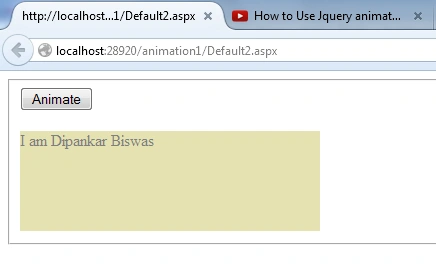
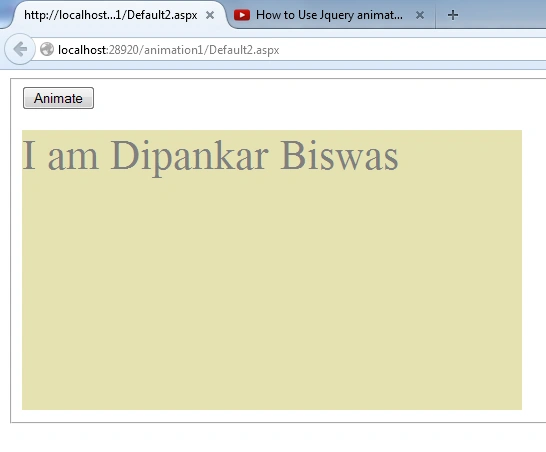
Button click
Join the conversation! Your thoughts help the community grow.