

Step 1
First we have to create a table and mention print option button in the above table. Please refer to the below code for table and print options button.
- <button type="button" class="btn btn-success" ng-click="PrintRecord()">
- <i class="fa fa-download"></i>Print</button>
Step 2
Just mention click event in print options button. The click event name is ng-click="PrintRecord()".
Step 3
Refer to the table id; the table id name is id="tablerecords".
- <div class="panel-body">
- <table role="grid" id="tablerecords">
- <thead class="k-grid-header" role="rowgroup">
- <tr role="row">
- <th>S.No</th>
- <th>Name</th>
- <th>Email</th>
- <th>Mobile Number</th>
- </tr>
- </thead>
- <tbody role="rowgroup">
- <tr ng-repeat="user in UsersList class=" trstyle ">
- <td><strong>{{$index+1}}</strong> <td>
- <td><strong>{{user.Name}}</strong></td>
- <td><strong>{{user.Email}}</strong></td>
- <td><strong>{{user.MobileNumber}}</strong></td>
- </tbody>
- </table>
- </div>
Step 4
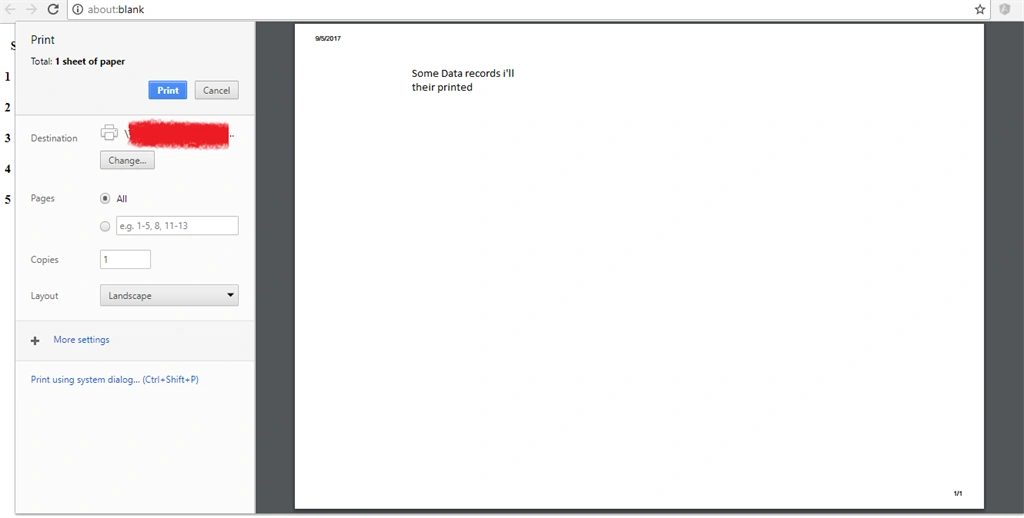
The click event has been triggered and gets table records value to throw print option page. Just put this code in your js page .
Here click event pass printData function and printData function has to get table records to just proceed to print page.
- $scope.PrintRecord = function() {
- printData();
- }
- function printData() {
- var divToPrint = document.getElementById("tablerecords");
- newWin = window.open("");
- newWin.document.write(divToPrint.outerHTML);
- newWin.print();
- newWin.close();
- }
Join the conversation! Your thoughts help the community grow.