

In this blog, we have discussed adding, retrieving, and deleting the SharePoint online quick launch navigation menu using the C# Server Object model. Follow the below coding to get the result.
Add new term in the quick launch
Add the below code in your Program.cs.
- namespace GetNavigationNode {
- class Program {
- static void Main(string[] args) {
- string userName = "[email protected]";
- string password = "********";
- string siteUrl = "https:// tenantname.sharepoint.com/sites/AssociateSite";
- SecureString securePassword = new SecureString();
- foreach(char c in password) {
- secure Password.AppendChar(c);
- }
- var credentials = new SharePointOnlineCredentials(userName, securePassword);
- using(ClientContext clientContext = new ClientContext(siteUrl)) {
- client Context.Credentials = credentials;
- Navigation NodeCollection qlNavNodeColl = clientContext.Web.Navigation.QuickLaunch;
- client Context.Load(clientContext.Web);
- clientContext.Load(qlNavNodeColl);
- clientContext.ExecuteQuery();
- NavigationNodeCreationInformation newNode = new NavigationNodeCreationInformation();
- newNode.Title = "Search";
- newNode.Url = "https://www.google.com";
- qlNavNodeColl.Add(newNode);
- clientContext.ExecuteQuery();
- }
- }
- }
- }
After running the code,

Get Navigation node
Add the below code to get all the term from quicklunch.
- using(ClientContext clientContext = new ClientContext(siteUrl)) {
- clientContext.Credentials = credentials;
- NavigationNodeCollection qlNavNodeColl = clientContext.Web.Navigation.QuickLaunch;
- clientContext.Load(clientContext.Web);
- clientContext.Load(qlNavNodeColl);
- clientContext.ExecuteQuery();
- foreach(NavigationNode navToDelete in qlNavNodeColl) {
- var navNodeTitle = navToDelete.Title;
- Console.WriteLine("Navigation Node is : " + navNodeTitle);
- }
- }

Delete Navigation Node
Add below code to remove the quick launch term
- string userName = "[email protected]";
- string password = "********";
- string siteUrl = "https:// tenantname.sharepoint.com/sites/AssociateSite";
- SecureString securePassword = new SecureString();
- foreach(char c in password) {
- securePassword.AppendChar(c);
- }
- var credentials = new SharePointOnlineCredentials(userName, securePassword);
- using(ClientContext clientContext = new ClientContext(siteUrl)) {
- clientContext.Credentials = credentials;
- NavigationNodeCollection qlNavNodeColl = clientContext.Web.Navigation.QuickLaunch;
- clientContext.Load(clientContext.Web);
- clientContext.Load(qlNavNodeColl);
- clientContext.ExecuteQuery();
- foreach(NavigationNode navToDelete in qlNavNodeColl) {
- var title = navToDelete.Title;
- if (title == "Search") {
- navToDelete.DeleteObject();
- clientContext.ExecuteQuery();
- }
- }
- }
- }
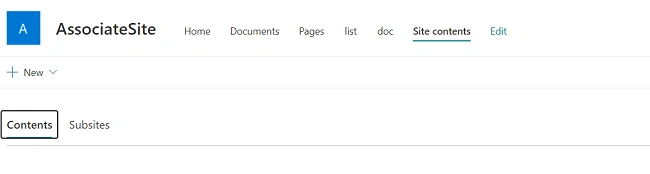
After running the code,
Conclusion
From the above example of the code, we can conclude that, the CRUD operation of a quick launch navigation node in SharePoint Online using c# is very effective as it reduces the amount of time. You can also use this code for SharePoint 2019 and 2016.
Join the conversation! Your thoughts help the community grow.