

Introduction
This article demonstrates how to create a Xamarin application for a ScrollView Multiple Circle Image. Xamarin is a platform that allows us to create a multi-platform mobile application for platforms, like Android, Windows, and IOS through a single integrated development environment (IDE).

Let's Start
Step 1
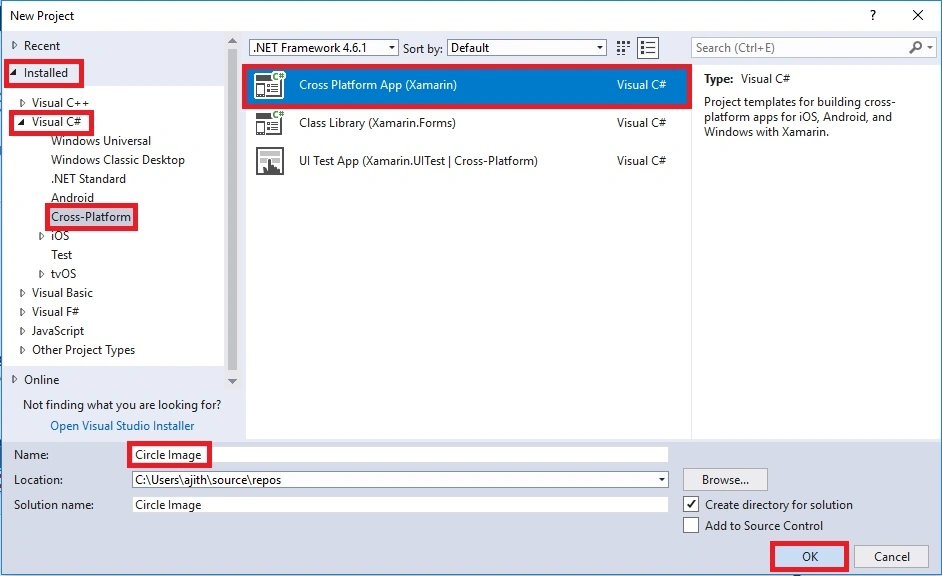
Open Visual Studio and go to New Project >> Installed >> Visual C# >> Cross-Platform.
Select Cross-Platform app, then give your project a name and location and click "OK" button.
Step 2
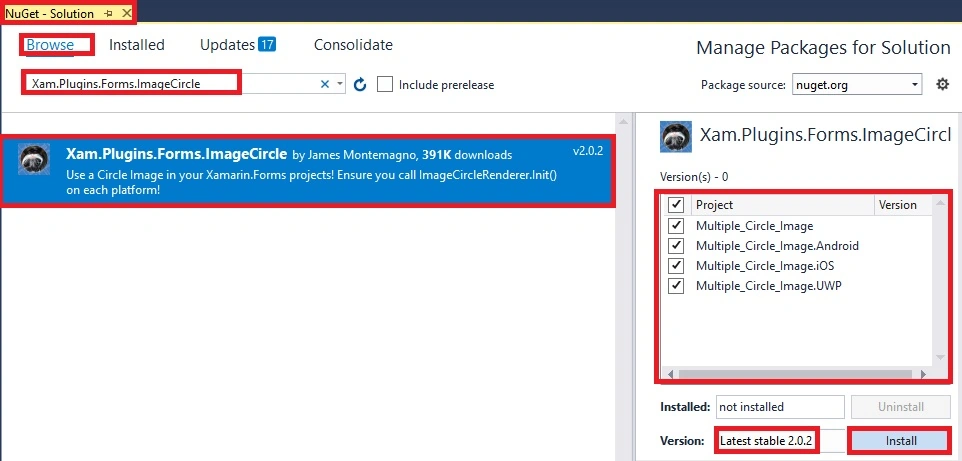
Install the following NuGet package to your project.
- Xam.Plugin.Forms.ImageCircle
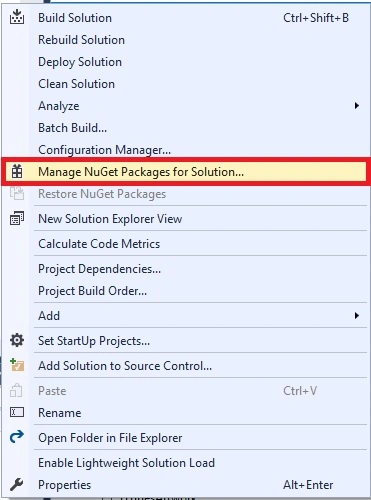
Now, Select the following NuGet package and select your project to install in it.
Step 3
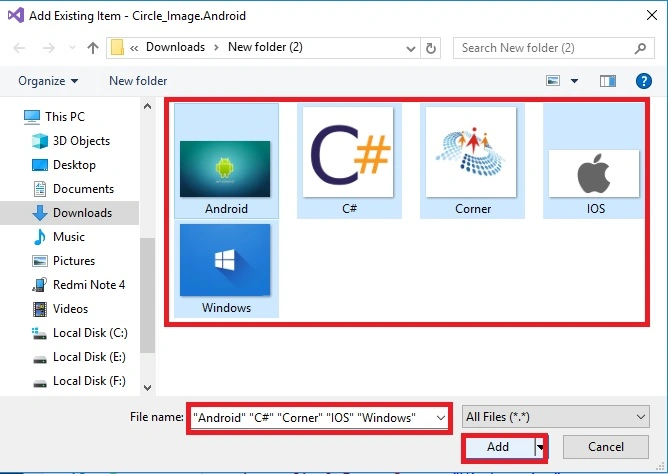
Next, add an image to Solution Explorer >> Project Name.Android >> Resources >> Right-Click >> drawable >> Add >> Existing Item.
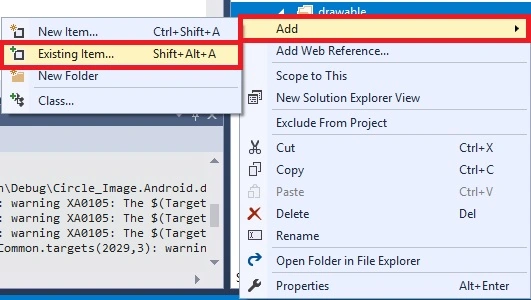
Next, a dialogue box will open. Choose image location and add images.
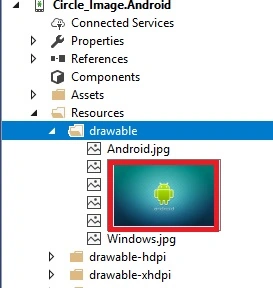
The Images are added successfully.
Step 4
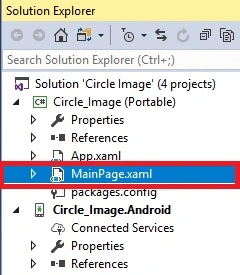
Open Solution Explorer >> Project Name (Portable) >> MainPage.xaml. Double Click in open the design view of this page.
The Code is given below.
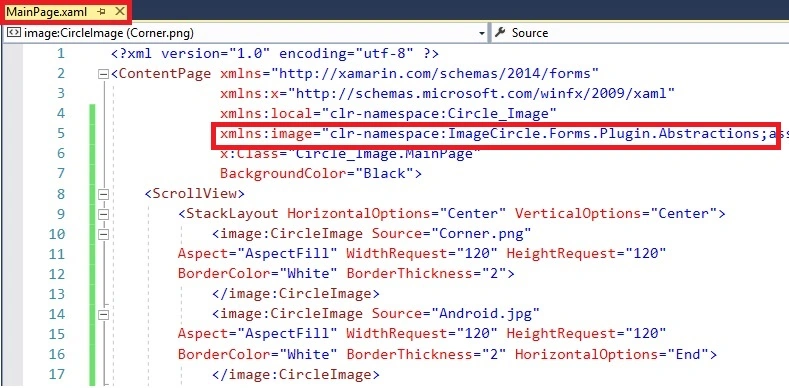
Xaml Code
We are creating a Circle image with WidthRequest, HeightRequest, BorderColor, and BorderThickness inside the StackLayout. StackLayout is inside the scroll view. Just copy the code in your project.
Assembly
- xmlns:image="clr-namespace:ImageCircle.Forms.Plugin.Abstractions;assembly=ImageCircle.Forms.Plugin.Abstractions"
- <?xml version="1.0" encoding="utf-8" ?>
- <ContentPage xmlns="http://xamarin.com/schemas/2014/forms"
- xmlns:x="http://schemas.microsoft.com/winfx/2009/xaml"
- xmlns:local="clr-namespace:Circle_Image"
- xmlns:image="clr-namespace:ImageCircle.Forms.Plugin.Abstractions;assembly=ImageCircle.Forms.Plugin.Abstractions"
- x:Class="Circle_Image.MainPage"
- BackgroundColor="Black">
- <ScrollView>
- <StackLayout HorizontalOptions="Center" VerticalOptions="Center">
- <image:CircleImage Source="Corner.png"
- Aspect="AspectFill" WidthRequest="120" HeightRequest="120"
- BorderColor="White" BorderThickness="2">
- </image:CircleImage>
- <image:CircleImage Source="Android.jpg"
- Aspect="AspectFill" WidthRequest="120" HeightRequest="120"
- BorderColor="White" BorderThickness="2" HorizontalOptions="End">
- </image:CircleImage>
- <image:CircleImage Source="Windows.jpg"
- Aspect="AspectFill" WidthRequest="120" HeightRequest="120"
- BorderColor="White" BorderThickness="2" HorizontalOptions="End">
- </image:CircleImage>
- <image:CircleImage Source="IOS.png"
- Aspect="AspectFill" WidthRequest="120" HeightRequest="120"
- BorderColor="White" BorderThickness="2">
- </image:CircleImage>
- <image:CircleImage Source="Corner.png"
- Aspect="AspectFill" WidthRequest="120" HeightRequest="120"
- BorderColor="White" BorderThickness="2">
- </image:CircleImage>
- <image:CircleImage Source="Android.jpg"
- Aspect="AspectFill" WidthRequest="120" HeightRequest="120"
- BorderColor="White" BorderThickness="2">
- </image:CircleImage>
- <image:CircleImage Source="Windows.jpg"
- Aspect="AspectFill" WidthRequest="120" HeightRequest="120"
- BorderColor="White" BorderThickness="2">
- </image:CircleImage>
- <image:CircleImage Source="IOS.png"
- Aspect="AspectFill" WidthRequest="120" HeightRequest="120"
- BorderColor="White" BorderThickness="2">
- </image:CircleImage>
- <image:CircleImage Source="Corner.png"
- Aspect="AspectFill" WidthRequest="120" HeightRequest="120"
- BorderColor="White" BorderThickness="2">
- </image:CircleImage>
- </StackLayout>
- </ScrollView>
- </ContentPage>
Step 5
Next, select the Built & Deploy option, followed by selecting from the list of Android Emulator or Simulator. You can Choose any API (Application Program Interface ) Level Emulator or simulator to run it.
Output
After a few seconds, you will see your app working.
Given below is the result.

Finally, we have successfully created Xamarin.Forms Application For ScrollView Multiple Circle Image.
Conclusion
I hope you have learned how to create a Xamarin.Forms Application for a ScrollView Multiple Circle Image with Visual Studio 15.4.4.
Join the conversation! Your thoughts help the community grow.