

Let’s start,
Step 1 - Open Visual Studio, New Project, Templates, Visual C#, Android, then select Blank App (Android)
Select Blank App, then give Project Name and Project Location.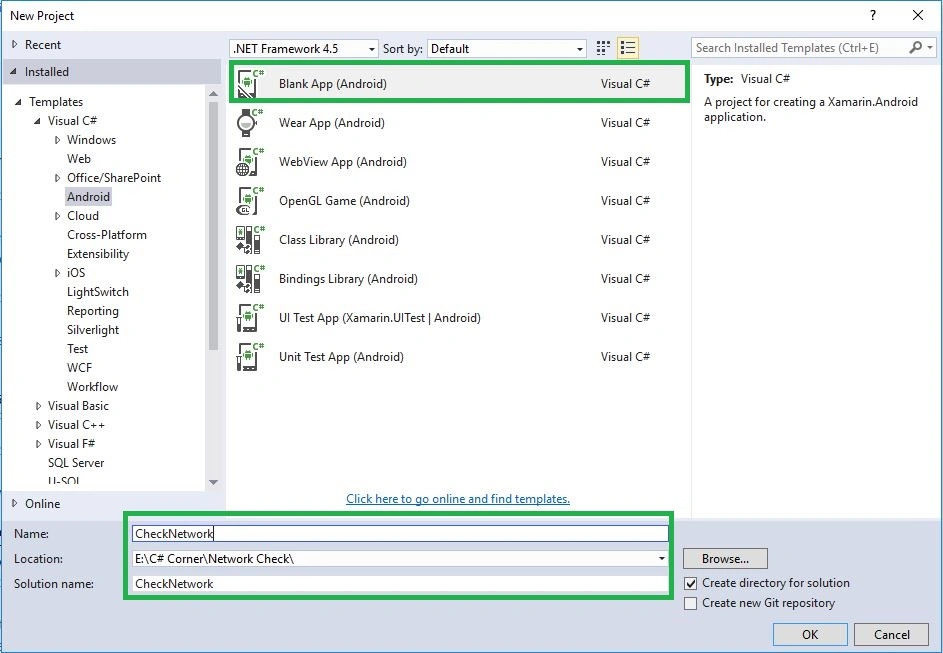
Step 2
Next go to Solution Explorer, Project Name, Properties, then AndroidManifest.xml to open the Code page. Then give permission for Network and Location services.
XML Code
- <uses-permission android:name="android.permission.ACCESS_NETWORK_STATE" />
- <uses-permission android:name="android.permission.ACCESS_WIFI_STATE" />
- <uses-permission android:name="android.permission.ACCESS_FINE_LOCATION" />
Step 3 - Next to open Solution Explorer, Project Name, then MainActivity.cs open and write the following C# Code.
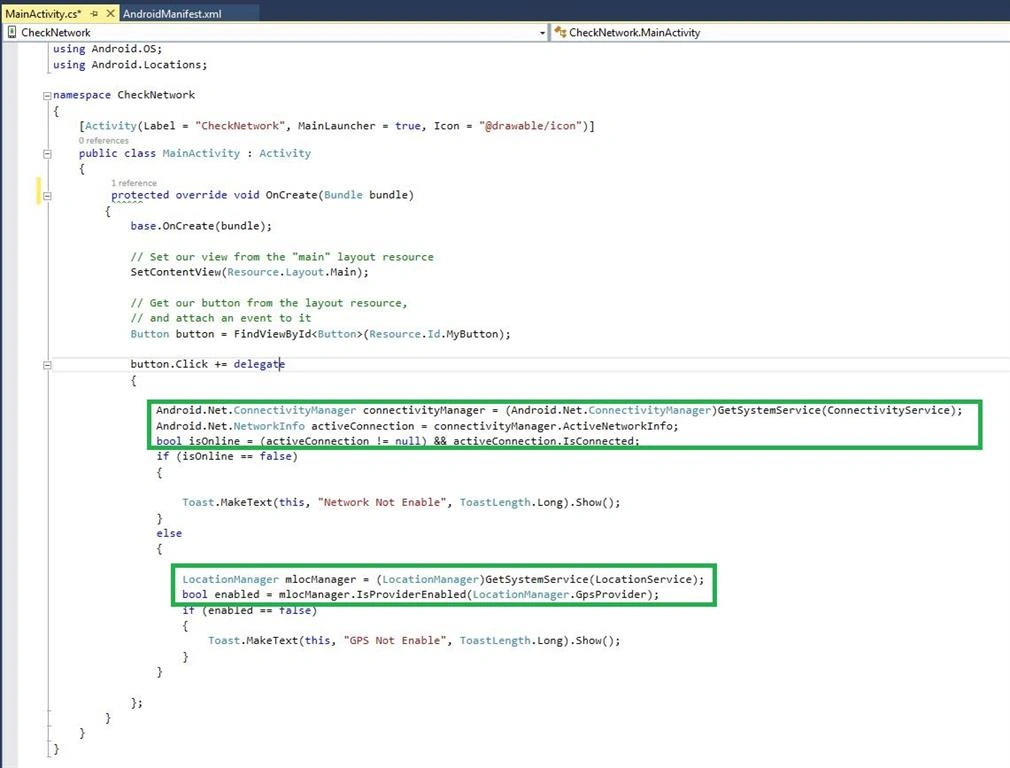
C# Code
- using System;
- using Android.App;
- using Android.Content;
- using Android.Runtime;
- using Android.Views;
- using Android.Widget;
- using Android.OS;
- using Android.Locations;
- namespace CheckNetwork
- {
- [Activity(Label = "CheckNetwork", MainLauncher = true, Icon = "@drawable/icon")]
- public class MainActivity: Activity
- {
- protected override void OnCreate(Bundle bundle)
- {
- base.OnCreate(bundle);
- // Set our view from the "main" layout resource
- SetContentView(Resource.Layout.Main);
- // Get our button from the layout resource,
- // and attach an event to it
- Button button = FindViewById < Button > (Resource.Id.MyButton);
- button.Click += delegate
- {
- Android.Net.ConnectivityManager connectivityManager = (Android.Net.ConnectivityManager) GetSystemService(ConnectivityService);
- Android.Net.NetworkInfo activeConnection = connectivityManager.ActiveNetworkInfo;
- bool isOnline = (activeConnection != null) && activeConnection.IsConnected;
- if (isOnline == false)
- {
- Toast.MakeText(this, "Network Not Enable", ToastLength.Long).Show();
- } else
- {
- LocationManager mlocManager = (LocationManager) GetSystemService(LocationService);;
- bool enabled = mlocManager.IsProviderEnabled(LocationManager.GpsProvider);
- if (enabled == false)
- {
- Toast.MakeText(this, "GPS Not Enable", ToastLength.Long).Show();
- }
- }
- };
- }
- }
- }
Step 4 - Press F5 or Build and Run the Application,Click Button once checking the GPS and Network Status, then show output Notification. Here, I disabled only GPS, so the output will come GPS Status only.
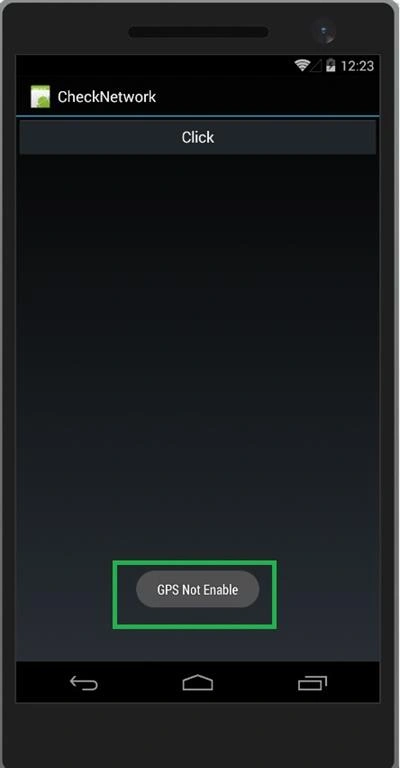
Finally, we have successfully created Xamarin Application for checking Network and GPS Status.
Junior Anchundia MaciasPosted May 4, 2018, 11:30 AM
How to redirect to the settings if the gps is not available?
Prasanna MuraliPosted May 20, 2016, 9:30 PM
Nice one
Pradeep SahooPosted May 18, 2016, 4:47 PM
Nice share .........
Neeraj KumarPosted May 11, 2016, 2:14 PM
Nice
Debasis SahaPosted May 11, 2016, 10:08 AM
Good One..
Kuppurasu NagarajPosted May 11, 2016, 9:12 AM
Nice Sharing..
Mohammed IbrahimPosted May 11, 2016, 8:12 AM
nice share